ni.com is currently undergoing scheduled maintenance.
Some services may be unavailable at this time. Please contact us for help or try again later.
- Subscribe to RSS Feed
- Mark Topic as New
- Mark Topic as Read
- Float this Topic for Current User
- Bookmark
- Subscribe
- Mute
- Printer Friendly Page
Moving average filter
Solved!
 P3tson
05-16-2012 01:37 PM
- Mark as New
- Bookmark
- Subscribe
- Mute
- Subscribe to RSS Feed
- Permalink
- Report to a Moderator
Hi. I want to do a moving average filter to my VI. I have done a basic FIR filter.. but i havent any clue how to do a moving average filter.
+ I want a button for play the input wav file.. how can i make this?
This is the vi :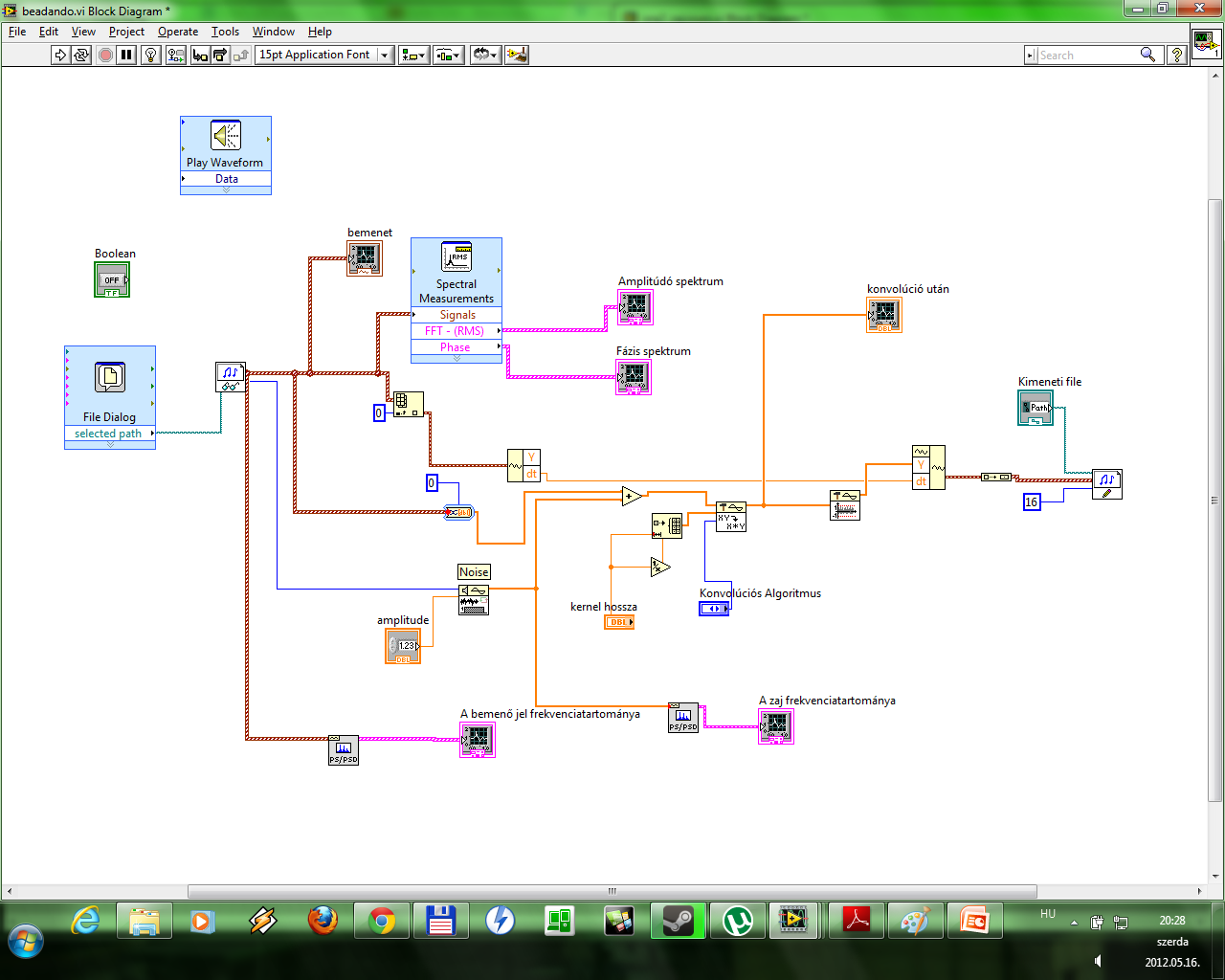
Solved! Go to Solution.

 crossrulz

05-16-2012 02:12 PM
- Mark as New
- Bookmark
- Subscribe
- Mute
- Subscribe to RSS Feed
- Permalink
- Report to a Moderator
My trick for a moving average is to use the FIR filter with specific coefficients.
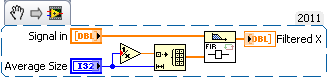
As far as playing your wav file, check out the Graphics and Sound palette. I have little experience with them, but I know there's VIs there to play your wav file.
There are only two ways to tell somebody thanks: Kudos and Marked Solutions
Unofficial Forum Rules and Guidelines
"Not that we are sufficient in ourselves to claim anything as coming from us, but our sufficiency is from God" - 2 Corinthians 3:5
- Tags:
- Moving Average
05-16-2012 02:23 PM
- Mark as New
- Bookmark
- Subscribe
- Mute
- Subscribe to RSS Feed
- Permalink
- Report to a Moderator
Thanks for the filter!!!
Ok i have found how to play the wav file, but this play it immediately! I want a button and when i push it then schould play the input wav..

 RavensFan
05-16-2012 03:05 PM
- Mark as New
- Bookmark
- Subscribe
- Mute
- Subscribe to RSS Feed
- Permalink
- Report to a Moderator
You need to put your Play waveform inside an event structure. The VI will wait at the event structure until something happens such as the Value change of a boolean Play button you put on the front panel.
05-17-2012 08:45 AM
- Mark as New
- Bookmark
- Subscribe
- Mute
- Subscribe to RSS Feed
- Permalink
- Report to a Moderator
Thanks! It works! 🙂
