- Subscribe to RSS Feed
- Mark Topic as New
- Mark Topic as Read
- Float this Topic for Current User
- Bookmark
- Subscribe
- Mute
- Printer Friendly Page
Beginner Arduino + LabVIEW + X-Bee Pro XSC

 ZachH
ZachH
02-22-2012 02:33 PM
- Mark as New
- Bookmark
- Subscribe
- Mute
- Subscribe to RSS Feed
- Permalink
- Report to a Moderator
Hello Everyone!
I am currently working on trying to make force sensor wireless. When the Arduino is plugged into the computer everything works fine. However, once I plug in the X-Bee Explorer to my computer and an X-Bee ino my arduino I do not get any readings. I am using the basic Arduino Analog Read Pin code example tutorial to collect my data. If anyone could show me the changes I would have to make to the origional tutorial file to make it wireless, I would be extreemly grateful. Thank you so much for your time, and I have a feeling it is a quick fix but I just cant wrap my head around it.
Sincerely,
Zach

02-22-2012 02:53 PM
- Mark as New
- Bookmark
- Subscribe
- Mute
- Subscribe to RSS Feed
- Permalink
- Report to a Moderator
Zach,
Have you gotten to check out this thread? The most important part is changing the input to the Init VI. Let us know if it works.
https://decibel.ni.com/content/thread/10814
-Ben
National Instruments
Applications Engineer
02-22-2012 05:00 PM
- Mark as New
- Bookmark
- Subscribe
- Mute
- Subscribe to RSS Feed
- Permalink
- Report to a Moderator
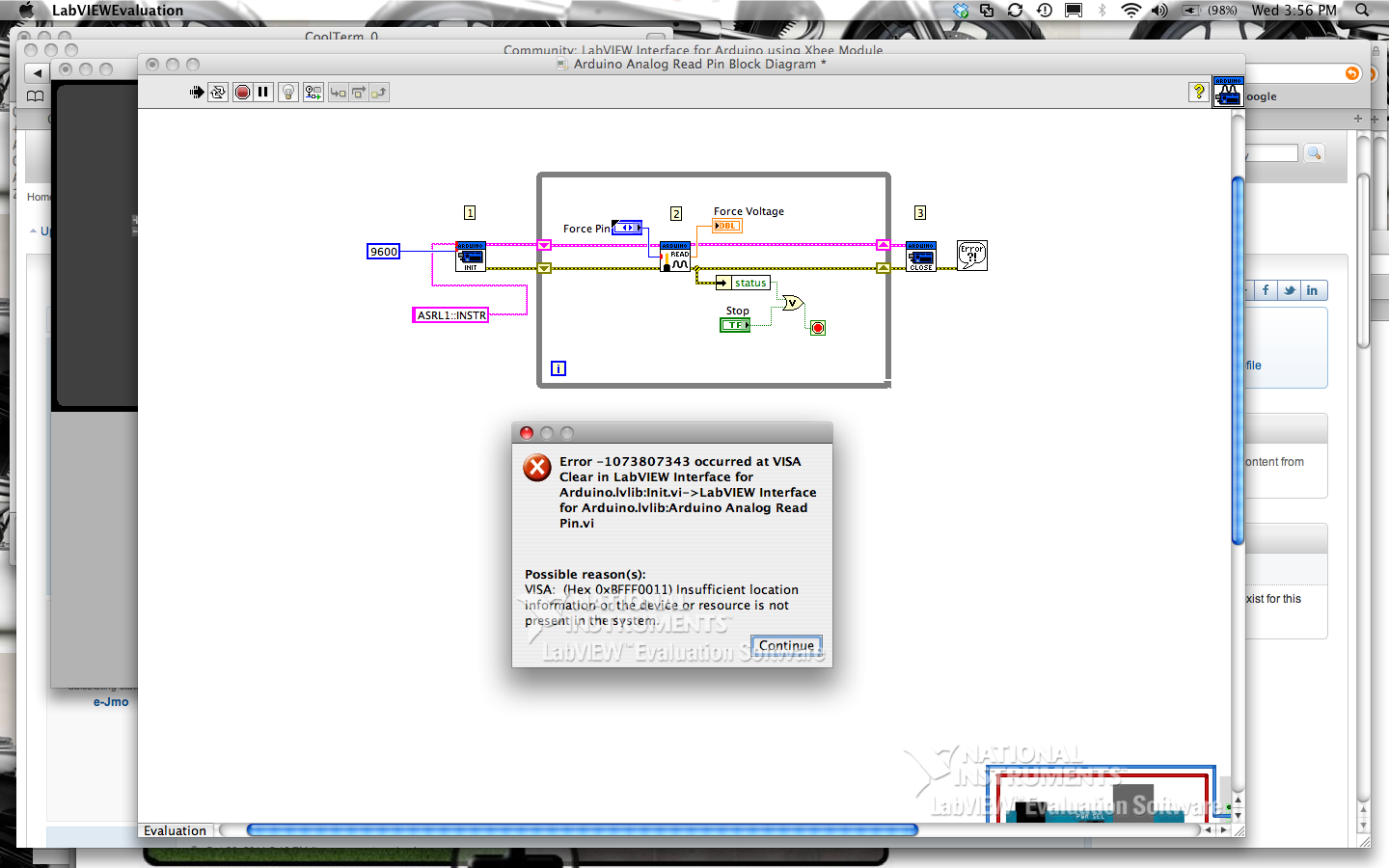
Thank you for your quick response, however now I am getting another error, I took a screen shot. Maybe it can shed some light on the situation.
02-23-2012 02:05 AM
- Mark as New
- Bookmark
- Subscribe
- Mute
- Subscribe to RSS Feed
- Permalink
- Report to a Moderator
Zach,
Could you upload your LIFA firmware, a screenshot of MAX with the serial and parallel section highlighted/chosen, and also a screenshot of Windows Device Manager with the XBee serial device chosen would be handy. I am looking to confirm the VISA resource (ASRL1) across all these as well as the baud rate of the serial connection.
Regards from Denmark,
-Ben
National Instruments
Applications Engineer
