I have been struggling with this for a few hours now.
I would like to call an executable in TestStand, say "ping". I would also like to have the executable display in a new window (as to provide the user some feedback about the operation the executable is doing). Then once, the executable is done, I would like to process its Standard Output / Error (Perform some checks, and report these as pass/fail).
What I have seen is that, if I set up my executable call and leave "Output Destination" and "Error Destination" as "Ignore", the executable does indeed open up in a new window.
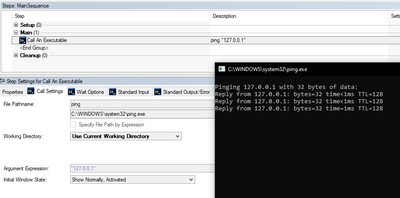
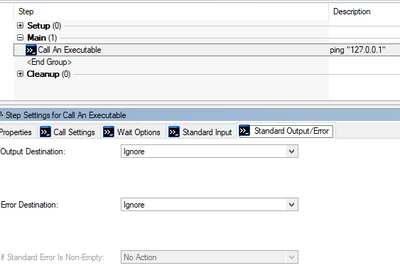
As soon as I try to store the standard output/error in a variable (Changing the default "Ignore" from the second picture), the executable runs in the background, and I have no access to it. This is especially inconvenient if the executable is interactive (i.e. needs user input).
I have tried a few things, calling the executable via cmd /c, cmd /k, Calling with start /wait, start /wait /b, Calling via a batch file with combinations of start and cmd... all without success. In all cases, I can either have feedback on screen, or have access to the output of the executable, but not both.
Any ideas?


