- Subscribe to RSS Feed
- Mark Topic as New
- Mark Topic as Read
- Float this Topic for Current User
- Bookmark
- Subscribe
- Mute
- Printer Friendly Page
Analog Triggering

 taltsutamatu
05-19-2022 03:45 AM
- Mark as New
- Bookmark
- Subscribe
- Mute
- Subscribe to RSS Feed
- Permalink
- Report to a Moderator
I need to control galvo scanner in this way.
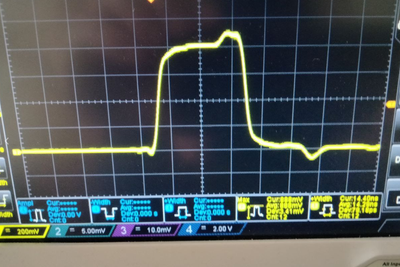
I have an analog synchro signal from a pulse laser. So I need to read this signal with ni-usb-6363 and synchronize AO to control the galvo (it controlled by analog signal). And I need to get this trigger signal in VI for increment a counter (for increase an angle).
I think I need the Pause Trigger to synchronize AO with signal from laser. Is that right?
I've read about the Analog Trigger Event so I think I can use it to increment a counter in LabVIEW, but I don't know how to get it in VI.
 starwalker1
05-19-2022 04:18 AM
- Mark as New
- Bookmark
- Subscribe
- Mute
- Subscribe to RSS Feed
- Permalink
- Report to a Moderator
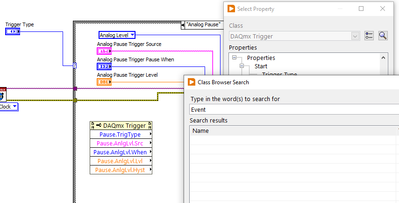
try Trigger Property Node
05-19-2022 04:25 AM
- Mark as New
- Bookmark
- Subscribe
- Mute
- Subscribe to RSS Feed
- Permalink
- Report to a Moderator
There are no Events here

 Kevin_Price
05-19-2022 06:26 AM
- Mark as New
- Bookmark
- Subscribe
- Mute
- Subscribe to RSS Feed
- Permalink
- Report to a Moderator
I doubt that a Pause Trigger is what you'll want.
The "Analog Comparison Event" is actually an internal digital signal rather than a software-side event you can catch with an Event Structure. You can use it as a timing or trigger signal for other DAQmx tasks.
I made a quick example I could only test on a simulated device. You'll need to tweak several things to make it work on your end. Here I configured AI to be triggered by the ao0 signal from the same multifunction device and also to use the "Analog Comparison Event" as a sample clock for the AI task.
I set up AO to output a continuous sine wave on ao0, and I also configured a counter to count the # of "Analog Comparison Events" seen.
You'll look to trigger AI off the external laser pulse signal, and you'll probably use the "Analog Comparison Event" as a sample clock for your own galvo controlling AO task.
-Kevin P
05-23-2022 02:47 AM
- Mark as New
- Bookmark
- Subscribe
- Mute
- Subscribe to RSS Feed
- Permalink
- Report to a Moderator
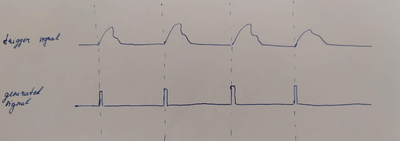
thanks a lot. Can I ask u another question? How should I generate analog signal by analog trigger? I tried VI from example --> Continuous Output (analog pause trigger), it works, but there are too many signals. I need one impulse per trigger signal, like this:
Kevin_Price
05-24-2022 01:35 PM
- Mark as New
- Bookmark
- Subscribe
- Mute
- Subscribe to RSS Feed
- Permalink
- Report to a Moderator
In the example I posted (msg #4), I use the Analog Comparison Event as a sample clock signal to drive the AI task. You could use it the exact same way for your AO task to produce 1 output sample per 1 external analog pulse.
Were you able to open it or do I need to save back earlier than LV 2018?
Note that when using an external signal as a sample clock, the best practice is to declare the sample rate to be the highest feasible sample rate you might end up with. Be aware that this declaration has *no* effect at all on the actual sample timing. Only the timing of the active edges of the external signal control that. But your declaration of a rate can affect the buffer size DAQmx sets aside for AI tasks. (It will also show up as the "dt" value in a waveform, but the "dt" will merely correspond to whatever you declared. It isn't to be trusted.)
-Kevin P
