LabVIEW
- Inscrever-se no RSS Feed
- Marcar tópico como novo
- Marcar tópico como lido
- Flutuar este Tópico do usuário atual
- Favorito
- Inscrever-se
- Emudecer
- Página amigável para impressora
- « Anterior
- Próximo »
Why won't half my servos work? (LabVIEW, Arduino & Linx)
Resolvido!
 BertMcMahan
em 04-04-2019 03:32 PM
- Marcar como novo
- Favorito
- Inscrever-se
- Emudecer
- Inscrever-se no RSS Feed
- Realçar
- Imprimir
- Relatar conteúdo como inapropriado
I think so, you mean the one saying that only the first 3 opened work? I misread it first though as I thought it was the Write command, not Open.
If you open 6, then send a single individual Write command to a single servo, does that work? For all servos? Do any of the Open functions return an error?

em 04-04-2019 04:23 PM
- Marcar como novo
- Favorito
- Inscrever-se
- Emudecer
- Inscrever-se no RSS Feed
- Realçar
- Imprimir
- Relatar conteúdo como inapropriado
Nope, it only works for the first three. None of the Open functions have any errors. It's like LabVIEW/ Linx just can't cope with more than three.
em 04-06-2019 10:01 AM
- Marcar como novo
- Favorito
- Inscrever-se
- Emudecer
- Inscrever-se no RSS Feed
- Realçar
- Imprimir
- Relatar conteúdo como inapropriado
I guess nobody knows how to solve this.
Oh dear 

 GovBob
em 04-07-2019 03:10 AM
- Marcar como novo
- Favorito
- Inscrever-se
- Emudecer
- Inscrever-se no RSS Feed
- Realçar
- Imprimir
- Relatar conteúdo como inapropriado
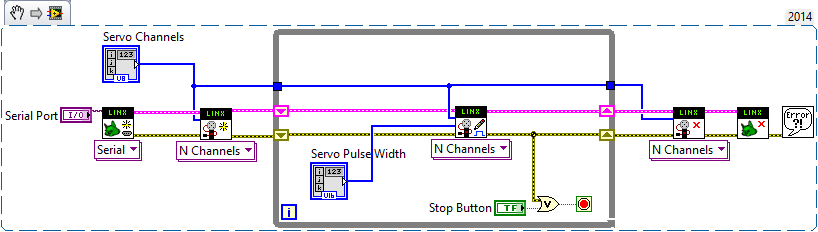
I adapted the example to this and tried it on the UNO. It did not work. The fourth channel does not work and it does not matter which pin is used to control the fourth servo.There is no error messages. I didn't have a chance to hook a scope or logic analyzer to the fourth servo control pin but I am curious as to what appears there. It is not a power problem as I used the same setup and code on a MEGA 2560 and it works fine. I used a 1 amp 9 volt wall wort run through a buck type regulator. Since LINX uploads a general sketch to the micro I suspect we might be dealing with a bug strictly related to the UNO or a imposed restriction due to the memory limitations of the UNO vs. MEGA. I suspect that the developer makes calls to the Arduino Servo library and the documentation for that says we can control up to 12 servos.
em 04-07-2019 04:05 AM
- Marcar como novo
- Favorito
- Inscrever-se
- Emudecer
- Inscrever-se no RSS Feed
- Realçar
- Imprimir
- Relatar conteúdo como inapropriado
Hi GovBob, thank you for replying to my problem.
Ok, looks like the Uno is a no-go. I've ordered a Mega 2560, thank goodness for Amazon same-day delivery!
Once it's here and I've got it set up, I'll let you know if it works (fingers crossed!)
em 04-07-2019 02:46 PM
- Marcar como novo
- Favorito
- Inscrever-se
- Emudecer
- Inscrever-se no RSS Feed
- Realçar
- Imprimir
- Relatar conteúdo como inapropriado
SUCCESS!!!
Thank you so much everyone for your input on this problem, you're all my favourite people.
I'll be sure to tell anyone I see trying the same thing that Uno just can't do it. Get thyself a Mega and be happy!

 ghereny
em 07-09-2022 06:37 PM
- Marcar como novo
- Favorito
- Inscrever-se
- Emudecer
- Inscrever-se no RSS Feed
- Realçar
- Imprimir
- Relatar conteúdo como inapropriado
I need to re-awake this topic. I have a Uno R3 and it worked in a first try with 6 servos (DO 8-13). After that I prepared my I2C sensor VIs measuring the position of each part of the 6DOF arm. They work fine and I got back to work on servo's VIs. What is burning in my mind now is the fact that getting back to my servos VI it do not work for more than 3 servos, exactly as described in many posts here... How can it be? In one week I am able to move every 6 servos independently, in the other week the same successful VI simply ignore the last servos. I tried everything, checked every subVI and the command packet, arguments, etc is correctly built. I have also reintalled LabVIEW and Arduino IDE... nothing changes... Attached, the VI I am talking about - nothing special.
In summa: is there nowadays any solution for that? Except using other board. Thanks and regards!
ghereny
em 07-16-2022 10:03 AM
- Marcar como novo
- Favorito
- Inscrever-se
- Emudecer
- Inscrever-se no RSS Feed
- Realçar
- Imprimir
- Relatar conteúdo como inapropriado
Ok, I also gave up understanding why Uno didn't handle 6 servos at the same time. Like someone said here "get an ATmega2560 and be happy":-)
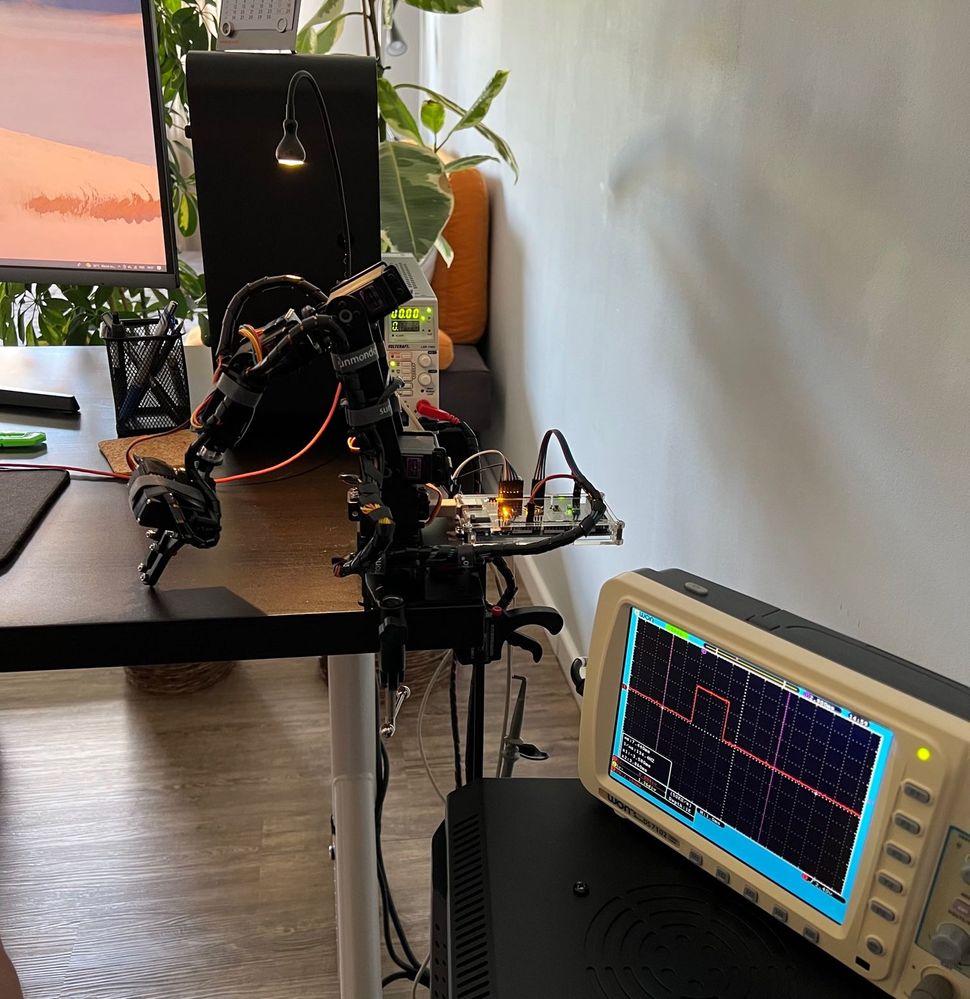
My ATmega2560 has just arrived. In 5 minutes connected the 6 servos, 4 accelerometers and 1 compass servos, firmware loaded, press play on the same LabView VI and voilà. Everything works. Now I can focus again in my objective study - a controller. Thanks this forum group and its insights.
- « Anterior
- Próximo »
