- Subscribe to RSS Feed
- Mark Topic as New
- Mark Topic as Read
- Float this Topic for Current User
- Bookmark
- Subscribe
- Mute
- Printer Friendly Page
Saving Image

 Enriquez
05-19-2013 03:31 AM
- Mark as New
- Bookmark
- Subscribe
- Mute
- Subscribe to RSS Feed
- Permalink
- Report to a Moderator
Hi Everyone,
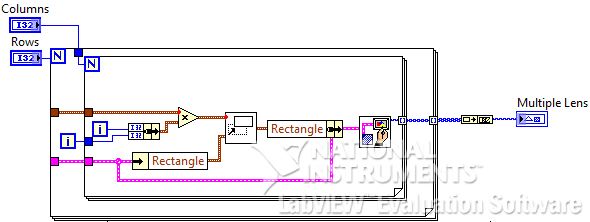
I have created a vi. that adds multiple images and im having a little difficulty on how i should save the new image produced, can anybody show me how can i implement it:)
Thanks a lot!

 ABCPrograms
05-19-2013 05:28 AM
- Mark as New
- Bookmark
- Subscribe
- Mute
- Subscribe to RSS Feed
- Permalink
- Report to a Moderator
her eyou can find an example.
https://decibel.ni.com/content/docs/DOC-2209
- Bjorn -
Have fun using LabVIEW... and if you like my answer, please pay me back in Kudo's 😉
LabVIEW 5.1 - LabVIEW 2012
05-22-2013 02:48 AM - edited 05-22-2013 02:54 AM
- Mark as New
- Bookmark
- Subscribe
- Mute
- Subscribe to RSS Feed
- Permalink
- Report to a Moderator
Hi,
I've created a vi. that allows me to input any values in rows and columns, i just want to know that instead of showing the lens in the edge, I want to see it in the center of the picture box. Can someone show me on how i implement it:)
Thanks!

 alexderjuengere
05-22-2013 08:17 AM
- Mark as New
- Bookmark
- Subscribe
- Mute
- Subscribe to RSS Feed
- Permalink
- Report to a Moderator
@Enriquez wrote:
Hi,
I've created a vi. that allows me to input any values in rows and columns, i just want to know that instead of showing the lens in the edge, I want to see it in the center of the picture box. Can someone show me on how i implement it:)
Thanks!
Are you looking for a frame?
So, I would draw a rectang around it and center the image to the frame
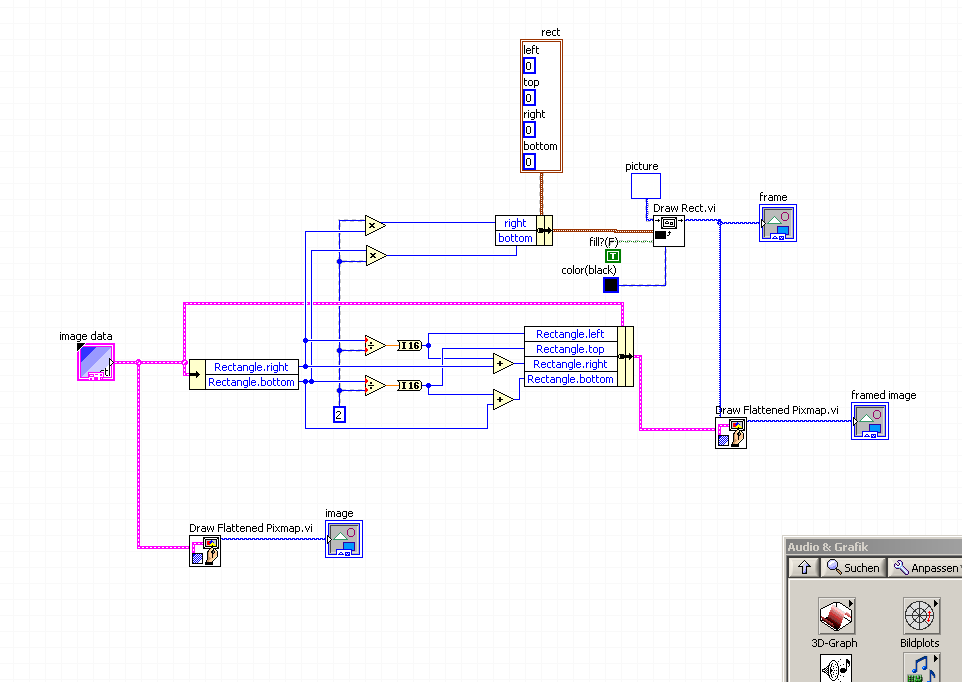
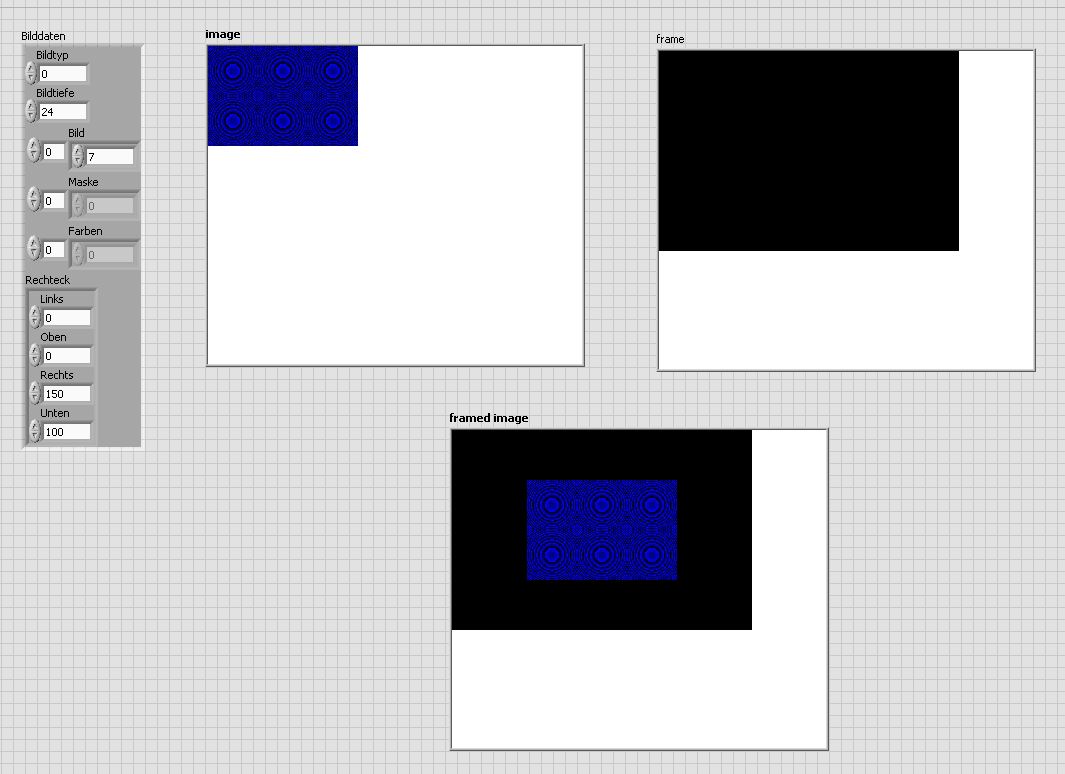
This piece of code is not generic and needs some extra work e.g. if you want to change the size of the frame.
Alex
05-22-2013 08:32 PM - edited 05-22-2013 08:39 PM
- Mark as New
- Bookmark
- Subscribe
- Mute
- Subscribe to RSS Feed
- Permalink
- Report to a Moderator
Hi alex,
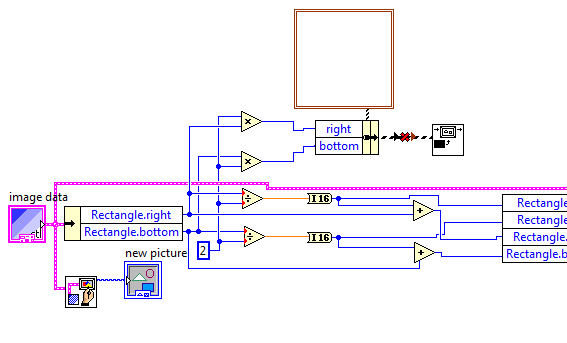
Im actually not looking for a frame, i just want to place the picture in the middle of the picture box. From the codes that you gave me and for some reason im getting an error about the cluster.
05-22-2013 10:37 PM
- Mark as New
- Bookmark
- Subscribe
- Mute
- Subscribe to RSS Feed
- Permalink
- Report to a Moderator
Hi again,
Ignore my first question, I already solved the error:)
Thanks!
alexderjuengere
05-23-2013 03:21 AM
- Mark as New
- Bookmark
- Subscribe
- Mute
- Subscribe to RSS Feed
- Permalink
- Report to a Moderator
The picture information represented in the image indicator can't be centered to the image indicator because there are "no" surrounding picture elements.
If you increase the image indicators width and/or height via dragging the corners with your mouse,
there will be added "phantom pixels" which don't belong to the real picture information.
That is why you can hi-light those phantom pixels with the color tool, see :
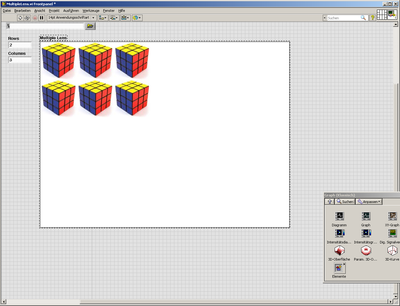
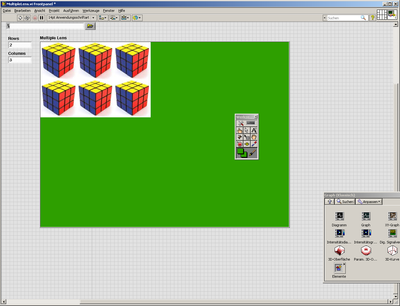


So, you do have to add these surrounding PEL in terms of a frame first.
Then you can center the picture information to the frame.
- Tags:
- LabView_pictures
