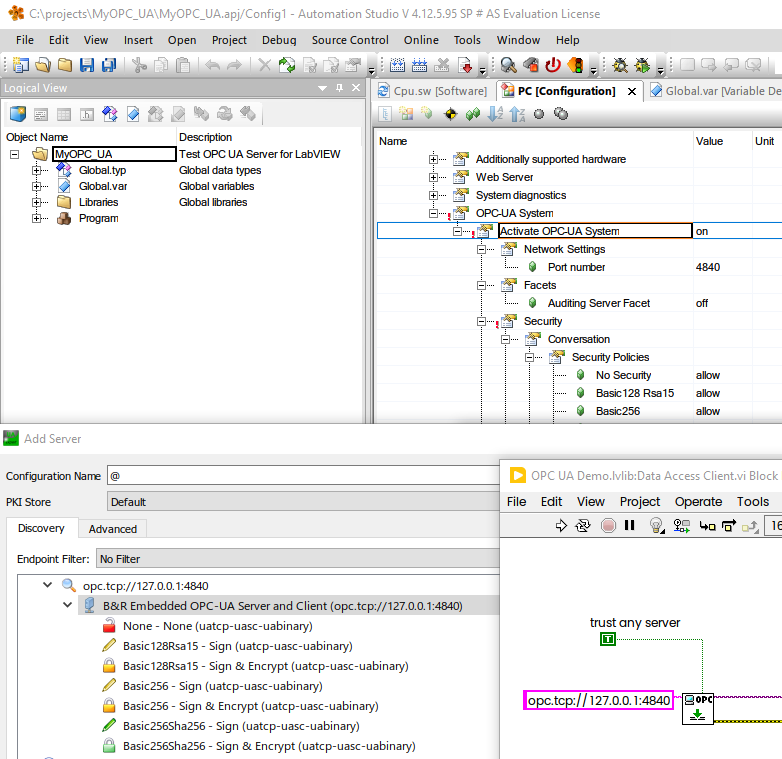
- Subscribe to RSS Feed
- Mark Topic as New
- Mark Topic as Read
- Float this Topic for Current User
- Bookmark
- Subscribe
- Mute
- Printer Friendly Page
OPC UA connection problem

 bfelber
02-05-2018 07:50 AM
- Mark as New
- Bookmark
- Subscribe
- Mute
- Subscribe to RSS Feed
- Permalink
- Report to a Moderator
I have a problem connecting to an OPC UA server. I used the simplest version of NIs Example here
but no matter what I do i get the error
-356653 The status of the OPC UA server is uncertain.
I have tried setting the "trust all servers" to true, i have tried providing certificates... nothing works. Other software such as UA expert connects instantaneously without any issues. How hard can it be?
 m.beer
06-20-2018 04:39 AM
- Mark as New
- Bookmark
- Subscribe
- Mute
- Subscribe to RSS Feed
- Permalink
- Report to a Moderator
We have the same problem here connecting to a B&R plc.
We tried different settings for authorization in combination with provided certificates, but this does not work at all.
Connection with UA expert works fine.
@bfelber: have you solved the problem in the meantime?
06-20-2018 06:20 AM
- Mark as New
- Bookmark
- Subscribe
- Mute
- Subscribe to RSS Feed
- Permalink
- Report to a Moderator
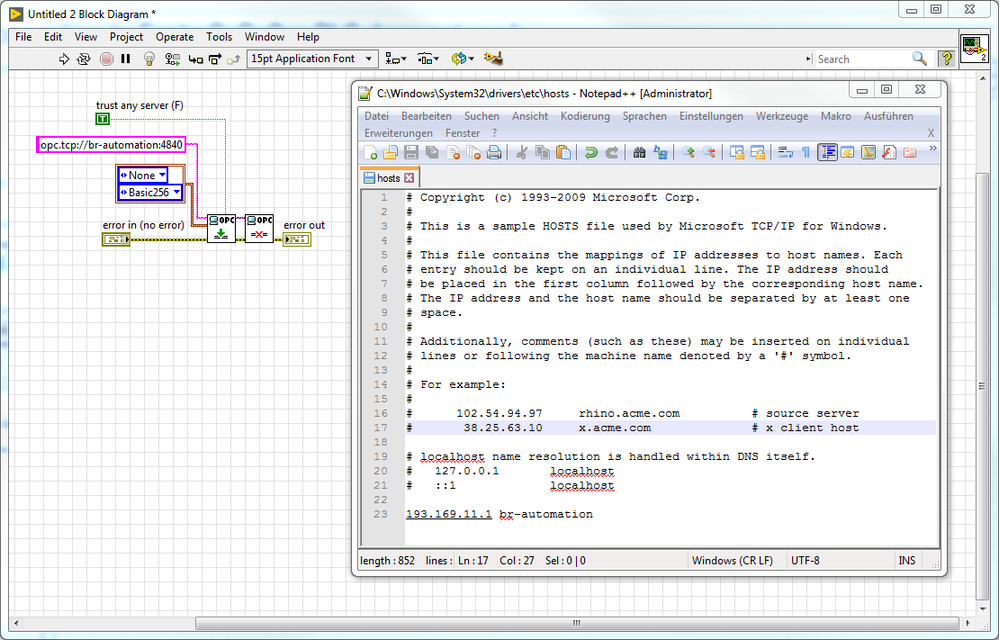
Yes, we solved it by using the hostname "br-automation" - or whatever hostname is configured in automation studio - instead of the ip address. Just add the plc's ip to your host file in the system32/drivers/etc folder. With this workaround you should be able to connect to your B&R plc. I hope this will work out for you as well.
m.beer
06-20-2018 07:12 AM
- Mark as New
- Bookmark
- Subscribe
- Mute
- Subscribe to RSS Feed
- Permalink
- Report to a Moderator
Works perfectly, thank you very much!
For everybody else encountering this problem, see screenshot attached for solution.
- Tags:
- opc ua
 M.Abdulhadi
06-27-2019 03:01 AM
- Mark as New
- Bookmark
- Subscribe
- Mute
- Subscribe to RSS Feed
- Permalink
- Report to a Moderator
Thank you very much guys! I had the same issue with B&R and now it has been solved 🙂
 Jennifer002
06-27-2019 06:18 AM
- Mark as New
- Bookmark
- Subscribe
- Mute
- Subscribe to RSS Feed
- Permalink
- Report to a Moderator
@diebestetest wrote:
Thank you very much guys! I had the same issue with B&R and now it has been solved 🙂
we solved it by using the hostname "br-automation" - or whatever hostname is configured in automation studio - instead of the ip address. Just add the plc's ip to your host file in the system32/drivers/etc folder. With this workaround you should be able to connect to your B&R plc.

 gepponline
04-30-2024 07:38 AM - edited 04-30-2024 07:43 AM
- Mark as New
- Bookmark
- Subscribe
- Mute
- Subscribe to RSS Feed
- Permalink
- Report to a Moderator
Hi,
I have the same issue with the same PLC brand, but this solution doesn't seem to solve.
Is there a particular syntax to edit the hosts file? A space between IP and description or a tab or something similar?
Do I have to reboot the system?
Now I don't get the connection error but I get a Timeout error so something is changed but still not solve.
gepponline
04-30-2024 08:18 AM
- Mark as New
- Bookmark
- Subscribe
- Mute
- Subscribe to RSS Feed
- Permalink
- Report to a Moderator
How to know what hostname is used? Can I find it using UAExpert?
gepponline
05-03-2024 06:38 AM
- Mark as New
- Bookmark
- Subscribe
- Mute
- Subscribe to RSS Feed
- Permalink
- Report to a Moderator
This is how I see my PLC on UAExpert.
What server endpoint URL should I place in my code?

 Andrey_Dmitriev
05-03-2024 06:56 AM
- Mark as New
- Bookmark
- Subscribe
- Mute
- Subscribe to RSS Feed
- Permalink
- Report to a Moderator
@gepponline wrote:
This is how I see my PLC on UAExpert.
What server endpoint URL should I place in my code?
Interesting, never seen multiple entries as shown on your screenshot above.
This is how it looks from my side (and works).
I would like to recommend to connect by IP, the name probably may not be resolved properly: