- Subscribe to RSS Feed
- Mark Topic as New
- Mark Topic as Read
- Float this Topic for Current User
- Bookmark
- Subscribe
- Mute
- Printer Friendly Page
Scripting with polymorphic VIs

 jtagg
jtagg
03-11-2010 02:37 AM
- Mark as New
- Bookmark
- Subscribe
- Mute
- Subscribe to RSS Feed
- Permalink
- Report to a Moderator
Hi,
I'm trying to programmatically add VIs to a polymorphic VI but cannot find any method or property that would let me do that.
I would expect there to be a property that contains children of the polymorphic VI and a method to add VIs to it, but cannot find anything like that. I would also like to set the short and long names of the VIs in the polymorphic VI as well, since that is a tedious job that is very error prone when doing manually.
Can anyone show me how that can be done?
Thanks a lot!!
Joseph

 TiTou
TiTou
03-11-2010 02:44 AM
- Mark as New
- Bookmark
- Subscribe
- Mute
- Subscribe to RSS Feed
- Permalink
- Report to a Moderator
Not sure it has exactly what you want but take a look at this example on LAVAcr.
Hope this helps
We have two ears and one mouth so that we can listen twice as much as we speak.
Epictetus
03-11-2010 02:50 AM
- Mark as New
- Bookmark
- Subscribe
- Mute
- Subscribe to RSS Feed
- Permalink
- Report to a Moderator
Merci beaucoup!! C'est ce qu'il me faut pour commencer.
Thanks! That's what I needed to start with.
03-11-2010 09:45 AM
- Mark as New
- Bookmark
- Subscribe
- Mute
- Subscribe to RSS Feed
- Permalink
- Report to a Moderator
I can now add VIs to a polymorphic VI.
Is there a way to change the properties of the polymorphic VI (adapt to type, show selector, which icon to show...)?
Can I change the selector name of each VI contained in a polymorphic VI?
The link from lavacr does not do these things.
Thanks!
Joseph
 TCPlomp
03-13-2010 09:09 AM
- Mark as New
- Bookmark
- Subscribe
- Mute
- Subscribe to RSS Feed
- Permalink
- Report to a Moderator
You need to activate scripting and make sure you have a polymorphic VI type reference, if you activate that you get the following properties:

InstanceInfo will show the information about every VI.
Ton
Nederlandse
 LabVIEW user groep www.lvug.nl
My LabVIEW Ideas
LabVIEW, programming like it should be!
03-15-2010 07:31 AM
- Mark as New
- Bookmark
- Subscribe
- Mute
- Subscribe to RSS Feed
- Permalink
- Report to a Moderator
Hey,
thanks a lot. Those were the properties I was looking for. I used InstanceInfo as write node and added the paths with selector and menu names. It worked like a charm, and it's easier to manipulate than the previous solution.
Joseph

 King_Cluster
07-06-2015 10:01 AM
- Mark as New
- Bookmark
- Subscribe
- Mute
- Subscribe to RSS Feed
- Permalink
- Report to a Moderator
TCPlomp,
I can't seem to find the AdaptToInputs using LabView 2014. It might have something to do with selecting the polymorphic VI type reference? Any thoughts?
THANKS!!!


 Hooovahh

07-06-2015 10:30 AM
- Mark as New
- Bookmark
- Subscribe
- Mute
- Subscribe to RSS Feed
- Permalink
- Report to a Moderator
Here's a 2014 snippet. You do need to have the PolymorphicVI class not just VI.

Unofficial Forum Rules and Guidelines
Get going with G! - LabVIEW Wiki.
17 Part Blog on Automotive CAN bus. - Hooovahh - LabVIEW Overlord
King_Cluster
07-06-2015 10:53 AM
- Mark as New
- Bookmark
- Subscribe
- Mute
- Subscribe to RSS Feed
- Permalink
- Report to a Moderator
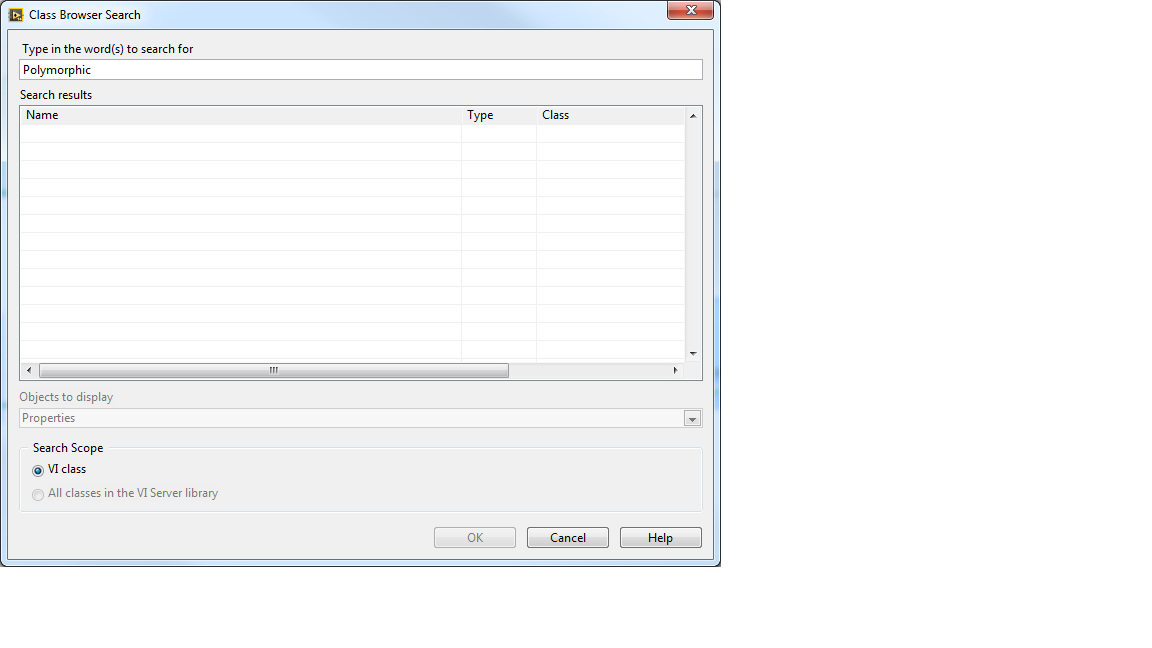
How do I find it (How do I drop that onto the block diagram)? When I connect a property node to the "new VI" scripting command I can't find PolymorphicVI as an option.
Is it considered on object of a Polymorphic VI?
Thanks!

 crossrulz
07-06-2015 10:55 AM
- Mark as New
- Bookmark
- Subscribe
- Mute
- Subscribe to RSS Feed
- Permalink
- Report to a Moderator
You need to cast the object (use To More Specific Class) to a PolymorphicVI.
There are only two ways to tell somebody thanks: Kudos and Marked Solutions
Unofficial Forum Rules and Guidelines
"Not that we are sufficient in ourselves to claim anything as coming from us, but our sufficiency is from God" - 2 Corinthians 3:5
