NI Home
Cart Cart | Help
Hello Events Academic NI Developer Zone Support Solutions Products & Services Contact NI MyNI
You are here: 
NI Home > NI Developer Zone > NI Discussion Forums


Announcements
The NI Idea Exchange is a product feedback forum where NI R&D and users work together to submit ideas, collaborate on their development, and vote for the ones they like best. View all of the NI Idea Exchanges to post an idea or add your opinion on an existing one today!
Jacob_R

Opacity/Semi-Transparency appearance settings for attractive Front Panel objects and User Interfaces

Status: New
by Member Jacob_R on ‎05-17-2012 11:28 AM


Have you ever placed a background image on your front panel to make it look good, but then found that most of the controls and indicators covered everything up?

Ever wish LabVIEW had more appearance customization to make better looking GUIs?


I would like to propose an opacity slider control in the appearance settings tab of front panel object properties. The added setting would not make the entire objects opacity change; ideally the opacity control would only affect the borders and grey space. With this added control users can make better looking user interfaces without having to make custom controls.


Take a look at the difference:


Not Ideal Front Panel with background image and NO Opacity Control
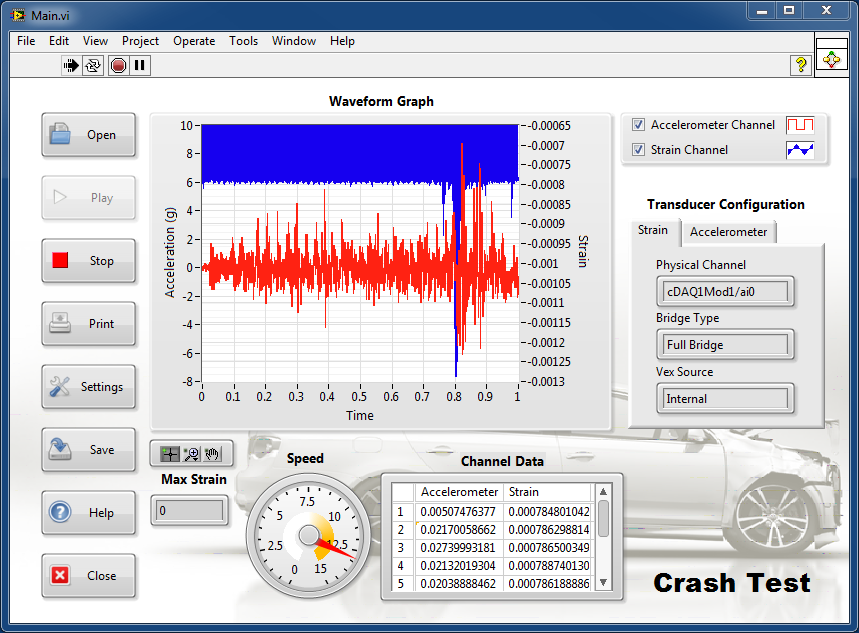
 

front_panel_no_transparency.png


Beautiful Front Panel with background image that you can still see by setting Opacity Control to 50%
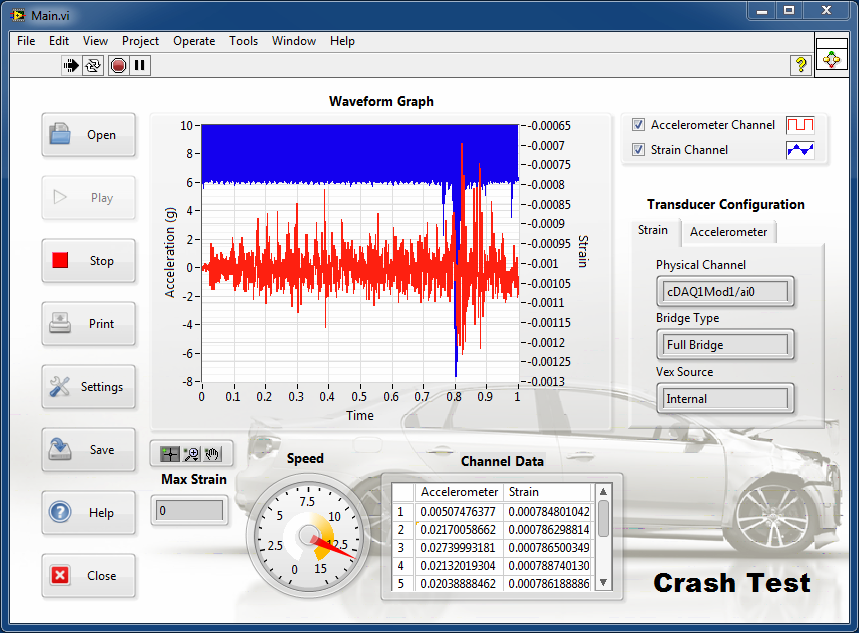
 

front_panel_semi_transparent.png


Before and After Appearance Settings tab in the Properties Window for a waveform graph:
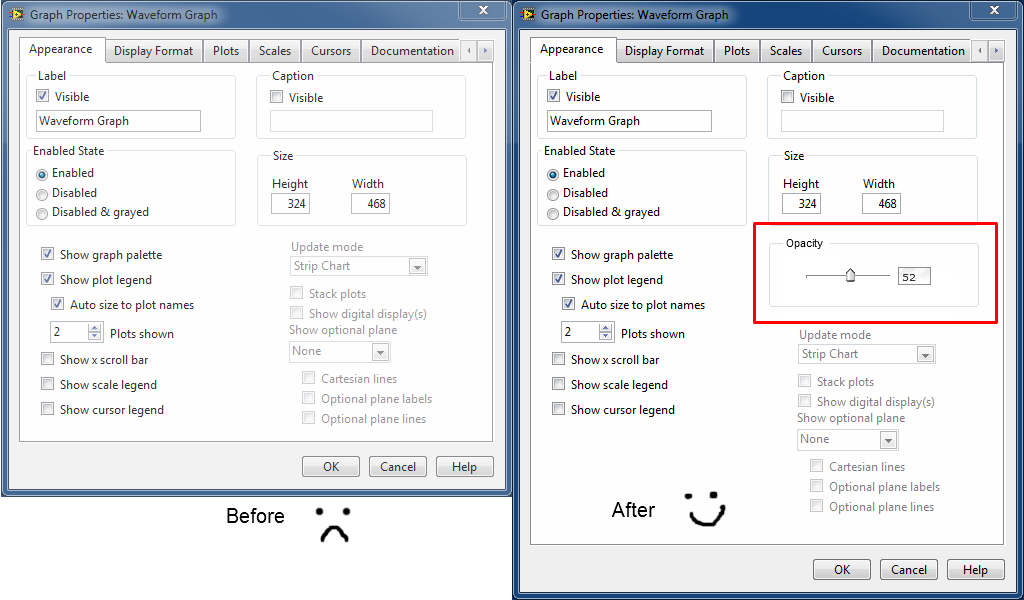
 

appearance settings before and after.png


Currently the only easy way to implement a similar type of setting is go fully transparent by using the tools palette paintbrush tool and setting the color to transparent:
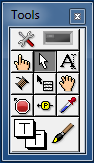
 

tools pallete transaprency.png


Kudos and share this idea if you want it to happen!

Comments
by Trusted Enthusiast on ‎05-18-2012 10:00 AM

I am sure it is posted somewher but essentially the colorbox should have an alpha channel so that all decorations, plots, controls (anything that uses natice colors) would support trancparency levels.  This setting could then just override all the parts of the controls alpha channel or you could do it on a per part basis.

by Member Ludwig72 on ‎06-12-2012 07:37 AM

This is a better duplicate of my idea: Independent-Transparency-Settings

Kudos from me!

by Knight of NI on ‎06-25-2012 01:06 PM

I like it so I will kudo both ideas!


:smileyhappy:

by Member CrystalTech on ‎08-07-2012 07:59 PM

NI needs a full "Upgrade" of the FP.  I've been telling the users and NI this for 10 years, getting good responses from users but NI evidently sees this as a pain in their pocketbook.  This will take a significant effort on their part, but will be much more difficult and costly the more years they let it go by.  I've learned to program in Adobe Flash (previously Macromedia Flash), and their use of Vector Graphics has a great look and incredibly easy to resize without distortion.  Their Fading is in increments of 1 from 0 to 100.  Maybe NI should hunt down the original programmers of Flash to upgrade the LabVIEW Front Panel.  I believe the Upgrade of the Front Panel will bring in more customers.  But I guess that is just my 2 cents worth.

by Active Participant X. on ‎09-15-2012 11:41 AM

I don't have a degree in industrial design, but the example shown suggests that this would be a very bad idea in some hands... Talk about a cluttered FP and distracting background! Now make it 50% foregound and I am out of words to qualify the GUI... :-)

Latest LabVIEW Idea Exchange Blog Posts
About LabVIEW Idea Exchange

Have a LabVIEW Idea?

  1. Browse by label or search in the LabVIEW Idea Exchange to see if your idea has previously been submitted. If your idea exists be sure to vote for the idea by giving it kudos to indicate your approval!
  2. If your idea has not been submitted click Post New Idea to submit a product idea to the LabVIEW Idea Exchange. Be sure to submit a separate post for each idea.
  3. Watch as the community gives your idea kudos and adds their input.
  4. As NI R&D considers the idea, they will change the idea status.
  5. Give kudos to other ideas that you would like to see in a future version of LabVIEW!
Idea Statuses
Top Kudoed Authors
User Kudos Count
130
86
75
68
68
By using this web site, you accept the Terms of Use for this web site. Please read these Terms of Use carefully before using any part of this site. Please go here for information on ni.com's copyright infringement policy.
My Profile | Privacy | Legal | Contact NI © 2011 National Instruments Corporation. All rights reserved.    |    E-Mail this Page E-Mail this Page