- Subscribe to RSS Feed
- Mark Topic as New
- Mark Topic as Read
- Float this Topic for Current User
- Bookmark
- Subscribe
- Mute
- Printer Friendly Page
Automatically launch python file from SystemLink?
Solved!
 panta1978
10-06-2021 12:18 PM
- Mark as New
- Bookmark
- Subscribe
- Mute
- Subscribe to RSS Feed
- Permalink
- Report to a Moderator
I have been using SystemLink (R2020) for a while, and I am able to create Analysis Automation Procedures and tasks (both manual, triggered, and scheduled).
Now, I would like to launch a python file (basically, a consistency check on the results produced by other procedures) once a day.
I thought that a scheduled task would have done the job. Unfortunately, my python script is not associated to a specific file, and it seems to me that if I launch this triggered procedure it will only work if there are new files, and if there are many, it will run multiple times.
But I would like to have it launched only once a day, regardless of the amount of old/new files present on the Data Source.
Do you know if there is a way to do it with SystemLink and/or DIAdem? I hope my request is clear, if it is not please let me know, and I'll try to explain it the best I can.
Solved! Go to Solution.

 Brad_Turpin
10-06-2021 03:36 PM
- Mark as New
- Bookmark
- Subscribe
- Mute
- Subscribe to RSS Feed
- Permalink
- Report to a Moderator
Hi panta,
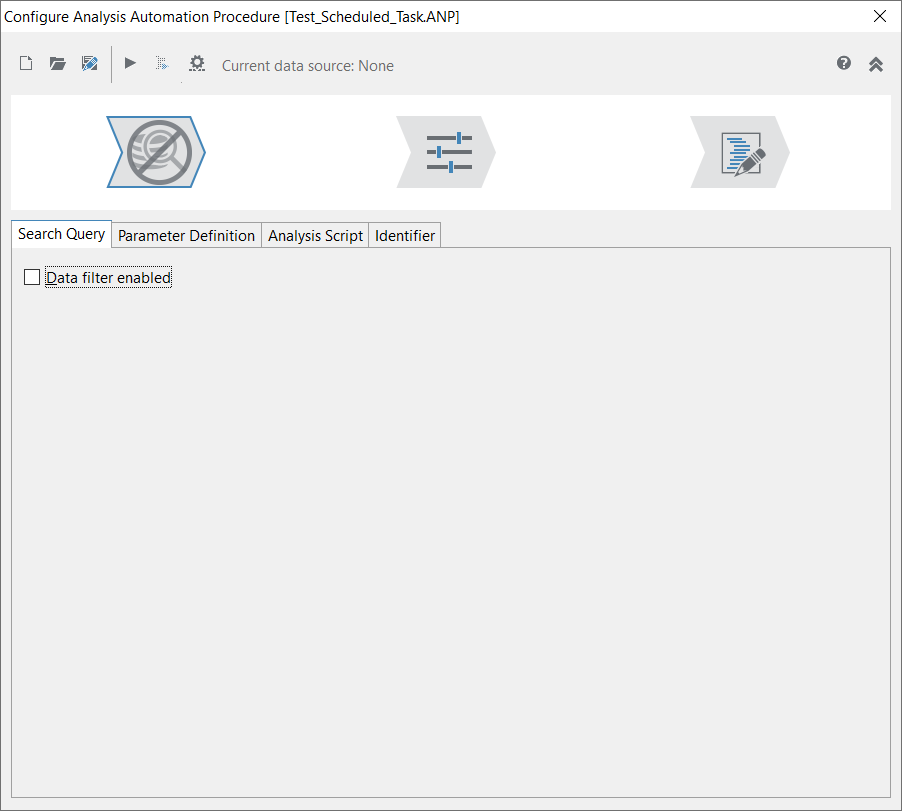
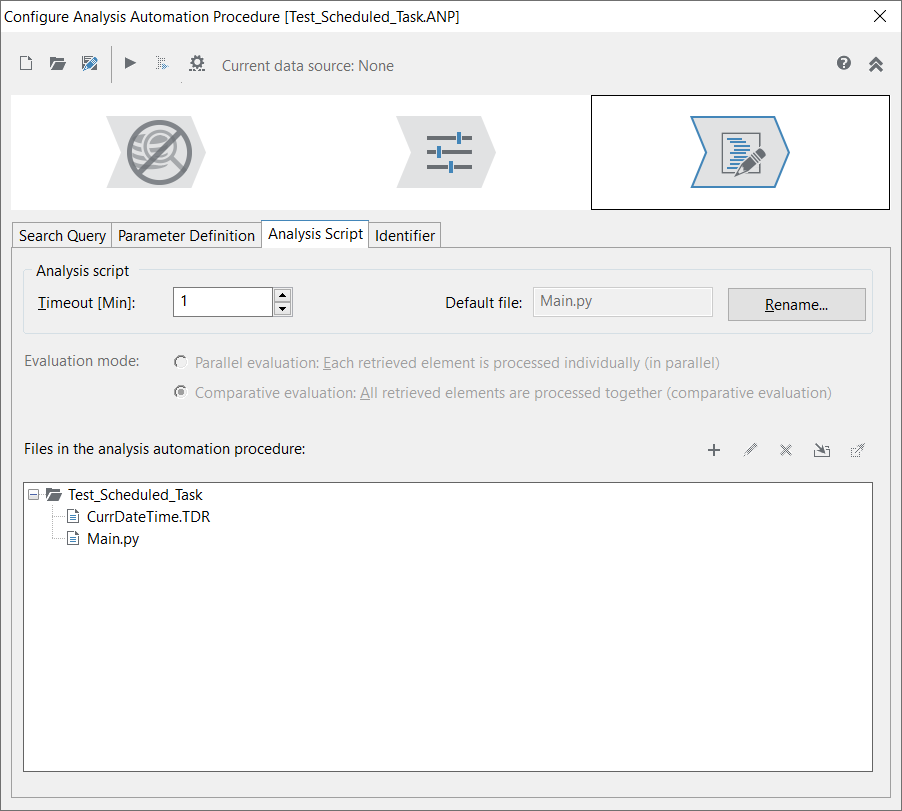
Your Analysis Procedure can be associated with a data store (so that your python script can run data queries) but still not be associated with any data files when it runs. This will set up your python script to run exactly once with an empty oContext.DataLinks collection/list, regardless of how many data files are in the associated data store. The key is to set up your ANP file to have NO associated data filter (query) and to execute in comparative mode.
In the first "Search Query" tab, make sure the "Data filter enabled" checkbox is UNchecked:
Also make sure in "Analysis Script" tab that the "Evaluation mode" is set to "comparative":
I tested this on my computer and got exactly the behavior you are interested in.
Brad Turpin
Principal Technical Support Engineer
NI
10-06-2021 11:34 PM - edited 10-06-2021 11:34 PM
- Mark as New
- Bookmark
- Subscribe
- Mute
- Subscribe to RSS Feed
- Permalink
- Report to a Moderator
It works!!! That's great, thanks a lot, Brad!
