Nonexistand GPIB Interface, measurament studio example

 francescop
Hello, i am evaluating Measurament Studio, i installed the latest version and the 488.2 drivers.
I loaded the Simple asyncronous Read Write example to try to communicate via 488 but i receive this error when i try to write or read:
Nonexisteng GPIB Interface.
I am using an USB Agilent 82357B, it works with CVI, i can communicate via 488.2 without any issue, but i would like to make it works with measurament studio.
Any hints?
Thank you!


Hi,
I have two suggestions for you:
1. Check if you installed the comptability mode for GPIB
2. Verify that you have the GPIB Language Interface installed.
Best Regards
Miguel Fonseca
Applications Engineer
National Instruments
Hi, I installed the GPIB 488.2 driver and about the second point is not needed since that is a old 2003 API that is already included in MEasurament studio, also I use VS2010.
The problem is that the Example compile and run without problem, but when i press the Write or Read button it says nonexistent GPIB interface.
Could it be a problem of the agilend USB gpib interface?
But it does works with CVI.
Thanks
To be more clear: this is the code i am using in c#:
device = new Device((int)boardIdNumericUpDown.Value,(byte)primaryAddressNumericUpDown.Value,(byte)currentSecondaryAddress);
device.Write(stringtowrite);
Basically I open the new device with board number = to 0 (GPIB0), the address of the instrument, and no secondary address.
Then when i call the device.write i recive the error of NonExistent GPIB interface.
In CVI i use the same parameters and i can easily communicate with the instrument.
As I already said, i installed the 488.2 drivers and of course the libraries for .NET.
Thanks
The example you linked don't works, i cant compile it:
Error 1 The type or namespace name 'AxCWInstrumentControlLib' could not be found (are you missing a using directive or an assembly reference?) C:\Users\Public\Documents\National Instruments\NI-488.2\Examples\DotNET4.0\simple_gpib\Form1.cs 47 11 Simple GPIB
But it seems it uses an old version of the library, I am trying to run the National Instrument Example called SimpleReadWrite, provided with Measurement Studio, using the GPIB library, and this example give me the error i posted above.
Anyway the Measurament studio help and support is very poor, there is no a proper guide to installation, the help topics are hard to reach and the website refer to different versions without saying which!
I don't really think I will buy it, I can't even get it to work!
Hi,
I understand how you feel about this process but sometimes the process of comunicating two different verdor technologies it's a little bit complicated.
Can you please use the National Instruments Measurement & Automation Explorer to verify that your computer detects your GPIB device?
Thank you
Miguel Fonseca
No the automation exporer doesn't display my gpib card.
Is it probably because i am usint an agilent and not a ni one?
I managed to make it seen with Automation explorer, not sure if it is seen correctly, here are some screenshots
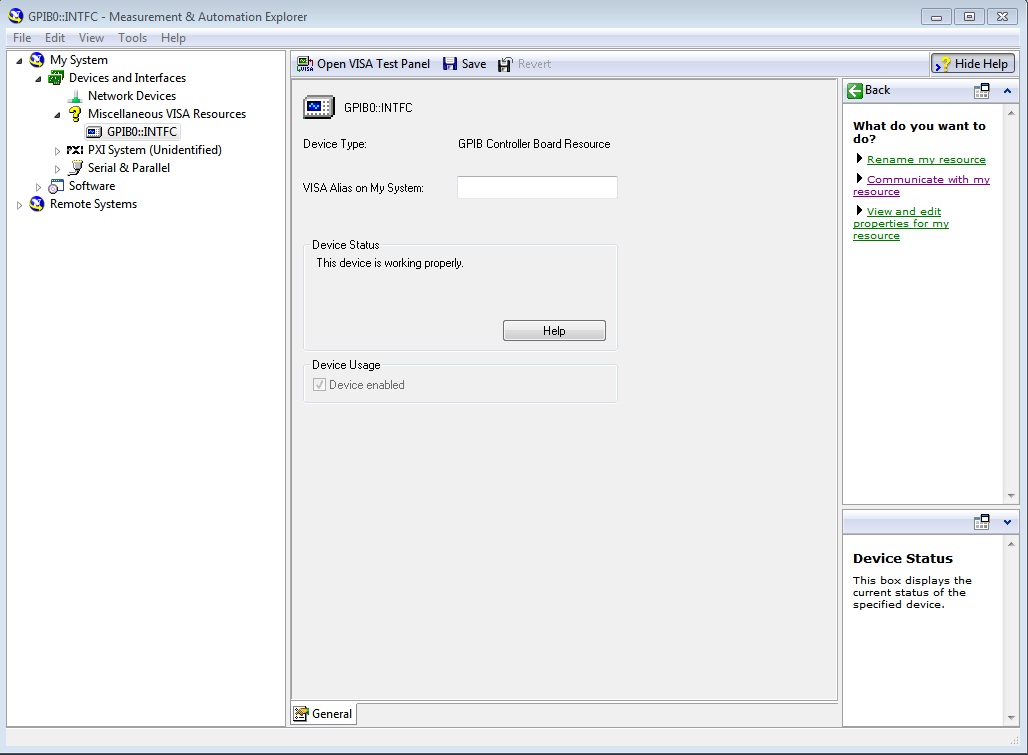
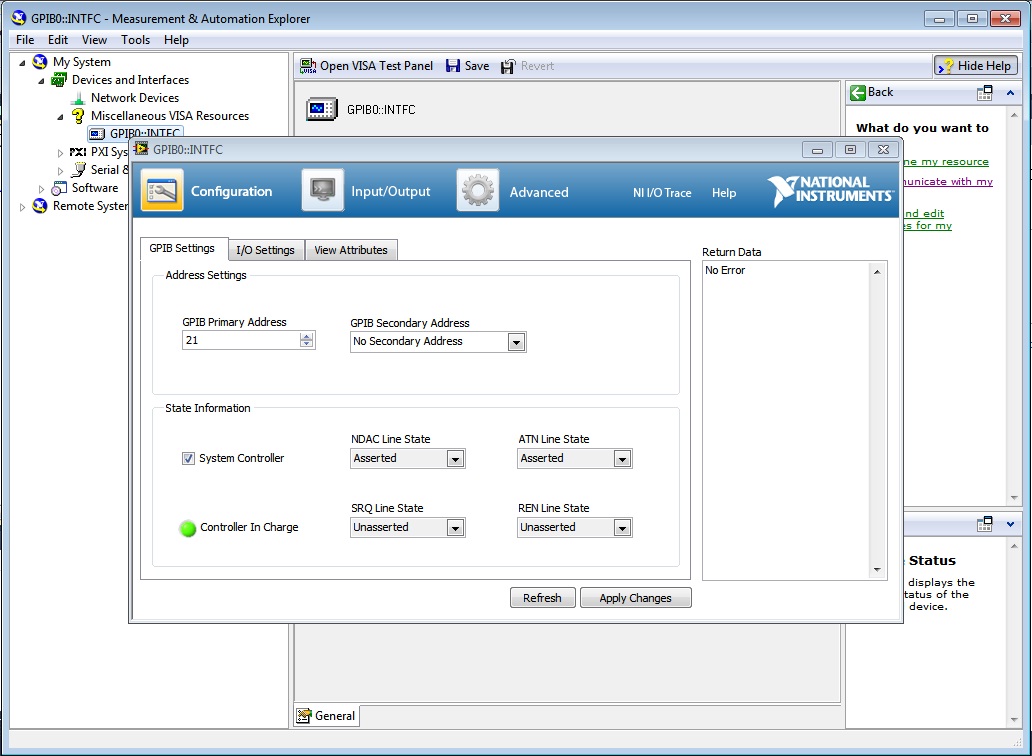
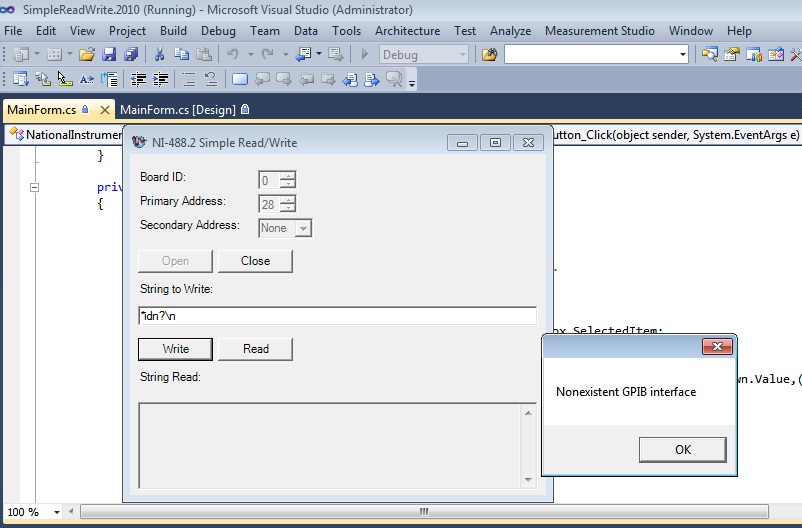
In this last picture you can see the NI example i am using, the gpib board number and device address are correct since they are the same I use with CVI.
Thank you
Hi,
In order to make your device visible for the Measurement Studio environment first you need to make it work with MAX.
Which version of NI-VISA and NI-488.2 drivers do you have on your computer?
Regards,
Miguel Fonseca
Applications Engineer
