ni.com is currently undergoing scheduled maintenance.
Some services may be unavailable at this time. Please contact us for help or try again later.
- Subscribe to RSS Feed
- Mark Topic as New
- Mark Topic as Read
- Float this Topic for Current User
- Bookmark
- Subscribe
- Mute
- Printer Friendly Page
search and replace string formatting
Solved!
 hasse
hasse
05-01-2014 07:23 PM
- Mark as New
- Bookmark
- Subscribe
- Mute
- Subscribe to RSS Feed
- Permalink
- Report to a Moderator
Hi,
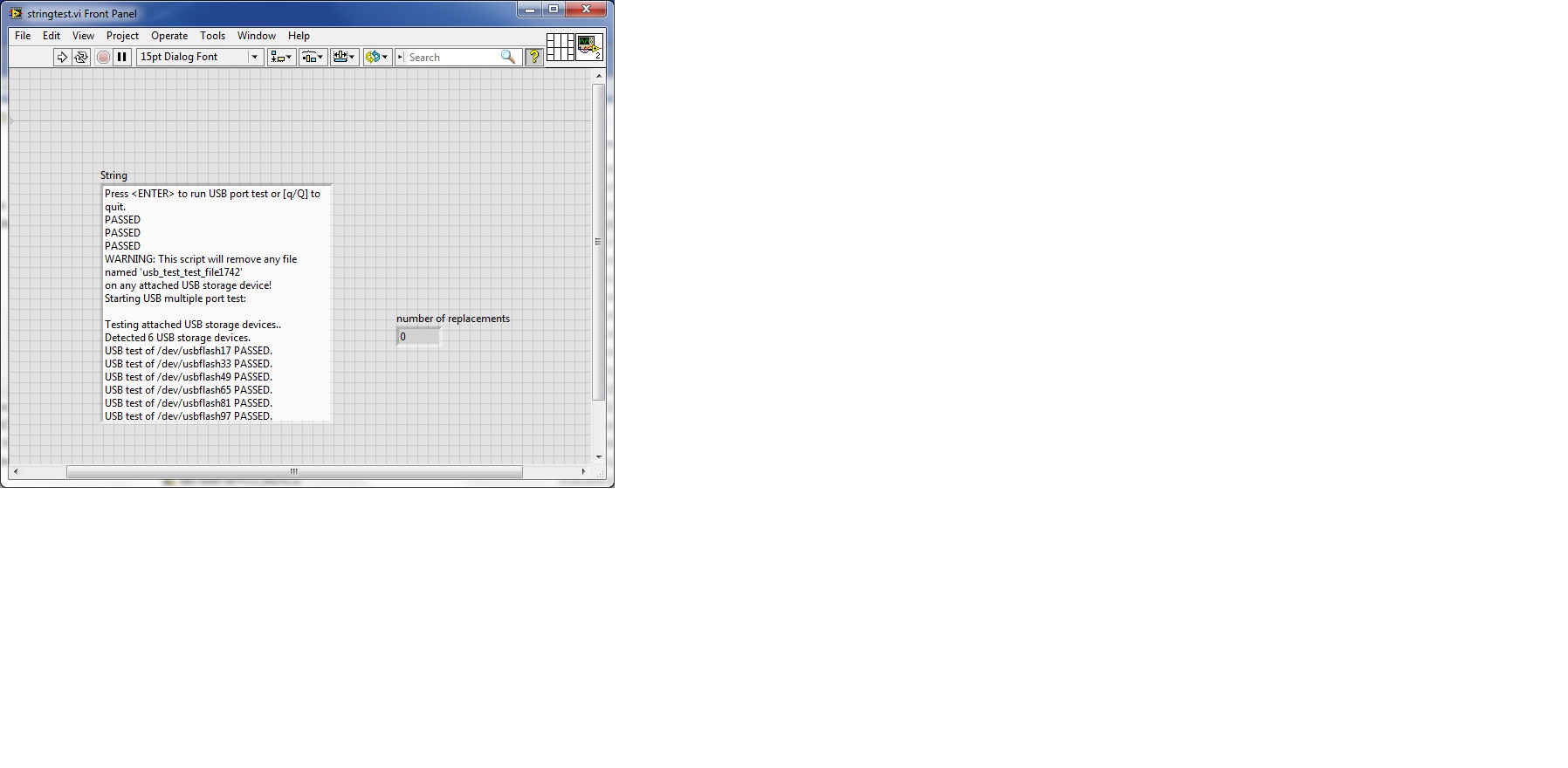
I am trying to do a search and replace formatting of a string.
In the example I am looking for string "PASSED" but it must also start with usbflash and some number + PASSED.
I can't get the format to have a number from 1-99. The number of replacements should add up to 6 in this case. I have tried with \d for any number, and I also tried [1-99].
Solved! Go to Solution.

 P@Anand
05-02-2014 03:30 AM
- Mark as New
- Bookmark
- Subscribe
- Mute
- Subscribe to RSS Feed
- Permalink
- Report to a Moderator
Please post the VI that you have tried so far along with the String input (In 2011 LV version please).
The best solution is the one you find it by yourself

 Cloud05
05-02-2014 04:27 AM
- Mark as New
- Bookmark
- Subscribe
- Mute
- Subscribe to RSS Feed
- Permalink
- Report to a Moderator
Try this attached file. 

 crossrulz

05-02-2014 07:01 AM
- Mark as New
- Bookmark
- Subscribe
- Mute
- Subscribe to RSS Feed
- Permalink
- Report to a Moderator
You could use Scan From String with a format of %d. That will read off the number and the remaining string should then be "PASSED".
There are only two ways to tell somebody thanks: Kudos and Marked Solutions
Unofficial Forum Rules and Guidelines
"Not that we are sufficient in ourselves to claim anything as coming from us, but our sufficiency is from God" - 2 Corinthians 3:5
05-02-2014 09:35 AM - edited 05-02-2014 09:56 AM
- Mark as New
- Bookmark
- Subscribe
- Mute
- Subscribe to RSS Feed
- Permalink
- Report to a Moderator
Attachment - stringtest
My attachment is not uploading ! 
crossrulz
05-02-2014 10:38 AM
- Mark as New
- Bookmark
- Subscribe
- Mute
- Subscribe to RSS Feed
- Permalink
- Report to a Moderator
@hasse wrote:
Attachment - stringtest
My attachment is not uploading !
Try zipping up your VI and posting that.
There are only two ways to tell somebody thanks: Kudos and Marked Solutions
Unofficial Forum Rules and Guidelines
"Not that we are sufficient in ourselves to claim anything as coming from us, but our sufficiency is from God" - 2 Corinthians 3:5
05-02-2014 11:08 AM
- Mark as New
- Bookmark
- Subscribe
- Mute
- Subscribe to RSS Feed
- Permalink
- Report to a Moderator

05-02-2014 11:10 AM
- Mark as New
- Bookmark
- Subscribe
- Mute
- Subscribe to RSS Feed
- Permalink
- Report to a Moderator
I don't know why it's not working to upload ether ,zip or a vi?
I uploaded 2 images for the front panel and block diagram. Hope you can read it!
crossrulz
05-02-2014 11:18 AM - edited 05-02-2014 11:20 AM
- Mark as New
- Bookmark
- Subscribe
- Mute
- Subscribe to RSS Feed
- Permalink
- Report to a Moderator
Right click on the Search And Replace String function. There is an option to use Regular Expressions. Then give this a try.

EDIT: You will need to set the Replace All input to TRUE.
There are only two ways to tell somebody thanks: Kudos and Marked Solutions
Unofficial Forum Rules and Guidelines
"Not that we are sufficient in ourselves to claim anything as coming from us, but our sufficiency is from God" - 2 Corinthians 3:5
05-02-2014 11:30 AM
- Mark as New
- Bookmark
- Subscribe
- Mute
- Subscribe to RSS Feed
- Permalink
- Report to a Moderator
Thank you crossrulz!
I had it set as regular expression - it was the plus sign that was missing.

