- Subscribe to RSS Feed
- Mark Topic as New
- Mark Topic as Read
- Float this Topic for Current User
- Bookmark
- Subscribe
- Mute
- Printer Friendly Page
application .exe error

 DébutantLab2011
03-15-2013 01:35 PM
- Mark as New
- Bookmark
- Subscribe
- Mute
- Subscribe to RSS Feed
- Permalink
- Report to a Moderator
Hi everyone,
I have built an application from a project.
On the source PC(PC with labview 2011) the application works well.
On the target PC, I have installed the run time, done regsvr32....try lot of possibilities but I have always the same error :
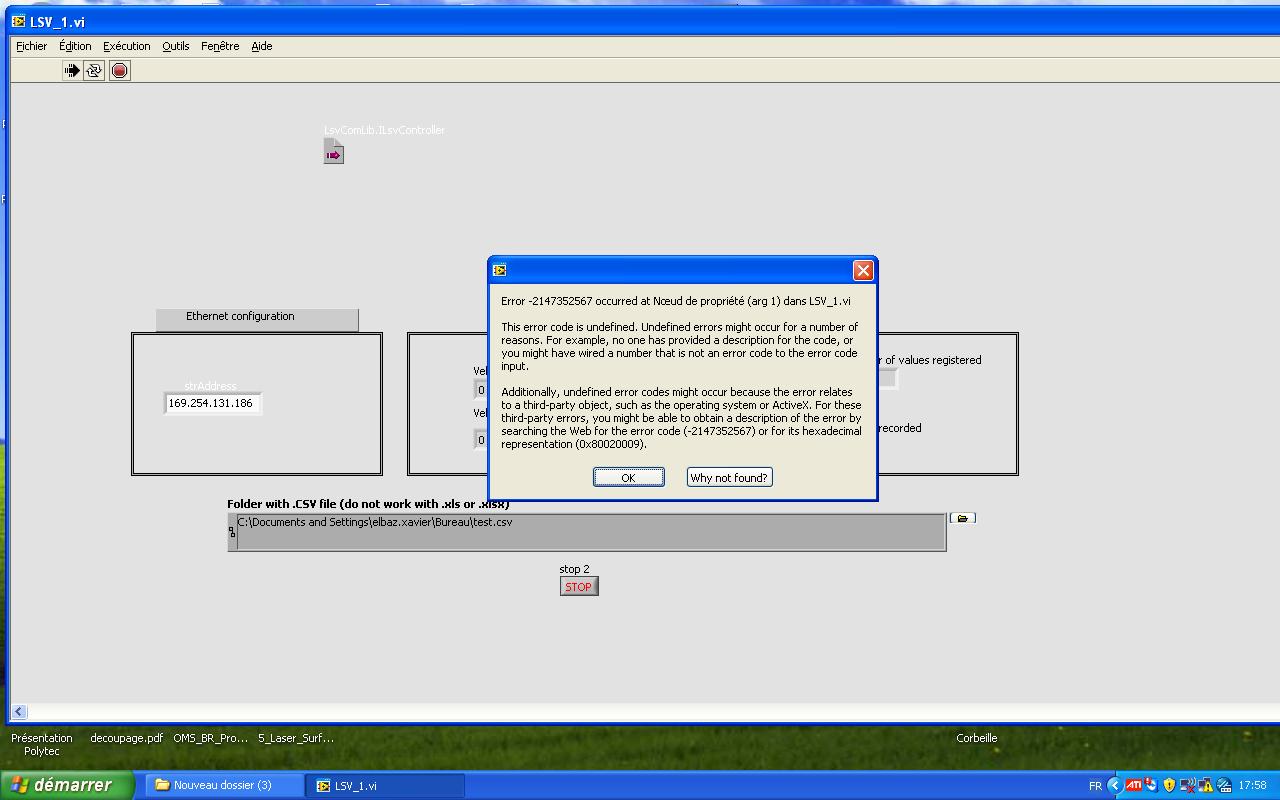
Please find attached my projet ( change .txt to .rar).
Thank you so much for your help

 GerdW
GerdW

03-15-2013 02:34 PM
- Mark as New
- Bookmark
- Subscribe
- Mute
- Subscribe to RSS Feed
- Permalink
- Report to a Moderator
Hi,
- Did you try to debug the executable?
- Is the ActiveX component installed correctly on the target computer?
- Is the SharedVariable available on the target computer? Did you install all needed components to support shared variables?
- Which function (or ActiveX call) is producing the error?
GerdW
using LV2016/2019/2021 on Win10/11+cRIO, TestStand2016/2019
03-15-2013 02:43 PM
- Mark as New
- Bookmark
- Subscribe
- Mute
- Subscribe to RSS Feed
- Permalink
- Report to a Moderator
I have made an Installer with :
- Shared variable
- Labview runtime 2011
I have to add something else for executing this application?
I have removed the "error indicator" from this .vi but, here you can see 3 errors indicators.
With the first one it's good, and just after that...I have the error.
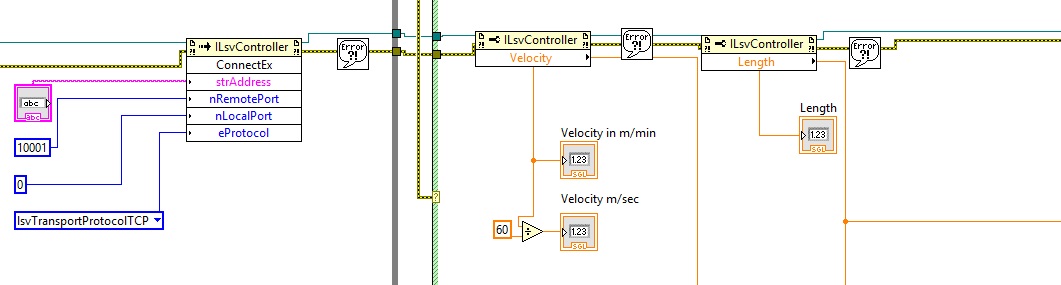
I have a data folder with my .dll...my application in .exe...
please find attached my .exe folder (change .txt in .rar)
Do you have an idea?
