ni.com is currently undergoing scheduled maintenance.
Some services may be unavailable at this time. Please contact us for help or try again later.
- Subscribe to RSS Feed
- Mark Topic as New
- Mark Topic as Read
- Float this Topic for Current User
- Bookmark
- Subscribe
- Mute
- Printer Friendly Page
Split the screen

 MrLearners
07-14-2012 04:25 AM
- Mark as New
- Bookmark
- Subscribe
- Mute
- Subscribe to RSS Feed
- Permalink
- Report to a Moderator

 GerdW
GerdW

07-14-2012 04:41 AM - edited 07-14-2012 04:42 AM
- Mark as New
- Bookmark
- Subscribe
- Mute
- Subscribe to RSS Feed
- Permalink
- Report to a Moderator
Hi Learner,
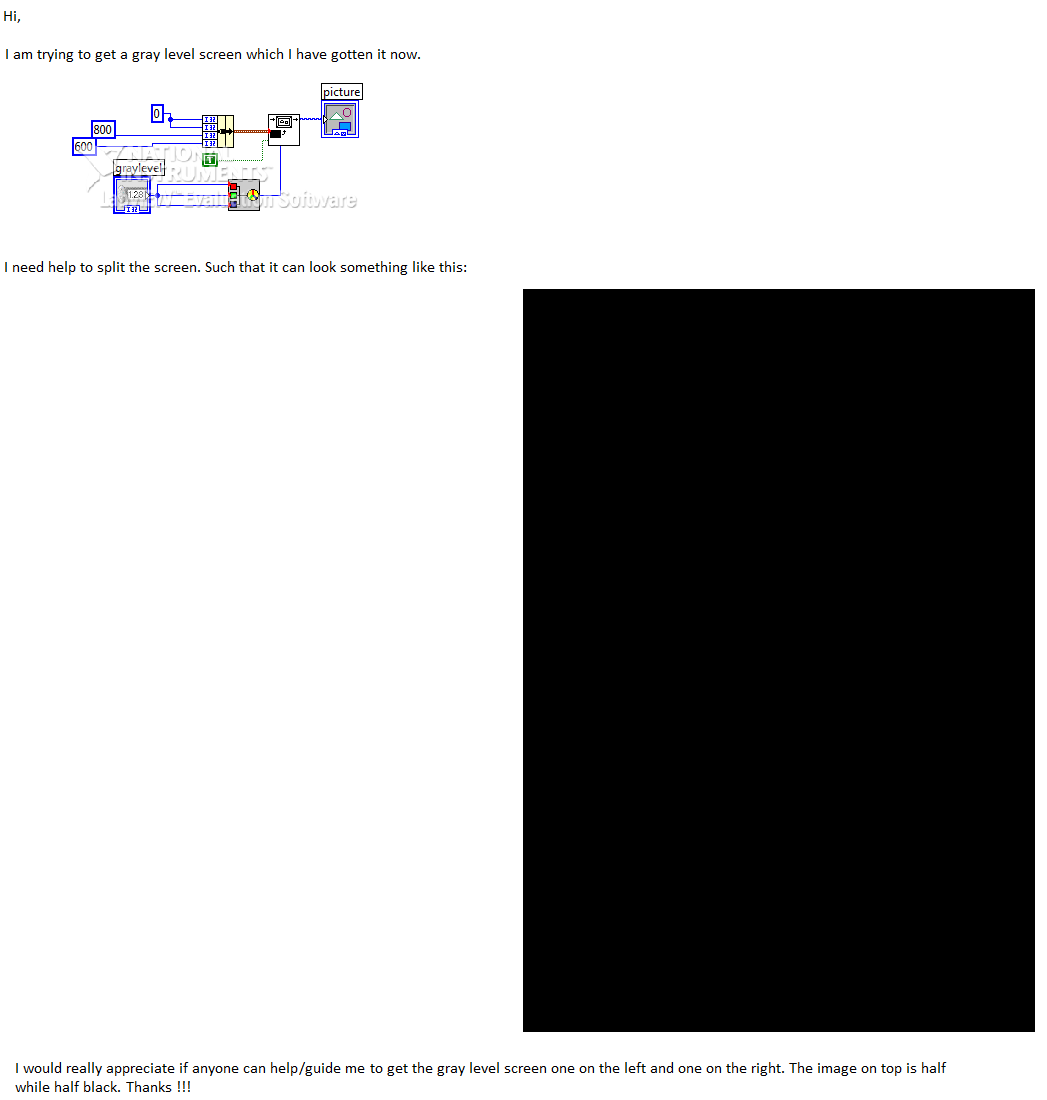
you still don't seem to know how to type text here as message. Instead you simply embed a big picture...
To your question:
Ever thought about drawing two rectangles side by side? With different colors/graylevels?
As can be seen in your big picture there are 4 coordinate inputs to the DrawRect function...
GerdW
using LV2016/2019/2021 on Win10/11+cRIO, TestStand2016/2019
07-14-2012 04:43 AM - edited 07-14-2012 04:45 AM
- Mark as New
- Bookmark
- Subscribe
- Mute
- Subscribe to RSS Feed
- Permalink
- Report to a Moderator
Hi GerdW,
So sorry I am so used to it. I am trying to obtain a rectange with the two colors inside.
GerdW
07-14-2012 04:48 AM
- Mark as New
- Bookmark
- Subscribe
- Mute
- Subscribe to RSS Feed
- Permalink
- Report to a Moderator
Hi Learners,
no, you should draw two rectangles using different colors - not just one!
GerdW
using LV2016/2019/2021 on Win10/11+cRIO, TestStand2016/2019
07-14-2012 04:52 AM - edited 07-14-2012 04:52 AM
- Mark as New
- Bookmark
- Subscribe
- Mute
- Subscribe to RSS Feed
- Permalink
- Report to a Moderator
Hi Gerdw,
You mean using the same code? but different colors?
GerdW
07-14-2012 04:57 AM - edited 07-14-2012 05:06 AM
- Mark as New
- Bookmark
- Subscribe
- Mute
- Subscribe to RSS Feed
- Permalink
- Report to a Moderator
Hi Learner,
is it so hard to believe? Your first message shows a white rectangle next to a dark rectangle.
So: two rectangles in two different colors...
Come on, just try it:

GerdW
using LV2016/2019/2021 on Win10/11+cRIO, TestStand2016/2019
