- Subscribe to RSS Feed
- Mark Topic as New
- Mark Topic as Read
- Float this Topic for Current User
- Bookmark
- Subscribe
- Mute
- Printer Friendly Page
Save HDF image in LabVIEW
Solved!
 pegli
pegli
05-14-2019 04:43 PM
- Mark as New
- Bookmark
- Subscribe
- Mute
- Subscribe to RSS Feed
- Permalink
- Report to a Moderator
Hi,
would like to store some image data from a 2D-Picture control to an HDF file using the marvelous Live HDF5 package. However, I was not able to save the data in such a way that HDFView recognizes them as "Image" datatype. I tried writing the attributes CLASS, IMAGE_VERSION, IMAGE_SUBCLASS etc along the 2D array of data but still it is only considered as a table in HDFView. How can I set the data type to be "Image"?
Thanks a lot
Peter
Solved! Go to Solution.

 Bob_Schor

05-15-2019 07:05 AM
- Mark as New
- Bookmark
- Subscribe
- Mute
- Subscribe to RSS Feed
- Permalink
- Report to a Moderator
The Picture data is a 2D array of something, right? Simply "wrap" it in whatever the HDF5 format requires (or hand it to a routine that will do this wrapping for you) and you'll be done. If you do a Web search for HDF5 LabVIEW, you might find some examples that purport to do this wrapping ...
Bob Schor

 Darin.K
05-15-2019 03:07 PM
- Mark as New
- Bookmark
- Subscribe
- Mute
- Subscribe to RSS Feed
- Permalink
- Report to a Moderator
I am not familiar with the HDF5 package you are using since I rolled my own a long time ago, but it does work with LV images pretty easily. As long Live HDF5 includes both hdf5.dll and hdf5-hl.dll then just find the wrappers for the following functions.
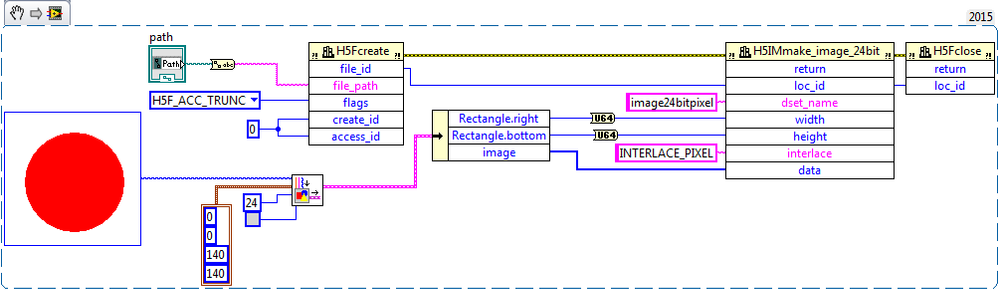
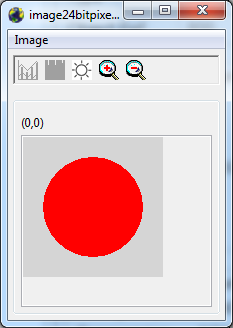
Otherwise post your attempt at an HDF5 file and I will try to find what is missing. You'll probably have to zip it.
05-16-2019 11:07 AM
- Mark as New
- Bookmark
- Subscribe
- Mute
- Subscribe to RSS Feed
- Permalink
- Report to a Moderator
Thanks a lot. I tried to store the data as you suggested but the H5IMmake_... function always returns the -1 error. Attached you find my VI and the created hdf5 file. Any clue what I'm doing wrong?
Peter
Darin.K
05-16-2019 12:23 PM
- Mark as New
- Bookmark
- Subscribe
- Mute
- Subscribe to RSS Feed
- Permalink
- Report to a Moderator
My HDF5 code is in LV15, please save your VI for that version.
Also, post one of the files that HDFView shows as a table.
05-16-2019 10:53 PM
- Mark as New
- Bookmark
- Subscribe
- Mute
- Subscribe to RSS Feed
- Permalink
- Report to a Moderator
I attached the LabVIEW-VI saved for LV15. Might it be that you are using an other version of the hdf5 dll set?
Peter
Darin.K
05-16-2019 11:15 PM
- Mark as New
- Bookmark
- Subscribe
- Mute
- Subscribe to RSS Feed
- Permalink
- Report to a Moderator
As I suspected, just a couple of quick datatype tweaks on the CLFN, the width and height are U64 and the image data is [U8].
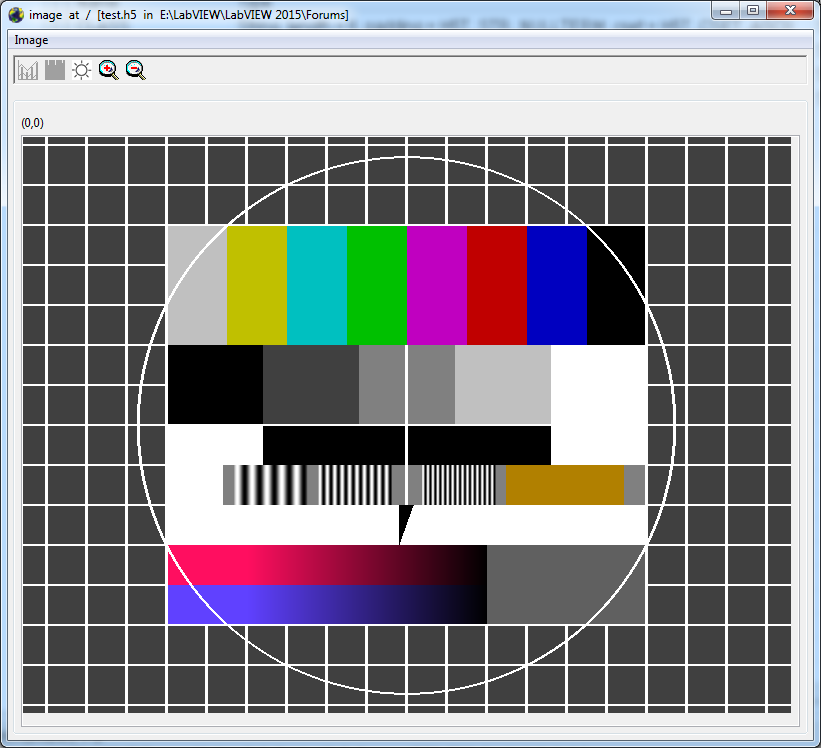

05-17-2019 09:46 AM
- Mark as New
- Bookmark
- Subscribe
- Mute
- Subscribe to RSS Feed
- Permalink
- Report to a Moderator
Darin, thank you so much for the fixed VI. It works perfectly!
Now, I changed the VI in such a way that it integrates with the file open/close stuff from Live HDF5 by UPVI and attached it to this post. Might be, that somebody wants to use it in conjunction with this specific HDF5 package as I do.
Peter
