- Subscribe to RSS Feed
- Mark Topic as New
- Mark Topic as Read
- Float this Topic for Current User
- Bookmark
- Subscribe
- Mute
- Printer Friendly Page
Sampling a sine wave
Solved!
 David-Baratheon
08-06-2015
04:38 AM
- last edited on
10-09-2025
12:09 PM
by
 Content Cleaner
- Mark as New
- Bookmark
- Subscribe
- Mute
- Subscribe to RSS Feed
- Permalink
- Report to a Moderator
Hi everyone
I am looking to sample a signal using labview.
I have produced a signal using the "simulate signal" block with controls for amplitude, frequency etc, and have varified that it works.
I want to sample this signal at regular intervals and store the data. Can anyone explain how to sample a signal in labview?
I have looked at the following white paper but it dealt more with the concept of sampling, rather than a tutorial of how to implement it:
http://www.ni.com/white-paper/3016/en/
I also looked at the following, which again didn't actually provide a tutorial:
http://www.ni.com/tutorial/3116/en/
I couldn't find anything else in my search. If anyone can point me in the direction of a tutorial for sampling it would be much appreciated
Solved! Go to Solution.

 GerdW
GerdW

08-06-2015
04:44 AM
- last edited on
12-10-2021
04:21 PM
by
 NI_Community_Su
- Mark as New
- Bookmark
- Subscribe
- Mute
- Subscribe to RSS Feed
- Permalink
- Report to a Moderator
Hi David,
when you create a sine wave using "Simulate signal" you already have your samples!
So it is unclear, where/why/how you want to "sample your signal" again…
Can you please explain, what you really want to achieve?
GerdW
using LV2016/2019/2021 on Win10/11+cRIO, TestStand2016/2019
08-06-2015 04:45 AM
- Mark as New
- Bookmark
- Subscribe
- Mute
- Subscribe to RSS Feed
- Permalink
- Report to a Moderator
I understand that, but it is for me to learn how sampling works, so I can utilise it for other applications in future. It is just for learning purposes
GerdW
08-06-2015
04:48 AM
- last edited on
12-10-2021
04:21 PM
by
NI_Community_Su
- Mark as New
- Bookmark
- Subscribe
- Mute
- Subscribe to RSS Feed
- Permalink
- Report to a Moderator
Hi David,
sampling means to get the value of a signal at a regular time interval.
A waveform in LabVIEW stores values of a signal at regular time intervals (aka dt), so when you create a waveform (even by SimulateSignal) you already get a "sampled signal"…
GerdW
using LV2016/2019/2021 on Win10/11+cRIO, TestStand2016/2019
08-06-2015 04:51 AM - edited 08-06-2015 04:52 AM
- Mark as New
- Bookmark
- Subscribe
- Mute
- Subscribe to RSS Feed
- Permalink
- Report to a Moderator
I know what sampling means.
Obviously the purpose of the simulated signal is just to provide me with a signal to sample.
Those sampling techniques will then be utilised for sampling real signals on an NI DAQ device. The simulated signal is just to provide me with a learning tool to learn sampling techniques, i.e. acquiring amplitudes at regular intervals
GerdW
08-06-2015
04:58 AM
- last edited on
12-10-2021
04:21 PM
by
NI_Community_Su
- Mark as New
- Bookmark
- Subscribe
- Mute
- Subscribe to RSS Feed
- Permalink
- Report to a Moderator
Hi David,
Obviously the purpose of the simulated signal is just to provide me with a signal to sample.
No, the simulated signal is already sampled. There is no need to sample it again…
GerdW
using LV2016/2019/2021 on Win10/11+cRIO, TestStand2016/2019
08-06-2015 05:03 AM
- Mark as New
- Bookmark
- Subscribe
- Mute
- Subscribe to RSS Feed
- Permalink
- Report to a Moderator
I feel that you are being quite pedantic and unhelpful here. Its a learning tool. Its not supposed to be a useful program, but a program to illustrate how to sample, I just need any sample as an input to test the sampling mechanism. I could go out and buy hardware worth a few thousand pounds, buy a signal generator, some cables, a module, connect it all together and then sample it with a DAQ block connected to some sampling code. Or I could just use a signal simulator. The end result of the experiment will not be a solution for nuclear fusion, or a hover car, but the end result will simply be that I understand how to sample a signal. That is the sole objective of this experiment.
GerdW
08-06-2015
06:20 AM
- last edited on
12-10-2021
04:21 PM
by
NI_Community_Su
- Mark as New
- Bookmark
- Subscribe
- Mute
- Subscribe to RSS Feed
- Permalink
- Report to a Moderator
Hi David,
I feel that you are…
I feel we are talking about different things!
You want to "learn about sampling", but you start to learn that with a waveform already containing a sampled signal.
When you want to "sample" a sine wave you should start with scalar values. Get those values at regular time intervals and create a waveform from them…
GerdW
using LV2016/2019/2021 on Win10/11+cRIO, TestStand2016/2019
08-06-2015 06:28 AM - edited 08-06-2015 06:29 AM
- Mark as New
- Bookmark
- Subscribe
- Mute
- Subscribe to RSS Feed
- Permalink
- Report to a Moderator
but sampling a simulated sine wave and sampling a continuous signal sine wave is going to work in exactly the same manner
 Stuart.Parkinso
08-06-2015 07:31 AM
- Mark as New
- Bookmark
- Subscribe
- Mute
- Subscribe to RSS Feed
- Permalink
- Report to a Moderator
Those sampling techniques will then be utilised for sampling real signals on an NI DAQ device. The simulated signal is just to provide me with a learning tool to learn sampling techniques, i.e. acquiring amplitudes at regular intervals
I just need any sample as an input to test the sampling mechanism
Using an NI DAQ device there are no other 'sampling techniques'. If you look at the vi snippet below, you see that the DAQ vi outputs a sampled signal just like the generate waveform vi. You don't get to do any sampling yourself or use a 'sampling mechanism', just change the input parameters to the vi to tell it sample rate, etc.
Therefore, I'm not quite sure what you are looking for (and obviously neither is GerdW who was actually trying to be helpful).

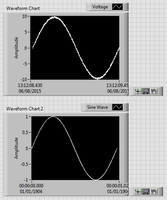
If you are looking to observe what happens when you change the sample frequency for a given waveform (in order to experiment with aliasing, etc.) then you can take the given samples and 'downsample' using the Resample Waveform vi.
