- Subscribe to RSS Feed
- Mark Topic as New
- Mark Topic as Read
- Float this Topic for Current User
- Bookmark
- Subscribe
- Mute
- Printer Friendly Page
Read data using google spreadsheet data API

 Student_LV
04-25-2018 04:19 AM
- Mark as New
- Bookmark
- Subscribe
- Mute
- Subscribe to RSS Feed
- Permalink
- Report to a Moderator
Hi!
I need to read data from google spreadsheets in labview using google spreadsheet data API. I want to have the content of each sheet in the workbook
I found in one this forum discussion https://forums.ni.com/t5/Example-Programs/Google-Spreadsheets-Data-API-Read/tac-p/3785672#M8398
the solution attached below.
My problem is although I Entered all the information (username, password, book and sheet names ), when i run the VI, I get nothing in return and it always crashes with " exception error",
Does anyone know how to make it work ? or does any one have a working VI or an idea about how to read data out of google spreadsheets ?
Please help! Thanks!

 wiebe@CARYA

04-25-2018 04:49 AM
- Mark as New
- Bookmark
- Subscribe
- Mute
- Subscribe to RSS Feed
- Permalink
- Report to a Moderator
@Student_LV wrote:
My problem is although I Entered all the information (username, password, book and sheet names ), when i run the VI, I get nothing in return and it always crashes with " exception error",
A crash? Or an error? What kind of crash? LabVIEW? Windows? BSoD?
It might help if you post the exact error message. "Exception error" is the least interesting bit.
OT: That library would be so much better if it was a class. It's made like a class, but with a cluster. Could be made before OO was possible, but still. It's just self inflicted torture...
 Search LabVIEW like a graph!
 04-25-2018 06:45 AM
- Mark as New
- Bookmark
- Subscribe
- Mute
- Subscribe to RSS Feed
- Permalink
- Report to a Moderator
Hi!
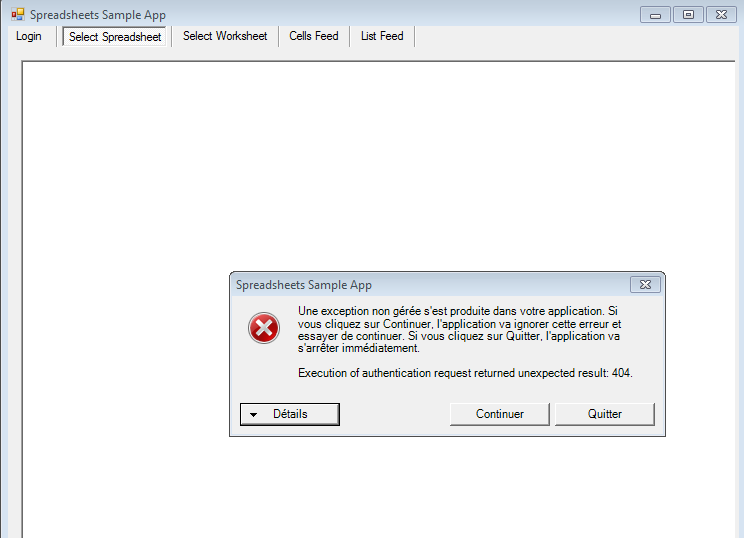
When I run the app (Google Data API SDK>samples>spreadsheets) , I get the following message ( sorry it's in french) :
04-25-2018 06:47 AM
- Mark as New
- Bookmark
- Subscribe
- Mute
- Subscribe to RSS Feed
- Permalink
- Report to a Moderator
Hi!
When I run the app (Google Data API SDK>samples>spreadsheets) , I get the following message ( sorry it's in french) :
Thank you in advance for your help
wiebe@CARYA
04-25-2018 07:12 AM
- Mark as New
- Bookmark
- Subscribe
- Mute
- Subscribe to RSS Feed
- Permalink
- Report to a Moderator
How is that related to LabVIEW?
I though you where trying to connect from LabVIEW.
404 almost universally means page not found. Google "spreadsheet sample app error 404", second hit: https://stackoverflow.com/questions/37148664/urlfetch-getting-404-error-from-spreadsheet-url might help.
04-27-2018 07:58 AM
- Mark as New
- Bookmark
- Subscribe
- Mute
- Subscribe to RSS Feed
- Permalink
- Report to a Moderator
Hi!
Sorry for the misunderstanding. Now I'm trying to run the VI attached below, in labview, in order to read data from google spreadsheet , I want to get data that are in sheets but nothing was returned. the problem exists in " initialize.VI " , I got error code "1386" ( constructor node in initialize.vi).
Does anyone have an idea about how to solve this please?
wiebe@CARYA
04-30-2018 03:30 AM
- Mark as New
- Bookmark
- Subscribe
- Mute
- Subscribe to RSS Feed
- Permalink
- Report to a Moderator
Could you post the entire error? Including the entire string? Usually, that's where it gets interesting.
If both LV and the example exe give an error (the same error), I think there must be something wrong with your input.
There's not a hole lot to find about GDataGAuthRequestFactory, except that it seems the be obsolete. You might try account type "GOOGLE_OR_HOSTED". Not sure why "service" and\or spreadsheetService are empty strings. Does not make much sense (but I'm no expert).

05-02-2018 07:18 AM
- Mark as New
- Bookmark
- Subscribe
- Mute
- Subscribe to RSS Feed
- Permalink
- Report to a Moderator
I have just tested the "Google Spread Sheet Read 2012 NIVerified.zip 169 KB" file you posted, I get the same error.
To fix this I downloaded the Google Data API v2.2.0.0 found HERE. Once you have downloaded this make sure you restart the computer.
When starting the Vi you may be asked to locate a missing file for the Vi; for example it asked me to locate the
Google.GData.Spreadsheets.dll
This can be found in C:\Program Files (x86)\Google\Google Data API SDK\Redist.
Once you have followed the steps, insert your Google User Name and Password and it should work. This worked for me. Hope this helps.
05-02-2018 08:41 AM
- Mark as New
- Bookmark
- Subscribe
- Mute
- Subscribe to RSS Feed
- Permalink
- Report to a Moderator
Hi!
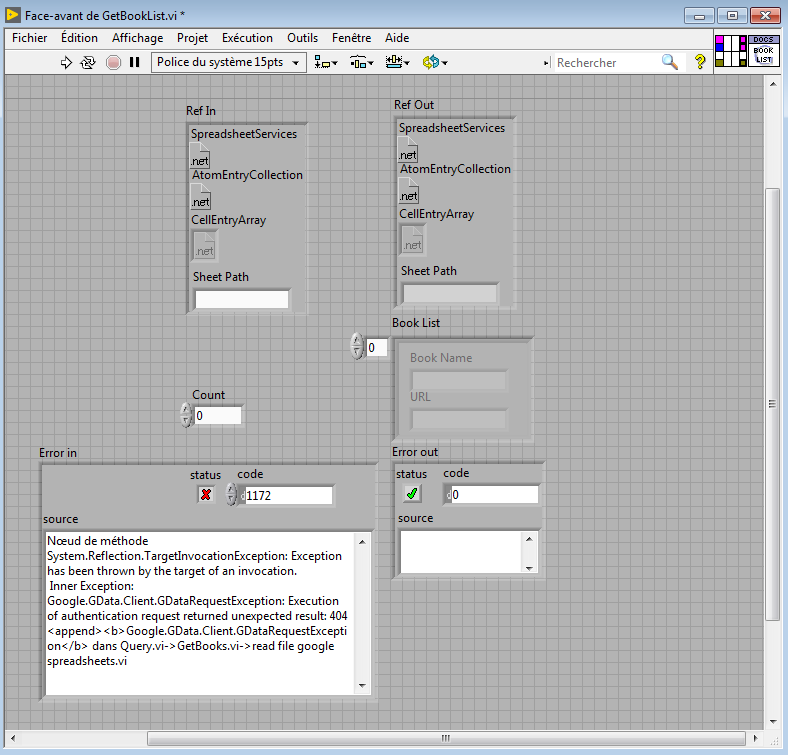
I did exactly like you did, and this time when i run the VI , i found error code 1172, in GetBookList.vi below
Did you know please the source of this error and how to run the VI and get the final result ( data sheet)?
Thank you in advance.
05-02-2018 08:47 AM
- Mark as New
- Bookmark
- Subscribe
- Mute
- Subscribe to RSS Feed
- Permalink
- Report to a Moderator
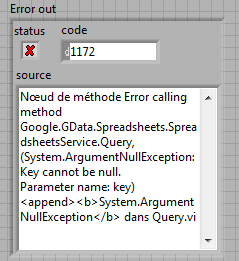
It's due to the error out of the Query.VI , below is the error description :