- Subscribe to RSS Feed
- Mark Topic as New
- Mark Topic as Read
- Float this Topic for Current User
- Bookmark
- Subscribe
- Mute
- Printer Friendly Page
Protect Python Code

 mw42
mw42
08-12-2019 02:21 AM
- Mark as New
- Bookmark
- Subscribe
- Mute
- Subscribe to RSS Feed
- Permalink
- Report to a Moderator
Hi there,
is there a way to protect my *.py files, which I call from within LabView? Or is this going to be implemented into the *.exe file after I build the project (and if so, is this sufficent protection)?
Thanks

 alexderjuengere
08-12-2019 06:27 AM - edited 08-12-2019 06:32 AM
- Mark as New
- Bookmark
- Subscribe
- Mute
- Subscribe to RSS Feed
- Permalink
- Report to a Moderator
@mw42 wrote:
is there a way to protect my *.py files, which I call from within LabView? Or is this going to be implemented into the *.exe file after I build the project (and if so, is this sufficent protection)?
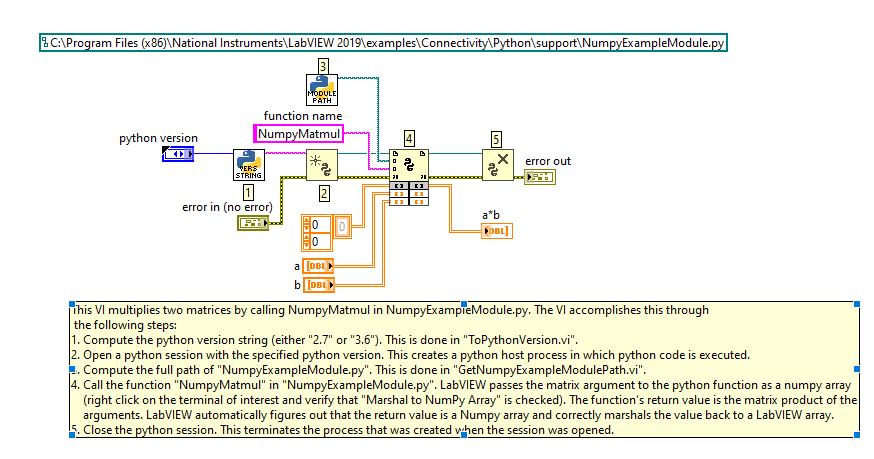
It looks like the Python Node needs a path to a .py file - regardless if you run your code as a .vi or as an .exe
could you be more precise about "protection" ?
in terms like "read-only"?
in terms like encryption?

 Yamaeda
08-12-2019 06:36 AM
- Mark as New
- Bookmark
- Subscribe
- Mute
- Subscribe to RSS Feed
- Permalink
- Report to a Moderator
The idea of Python is openness so in a way it goes against that, but put the file in a password protected zip? I think LV can handle that and the zip should work like a folder. I might be way off though.
/Y
 alexderjuengere
08-12-2019
02:30 PM
- last edited on
02-28-2025
09:28 AM
by
 Content Cleaner
- Mark as New
- Bookmark
- Subscribe
- Mute
- Subscribe to RSS Feed
- Permalink
- Report to a Moderator
@Yamaeda wrote:
The idea of Python is openness so in a way it goes against that, but put the file in a password protected zip? I think LV can handle that and the zip should work like a folder. I might be way off though.
/Y
I had that in mind to 
but I can't say if that would work, ... any thoughts?
https://www.ni.com/en/support/downloads/tools-network/download.openg-libraries-for-labview.html

 rolfk
rolfk

08-12-2019 03:58 PM - edited 08-12-2019 04:04 PM
- Mark as New
- Bookmark
- Subscribe
- Mute
- Subscribe to RSS Feed
- Permalink
- Report to a Moderator
Yes the Openg ZIP library has a possibility to extract files inside a password protected archive and even extract it directly into a memory buffer without the need to write it to a file on disk. However I'm not sure if the Python Node supports passing a in memory file as a string or always requires a path to a real file on disk. If it doesn't you still would need to save the file to a temporary location and then specify its name to the Python Node. And that temporary file would not be encrypted.
It still would allow to make reasonably sure that a user can't modify the file before being executed but he could intercept it and copy it and then read its contents.
 Yamaeda
08-13-2019 03:01 AM
- Mark as New
- Bookmark
- Subscribe
- Mute
- Subscribe to RSS Feed
- Permalink
- Report to a Moderator
I guess the other option is to have Exectute only-flag on the file or have the program run as a separate user and only have read access to that user.
/Y
