- Subscribe to RSS Feed
- Mark Topic as New
- Mark Topic as Read
- Float this Topic for Current User
- Bookmark
- Subscribe
- Mute
- Printer Friendly Page
Possible to change keyboard input language programmatically ?
Solved!
 blackfinger
10-03-2019 04:45 AM
- Mark as New
- Bookmark
- Subscribe
- Mute
- Subscribe to RSS Feed
- Permalink
- Report to a Moderator
Hi to all! So as the title says, if somebody has 2 or more input languages installed in Windows is there any way in LabVIEW to get the current language and change that to the preferred one? I have a string control which needs to accept only english characters to avoid problems
Solved! Go to Solution.

 zou
zou
10-06-2019 04:52 PM
- Mark as New
- Bookmark
- Subscribe
- Mute
- Subscribe to RSS Feed
- Permalink
- Report to a Moderator
Language bar => settings => Advanced Key Settings, create a shortcut for English. For example Ctrl+Shift+0.
Simulate a keyboard press, and send it your window.

 jra_eltwin
10-07-2019 01:35 AM
- Mark as New
- Bookmark
- Subscribe
- Mute
- Subscribe to RSS Feed
- Permalink
- Report to a Moderator
Another option could be to filter your input to the control by using the "key down?" event.
10-07-2019 05:46 AM
- Mark as New
- Bookmark
- Subscribe
- Mute
- Subscribe to RSS Feed
- Permalink
- Report to a Moderator
Thanks, zoo.I agree that this would be an easy solution but it's kind of personal one. I don't think it would be convenient for deployment of an application
zou
10-07-2019 11:00 AM
- Mark as New
- Bookmark
- Subscribe
- Mute
- Subscribe to RSS Feed
- Permalink
- Report to a Moderator
Can we assume English (US) is installed?
zou
10-07-2019 07:25 PM
- Mark as New
- Bookmark
- Subscribe
- Mute
- Subscribe to RSS Feed
- Permalink
- Report to a Moderator
Use Windows API post a message (WM_INPUTLANGUAGECHNAGEREQUEST = 0x50) to the window:
PostMessage(hWnd, 0x50, 0, 0x0409);
0x0409 is US English.
zou
10-08-2019 09:21 PM
- Mark as New
- Bookmark
- Subscribe
- Mute
- Subscribe to RSS Feed
- Permalink
- Report to a Moderator
For those who are not familiar Windows API, try this llb.
 AlexanderU
01-18-2024 11:52 PM
- Mark as New
- Bookmark
- Subscribe
- Mute
- Subscribe to RSS Feed
- Permalink
- Report to a Moderator
Hello Zou,
thank you for posting Inpullanguage.llb.
Although in my case Set InputLanguage.vi doesn't seem to work. Keyboard layout wouldn't switch when I execute it.
Enumerate InputLanguages.vi and Get Default InputLanguage.vi work just fine.
I wonder if it could be caused by some Windows background service not running?
In VI i'm working on I need to set ENG-US keyboard layout to avoid mistakes as user inputs data.
My set is as follows:
LabView 2020 full 32-bit
Windows 10 Pro x64
zou
01-23-2024 10:34 PM
- Mark as New
- Bookmark
- Subscribe
- Mute
- Subscribe to RSS Feed
- Permalink
- Report to a Moderator
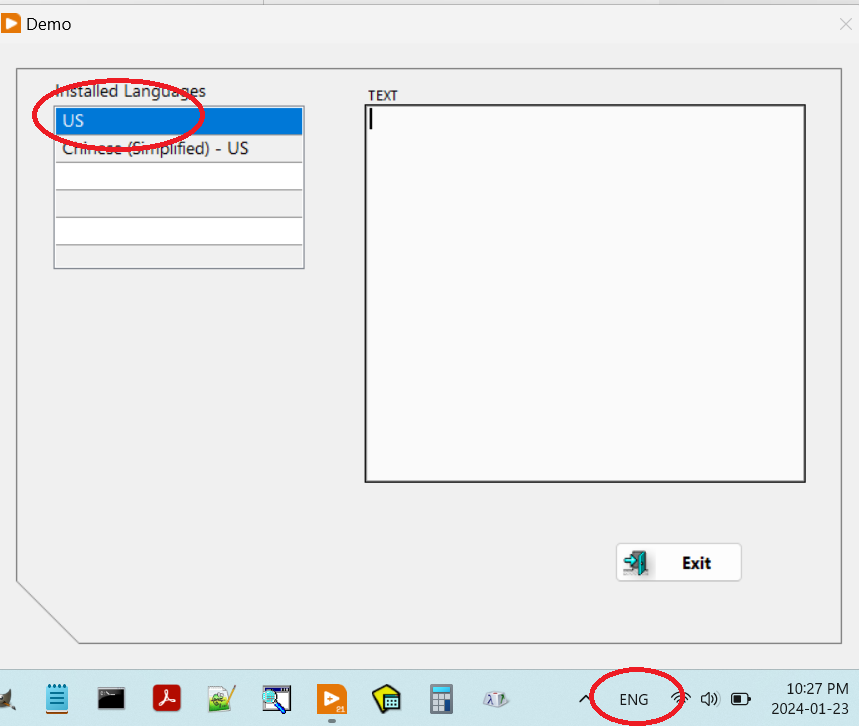
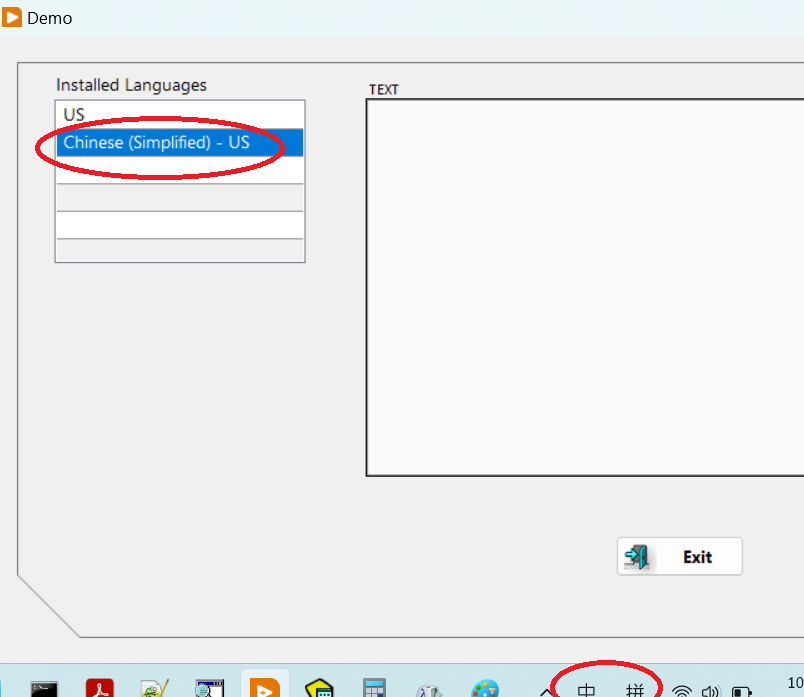
The demo vi works fine on my Windows 11 with LabVIEW 2021.