- Subscribe to RSS Feed
- Mark Topic as New
- Mark Topic as Read
- Float this Topic for Current User
- Bookmark
- Subscribe
- Mute
- Printer Friendly Page
.NET Month Calendar control and User Events
Solved!
 Eric1977
06-02-2017 01:12 PM
- Mark as New
- Bookmark
- Subscribe
- Mute
- Subscribe to RSS Feed
- Permalink
- Report to a Moderator
I am playing around with creating a user event for the .NET MonthCalendar Control. I would like for the user event to fire when a user selects a day on the Month Calendar control, however, I cant seem to even see a list of user events when I select the Register for Events - User Events pick list.
Am I doing something incorrectly here? This is my first time using the User Events portion of LabVIEW (actually, I am looking to enhance one of my existing programs) and I'd figure I'd play in a VI first.
Solved! Go to Solution.

 ben64
ben64
06-02-2017 02:33 PM
- Mark as New
- Bookmark
- Subscribe
- Mute
- Subscribe to RSS Feed
- Permalink
- Report to a Moderator
With .net control you have to register an Event Callback. You can trig a user event from the callback vi or perform the action in the callback vi.
Ben64

06-06-2017 02:42 PM
- Mark as New
- Bookmark
- Subscribe
- Mute
- Subscribe to RSS Feed
- Permalink
- Report to a Moderator
Another dumb question. How do I get the DateSelected to trigger an event in my Event Handler (or really, anywhere) so I can place the date into an indicator?
ben64
06-06-2017 03:01 PM
- Mark as New
- Bookmark
- Subscribe
- Mute
- Subscribe to RSS Feed
- Permalink
- Report to a Moderator
You can pass user parameters to the Callback VI. In the attached example I'm passing a string indicator reference. You can expand the Reg Event Callback node to pass more than one user parameter.
Ben64
06-06-2017 03:39 PM
- Mark as New
- Bookmark
- Subscribe
- Mute
- Subscribe to RSS Feed
- Permalink
- Report to a Moderator
Ben - Thank you for the help. Learned something too!

 _EMG_
_EMG_
05-06-2019 08:18 AM
- Mark as New
- Bookmark
- Subscribe
- Mute
- Subscribe to RSS Feed
- Permalink
- Report to a Moderator
Hi,
....could you kindly post the VIs converted to LV2015? Thanks in advance!!
 arob
arob
07-22-2020 03:18 PM
- Mark as New
- Bookmark
- Subscribe
- Mute
- Subscribe to RSS Feed
- Permalink
- Report to a Moderator
how can i edit the code for the callback vi? it seems to be running even though it isnt
 StevenD
07-22-2020 05:40 PM - edited 07-22-2020 05:41 PM
- Mark as New
- Bookmark
- Subscribe
- Mute
- Subscribe to RSS Feed
- Permalink
- Report to a Moderator
Huh.... Seems to be a bug with .NET callback in LabVIEW. I had the same behavior, not being able to edit the callback VI after running the top level VI. This is from NI's own example located at "C:\Program Files (x86)\National Instruments\LabVIEW 201x\examples\Connectivity\Dot NET"
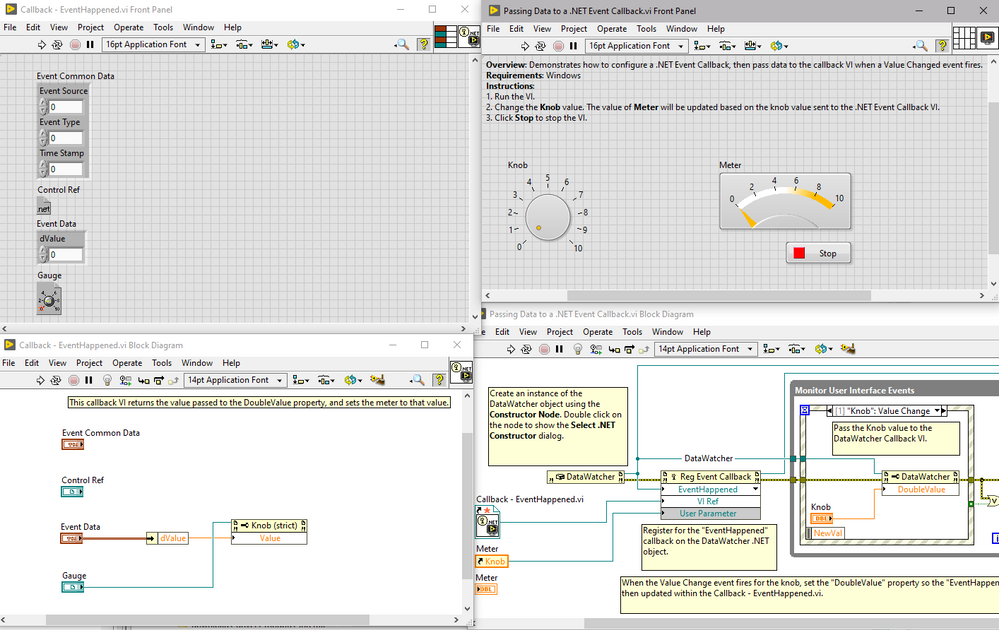
Before running "Passing Data to a .NET Event Callback.vi"
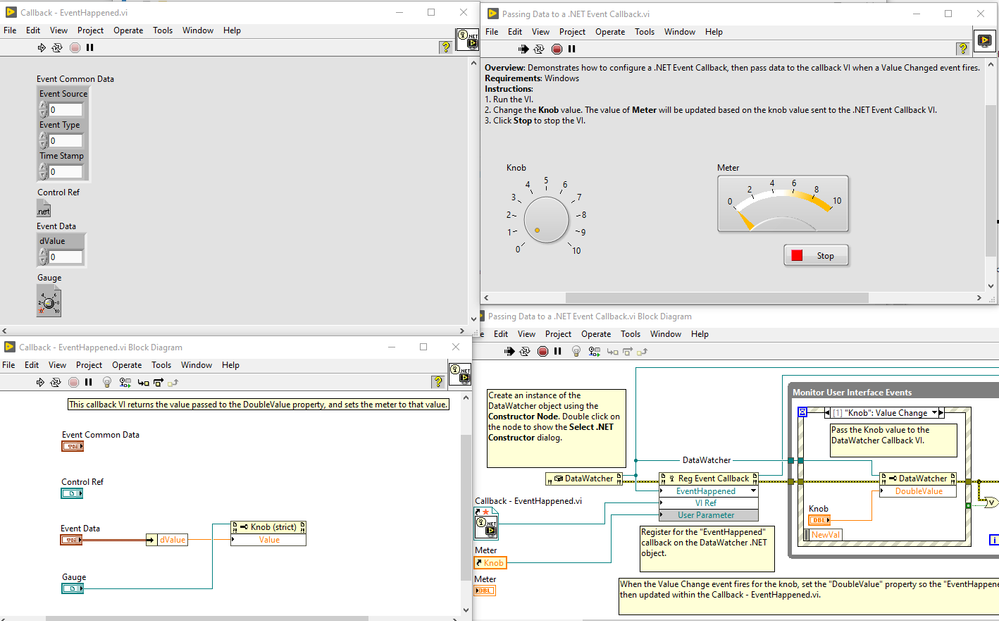
During execution.
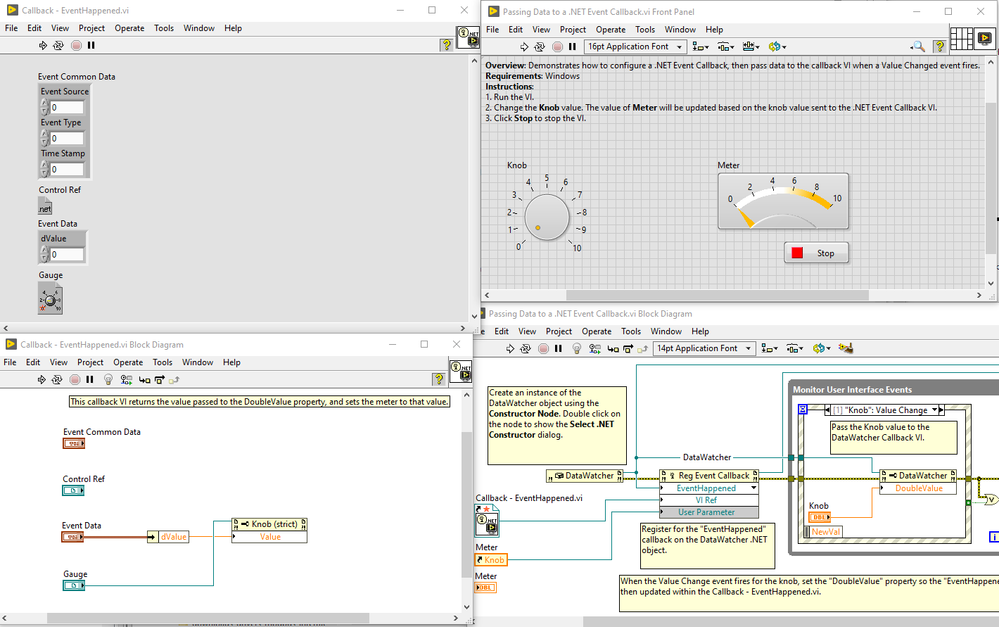
After hitting stop, the callback VI is uneditable.
LV 2019 32 bit
 drjdpowell

07-22-2020 05:51 PM
- Mark as New
- Bookmark
- Subscribe
- Mute
- Subscribe to RSS Feed
- Permalink
- Report to a Moderator
The workaround is to call GC.collect, shown here:
