- Subscribe to RSS Feed
- Mark Topic as New
- Mark Topic as Read
- Float this Topic for Current User
- Bookmark
- Subscribe
- Mute
- Printer Friendly Page
LabVIEW (New..) Window
Solved!
 Emna20
05-07-2019 05:55 AM
- Mark as New
- Bookmark
- Subscribe
- Mute
- Subscribe to RSS Feed
- Permalink
- Report to a Moderator
Hi,
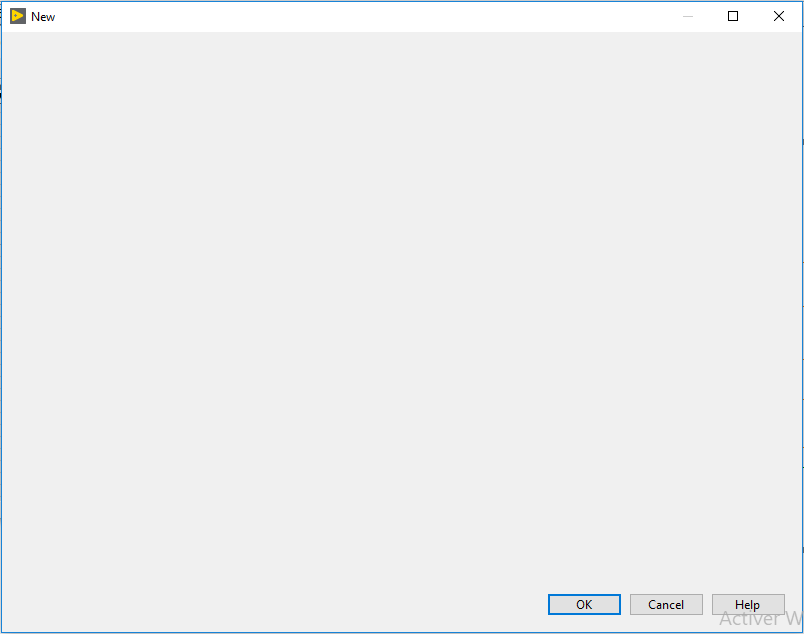
I want to create the same window like the (New..) window in LabVIEW .using LabVIEW .is that possible ? .

Solved! Go to Solution.

 zou
zou
05-07-2019 10:02 AM
- Mark as New
- Bookmark
- Subscribe
- Mute
- Subscribe to RSS Feed
- Permalink
- Report to a Moderator
Of course.
It's just a tree control and a picture control.
05-08-2019 02:12 AM
- Mark as New
- Bookmark
- Subscribe
- Mute
- Subscribe to RSS Feed
- Permalink
- Report to a Moderator
hi,
thank you George Zou, all i want is when i clic to a button a window appears and this window look like the new window . please help me to do this .
EN .
05-08-2019 02:34 AM
- Mark as New
- Bookmark
- Subscribe
- Mute
- Subscribe to RSS Feed
- Permalink
- Report to a Moderator
hi ,
i want to make this window .

 GerdW
GerdW

05-08-2019 02:44 AM - edited 05-08-2019 02:44 AM
- Mark as New
- Bookmark
- Subscribe
- Mute
- Subscribe to RSS Feed
- Permalink
- Report to a Moderator
Hi Emna,
i want to make this window .
Create a new VI, with just those 3 buttons on the frontpanel!
GerdW
using LV2016/2019/2021 on Win10/11+cRIO, TestStand2016/2019
05-08-2019 04:21 AM
- Mark as New
- Bookmark
- Subscribe
- Mute
- Subscribe to RSS Feed
- Permalink
- Report to a Moderator
hi ,
thank you for you response . run the (application .vi) and click on ( File > Open ) . ( i change the run time menu ) .
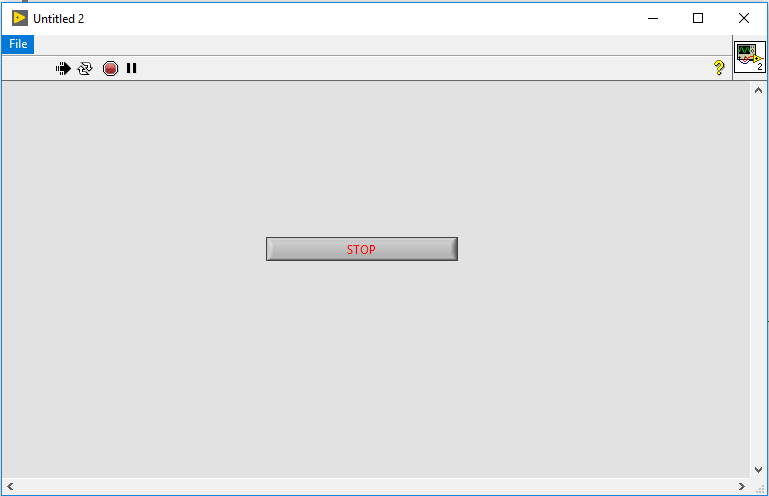
a window appear ( Untitled 1 .vi ) .
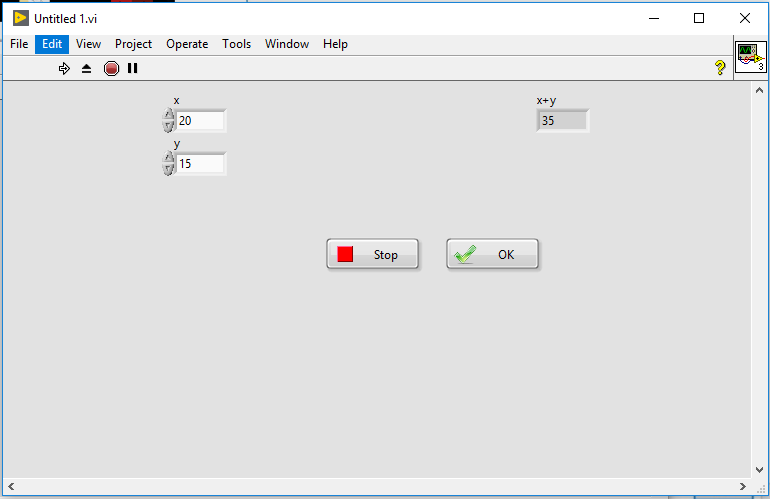
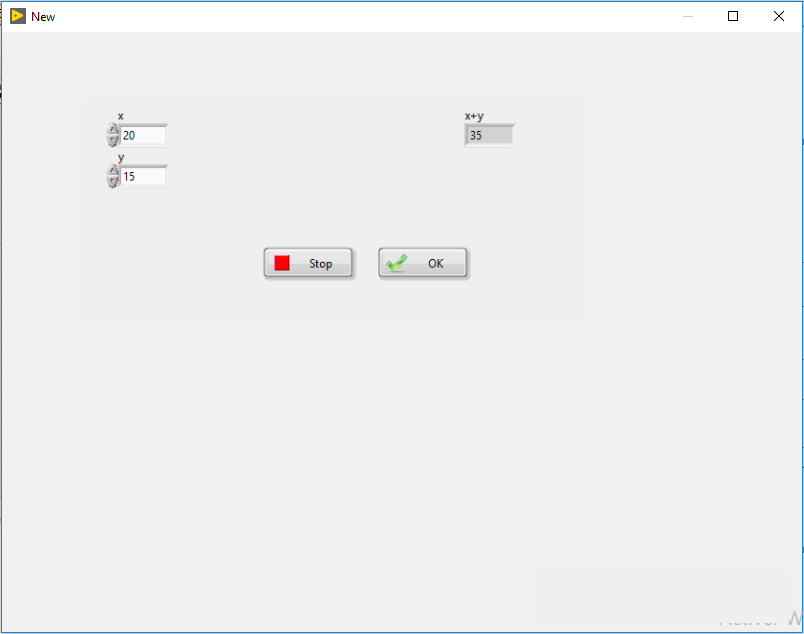
i want the (Untitled 1 .vi ) window appear like this .
see the code .

 UliB
UliB
05-08-2019 04:38 AM
- Mark as New
- Bookmark
- Subscribe
- Mute
- Subscribe to RSS Feed
- Permalink
- Report to a Moderator
I assume you want to hide the LabVIEW menu and the tool bar.
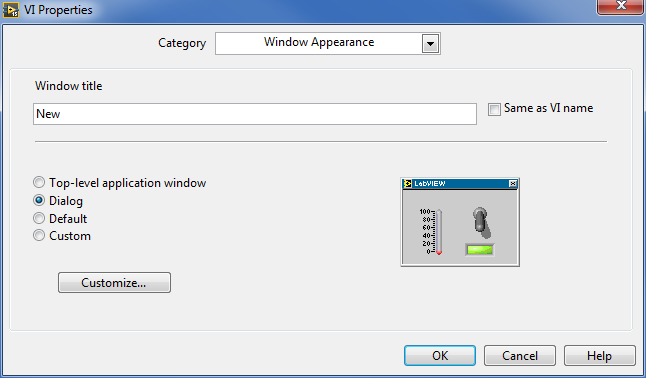
Open the VI Properties dialog (Ctrl + I) and select Category 'Window Appearance'. There you can write a new window title and configure the VI to be a 'Dialog' when running.
05-08-2019 05:01 AM
- Mark as New
- Bookmark
- Subscribe
- Mute
- Subscribe to RSS Feed
- Permalink
- Report to a Moderator
hi UliB ,
thank you so much . but in running mode i still have the Toolbar menu . and i have to clicks on the Run button to obtaine the result of the Sum .

05-08-2019 06:03 AM
- Mark as New
- Bookmark
- Subscribe
- Mute
- Subscribe to RSS Feed
- Permalink
- Report to a Moderator
hi ,
to hide the tool bar menu you have to do this :
* change your appearance window to this :
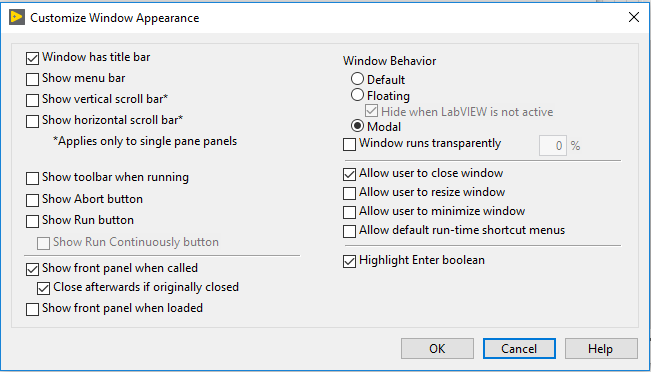
* Select "Show front panel when called " from " SubVI Node Setup " .

You could find the code below .
