- Subscribe to RSS Feed
- Mark Topic as New
- Mark Topic as Read
- Float this Topic for Current User
- Bookmark
- Subscribe
- Mute
- Printer Friendly Page
How avoid using while loops into a event structure
Solved!
 Dranek
01-04-2017 10:23 AM
- Mark as New
- Bookmark
- Subscribe
- Mute
- Subscribe to RSS Feed
- Permalink
- Report to a Moderator
I'm quite new in LabVIEW, so I hope a constructive criticism. The VI will control and instrument using the serial port, and I receive and an echo as feedback. I have different inputs in my front panel (Amplitude, Operation mode, Frequency, Reset, Stop, and Start), and I'm using an event structure to handle any change in my controls. I use single or nested while and for loops inside the event structure. And, I've unticked the option to "lock panel until the case for this event completes" and used local variables, in order to use the same stop button in all the while loops.
However, I've read several posts and they suggest to not doing what I'm doing, so I would like to know if it is possible improving my code. Could you help me?
Solved! Go to Solution.
 Prince17
01-04-2017 10:35 AM
- Mark as New
- Bookmark
- Subscribe
- Mute
- Subscribe to RSS Feed
- Permalink
- Report to a Moderator
Yo can do it by taking the state machine with events architecture and as the event is triggered, call another state and perform all your while loop actions or anything in that state and when it is done, again call back it to the state in which you have placed the event structure.

Prince Agarwal,
Certified LabVIEW Developer

 altenbach

01-04-2017 11:24 AM
- Mark as New
- Bookmark
- Subscribe
- Mute
- Subscribe to RSS Feed
- Permalink
- Report to a Moderator
Dranek wrote:However, I've read several posts and they suggest to not doing what I'm doing, so I would like to know if it is possible improving my code. Could you help me?
Yes, you code is "inside-out". You've seen my post here, but there are quite a few others.
However, it is difficult to offer clear suggestions if all we see is a truncated code picture. We cannot tell what is in the other cases of case and event structures. We cannot see how the event is configured, etc. etc.
You also seems to over-use value property nodes and local variables where they are not needed. Does the serial port need to be configured from scratch every time the event executes?
(The front panel looks nice, but is not really needed for troubleshooting. As we always say: Don't judge a VI from its front panel :D)
Do you unlock the front panel during the event?The problem with slider type controls and slow events is the fact that many events of intermediary values accumulate in the event queue, so you make sure to limit that too. ( see also this idea, now implemented :D)
If you can, attach the actual VI. Thanks.

01-04-2017 12:09 PM - edited 01-04-2017 12:18 PM
- Mark as New
- Bookmark
- Subscribe
- Mute
- Subscribe to RSS Feed
- Permalink
- Report to a Moderator
Ok, thanks for your help. A small version of the program is attached. It is true that I'm using lots of property-value and local variables. Now, I'm aware that I have to change the VISA configuring port for VISA open port. I'm still learning how to program in LabVIEW, so I really appreciate your help.
PD. I disabled "VISA read" because I'm not always in the lab.
01-04-2017 12:13 PM
- Mark as New
- Bookmark
- Subscribe
- Mute
- Subscribe to RSS Feed
- Permalink
- Report to a Moderator
Hi, Thanks. I've attached the VI. After watching online tutorials, using the state machine will replace the event structure right?. Is it really more effective?

 Alexander_Sobol
01-04-2017 12:37 PM
- Mark as New
- Bookmark
- Subscribe
- Mute
- Subscribe to RSS Feed
- Permalink
- Report to a Moderator
No, event structure is to process user actions (button pressed, etc)
State machine is to organize and control order of execution (initilize port, set frequency, wait for next command, close)

 crossrulz
01-04-2017 12:37 PM
- Mark as New
- Bookmark
- Subscribe
- Mute
- Subscribe to RSS Feed
- Permalink
- Report to a Moderator
@Dranek wrote:
using the state machine will replace the event structure right?
Not quite. More like you will have a state in your state machine for checking for events. You then go to whichever states you need to in order to do what you need.
There are only two ways to tell somebody thanks: Kudos and Marked Solutions
Unofficial Forum Rules and Guidelines
"Not that we are sufficient in ourselves to claim anything as coming from us, but our sufficiency is from God" - 2 Corinthians 3:5
altenbach
01-04-2017 02:00 PM
- Mark as New
- Bookmark
- Subscribe
- Mute
- Subscribe to RSS Feed
- Permalink
- Report to a Moderator
Your system is in one of many states at any given time, and depending on the state, various actions occur and update the various indicators (no need for local variable if you place them after the case structure containing the various states. States change based on the results of the current state and also based on front panel actions by the user.
You way overuse the stop primitive. All you need is to cause the state machine loop to end and the VI will stop automatically once there is no code left (I assume you don't use the "continous run" debugging tool). If you pull the emergency stop in the middle of the code (as you do in many places!), the VI just runs into a wall and there is no time left for proper cleanup (e.g. resetting outputs, closing connections, putting connected instruments into the correct state, etc.)
Your serial port should be initialized exactly once before the loop starts.
You are dealing with raw bytes, so converting to I8 (everywhere!) is incorrect. Use U8. There are probably simpler solution to create the string using typecast or flatten operations.
Yes, please look at the state machine templates that ship with LabVIEW and also look at the shipping examples.
01-05-2017 04:55 AM
- Mark as New
- Bookmark
- Subscribe
- Mute
- Subscribe to RSS Feed
- Permalink
- Report to a Moderator
I cannot find examples using event structure and state machine. Could you help me with a simple example of how using them together?
Prince17
01-05-2017 05:20 AM
- Mark as New
- Bookmark
- Subscribe
- Mute
- Subscribe to RSS Feed
- Permalink
- Report to a Moderator
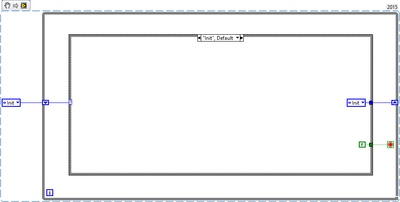
Here is a template of state machine with event architecture. You'll find it useful.
Kudos are welcome.


Prince Agarwal,
Certified LabVIEW Developer
