DAQmx is not visible in the Measurement I/O palette
已解决!
 abhi77
Dear All,
I am also facing similar problem. I am not able to see NI Daqmx in Labview.
Labview version: Labview-8
Details of NI-daqmx installed is given in following images,
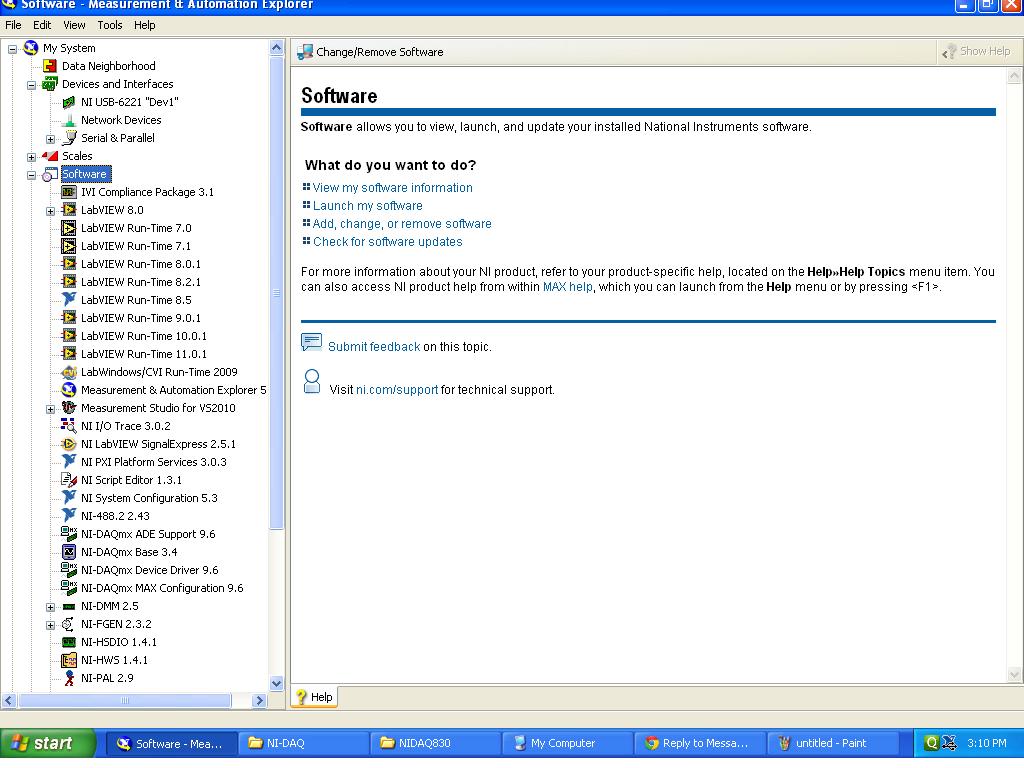
But i am unable to find NIdaqmx pallete. Please see image below,
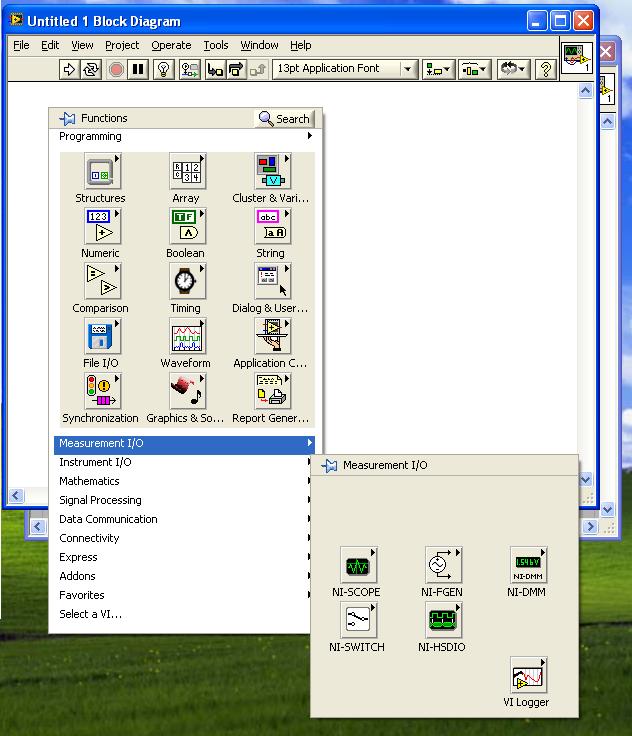
Please guide me to get solution to this problem.
Thanks & Regards

 crossrulz

DAQmx 9.6 is not compatible with LabVIEW 8.X. LabVIEW 2009 is the oldest version it supports. You are going to have to find an older version of DAQmx to work with LabVIEW 8.X.
See this article for more information:DAQmx and LabVIEW Version Compatability
There are only two ways to tell somebody thanks: Kudos and Marked Solutions
Unofficial Forum Rules and Guidelines
"Not that we are sufficient in ourselves to claim anything as coming from us, but our sufficiency is from God" - 2 Corinthians 3:5
abhi77
Hi Crossrulz,
yes there was version incompatibility between Labview-8 and NI-DAQMX 9.6. I removed NIDAQMX using Add/Remove programs and installed NI-DAQMX- 8.5. Now i am able to see NI DAQMX pallette in labview!
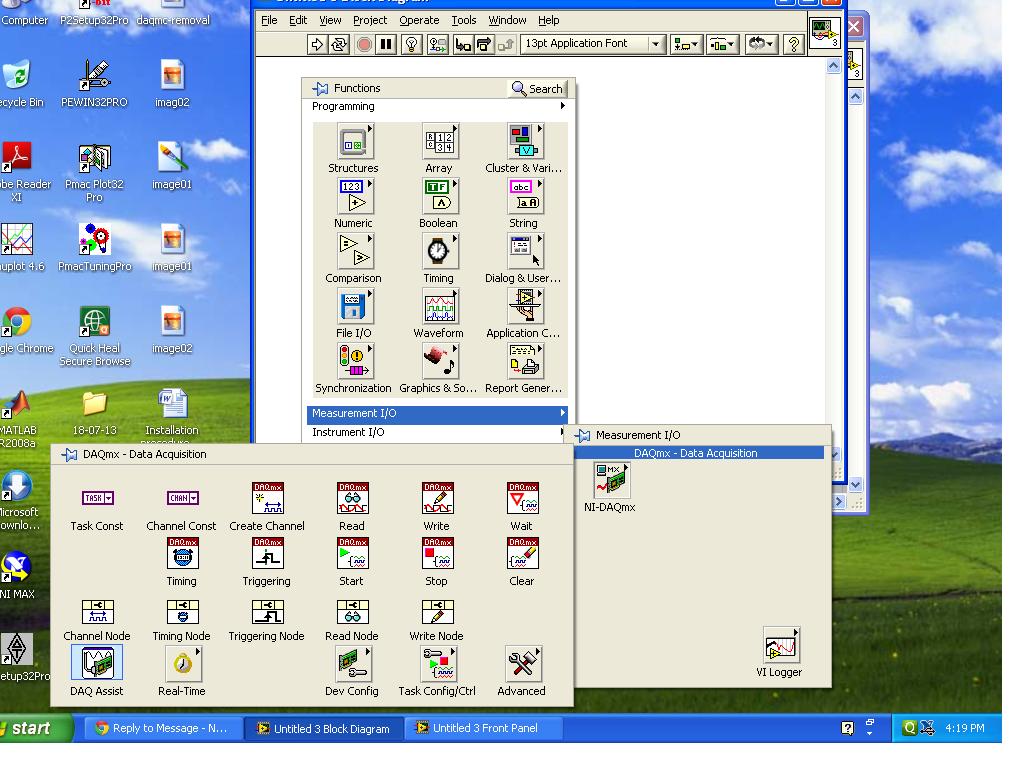
Thanks,
Abhishek.

 vahhab
Hi every body,
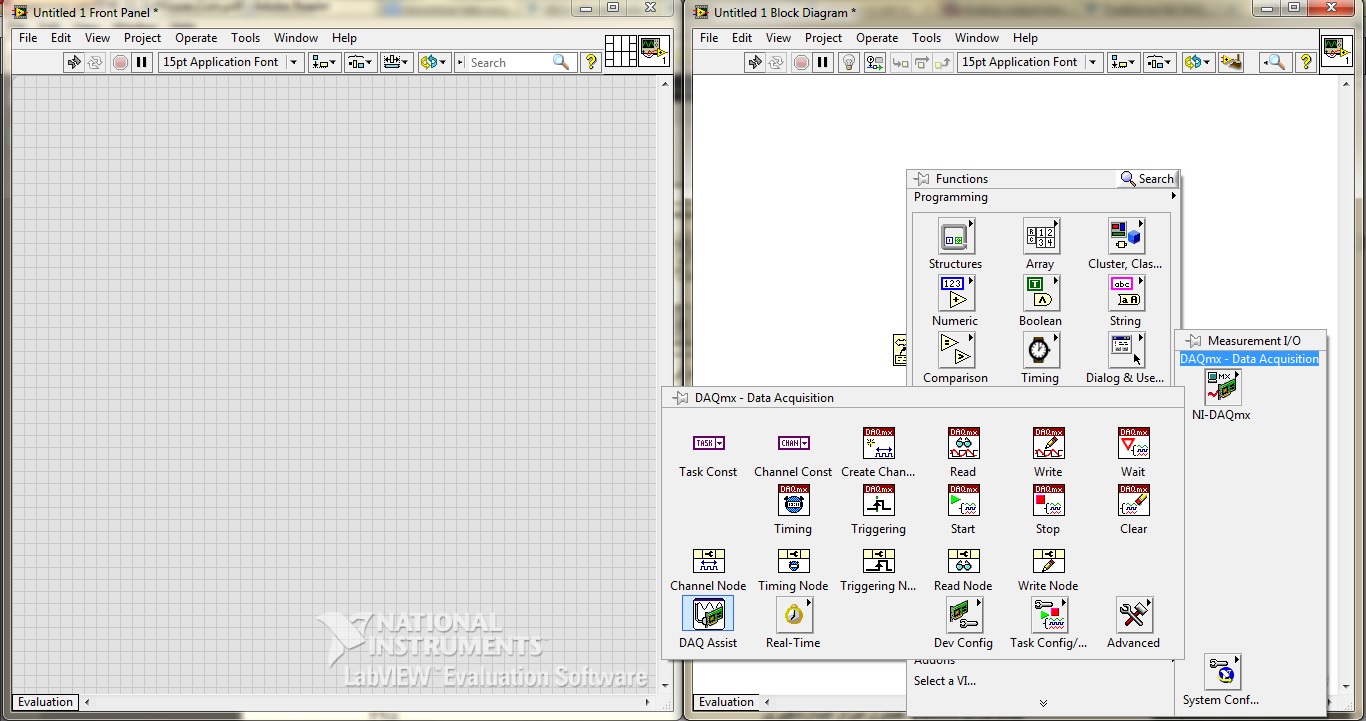
I have a problem, I downloaded the Daqmx 9.8 and installed it but I do not have the Analog Input and Analog Output palette. My lab view is 2013. what should I do?
 crossrulz
@vahhab wrote:
Hi every body,
I have a problem, I downloaded the Daqmx 9.8 and installed it but I do not have the Analog Input and Analog Output palette. My lab view is 2013. what should I do?
Sounds like you are still used to Traditional DAQ. DAQmx is mostly made up of Polymorphic VIs. Drop a DAQmx Write down on your block diagram. You will notice a drop down menu underneath your node. Now marvel at all of the functions you can do. In short, the DAQmx Write and DAQmx Read will both handle any type of DAQ you need (analog input, analog output, digital in, digital out, counter in, counter out, etc.).
There are only two ways to tell somebody thanks: Kudos and Marked Solutions
Unofficial Forum Rules and Guidelines
"Not that we are sufficient in ourselves to claim anything as coming from us, but our sufficiency is from God" - 2 Corinthians 3:5

 Dennis_Knutson
You have the correct palette for DAQmx. There is no such thing as an Analog Inpur or Analog Output palette. Perhaps you are confusing DAQmx with the obsolete traditional DAQ palette. That had those palettes. If you have old code with traditional DAQ functions, you should be replacing them with DAQmx.

 Ray.R
Ray.R
It seems that everybody's issue with the DAQmx installation is a valid one..
There is a distinct difference between installing LabVIEW using the DVDs (Development Suite in my case) and downloading LabVIEW and installing the drivers as an additional step thereafter.
I have experienced the same problem as the others and did follow the appropriate instructions posted in several threads and knowledge base. MAX reports the correct version for DAQmx ADE Support (9.6.2 in my case with LV2012). However, the pallette is void of any DAQmx on one of the computers.
There is definitely something wrong with the DAQmx installation or link to LabVIEW. I have installed NI software products 100s of times. I must have installed LabVIEW 2012 on at least 20 different PC's over the past year, using both the DVDs, downloads, betas, etc.. On various versions of Windows and Linux. I would not expect to run into a strange issue as this one today, which is why I searched this topic... Plus the fact that many have reported issues with something that should be very straightforward should bring to light the fact that something is wrong somewere...
The actual issue was the DAQmx folder missing from vi.lib folder. I resolved the issue manually. 😉
 timharmon
"Drop a DAQmx Write down"----I am an installer fo the software and have no clue as to what that means. I believe the problem the engineers are having here with the measurment I/O palette not containing analog input is that they were use to using an older version of labview and have jumped to 2015. Can you explain to me what " Drop a DAQmx Write down " is? Thanks..Tim
