- Subscribe to RSS Feed
- Mark Topic as New
- Mark Topic as Read
- Float this Topic for Current User
- Bookmark
- Subscribe
- Mute
- Printer Friendly Page
DAQExpress installation problem (DAQmx driver missing)

 denbigh1974
02-05-2020 06:44 AM - edited 02-05-2020 07:24 AM
- Mark as New
- Bookmark
- Subscribe
- Mute
- Subscribe to RSS Feed
- Permalink
- Report to a Moderator
I have successfully installed LabVIEW 2018 on a laptop running Windows 10 Home. LabVIEW Measurement & Automation Explorer has successfully detected a NI USB-6210 datalogger connected to one of the laptop's USB ports.
I now wish to install DAQExpress on the same laptop.
I disconnect the USB-6210, reboot the system and run ni-daqexpress_4.1_online.exe. DAQExpress installs (in part, at least) but I get the following message when I start up the application:
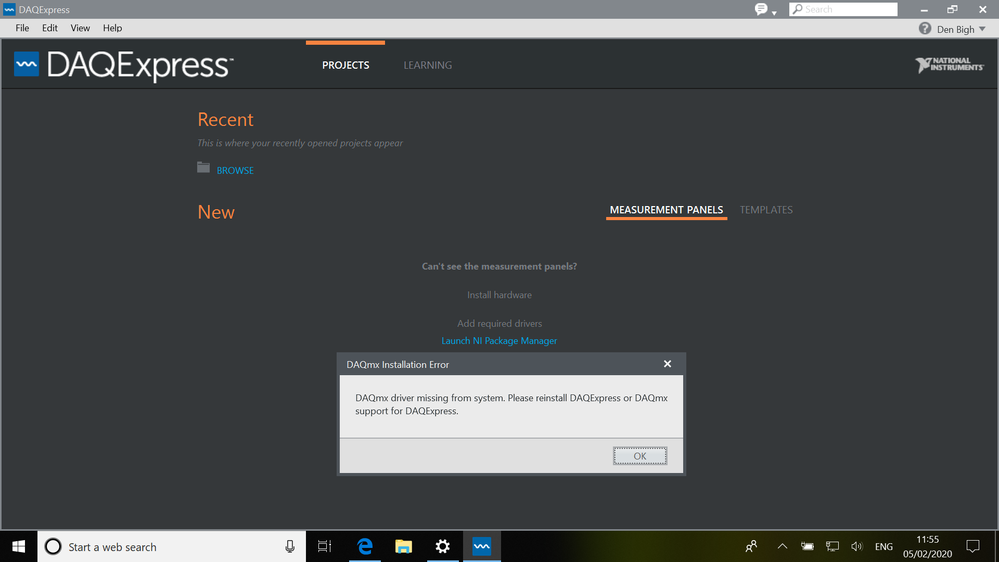
So I then try to reinstall DAQExpress but the process aborts with the following splash screen:

If I click on 'Try Again' the installation process keeps looping back to the above screen.
Please can anyone suggest a possible solution?
02-05-2020 06:58 AM
- Mark as New
- Bookmark
- Subscribe
- Mute
- Subscribe to RSS Feed
- Permalink
- Report to a Moderator
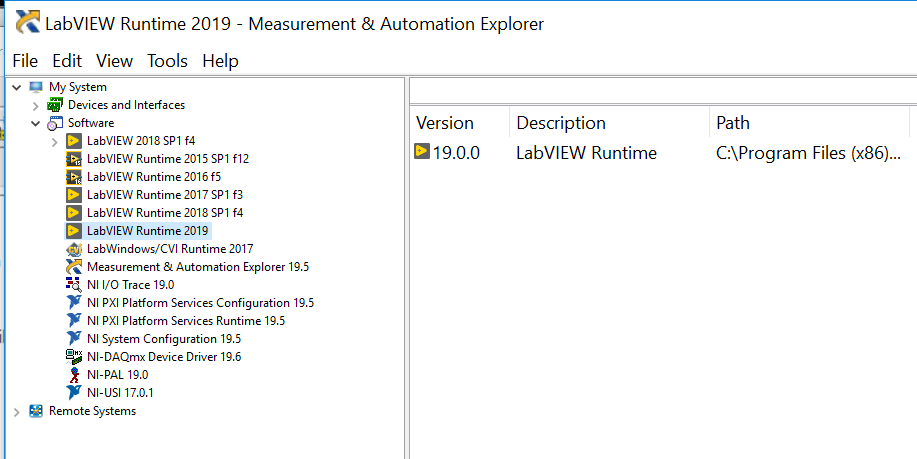
As a rider to my previous message, here is the installed software reported by LabVIEW:
 dx5512
05-04-2021 10:48 AM
- Mark as New
- Bookmark
- Subscribe
- Mute
- Subscribe to RSS Feed
- Permalink
- Report to a Moderator
Did you ever find a solution to this? i have the exact same problem currently.
