- RSS フィードを購読する
- トピックを新着としてマーク
- トピックを既読としてマーク
- このスレッドを最上位に表示
- {0}にこのスレッドを追加する
- 購読
- ミュート
- 印刷用ページに変更
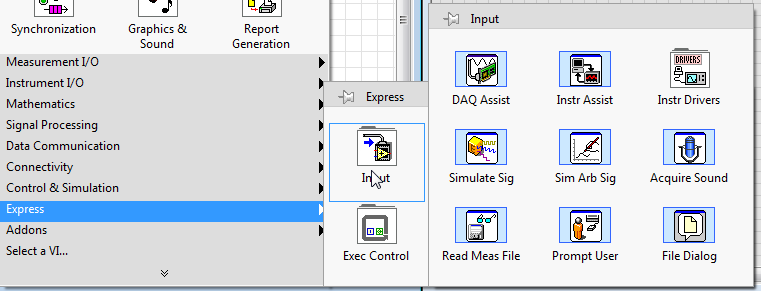
DAQ assistance missing
解決済み
 Jes'ter
06-09-2017 03:26 AM - 編集済み 06-09-2017 03:31 AM
- 新着としてマーク
- {0}にこのメッセージを追加する。
- 購読
- ミュート
- RSS フィードを購読する
- このメッセージをハイライトする
- このメッセージを印刷する
- 管理者に不正使用を報告する
The DAQ assistant missing from function of LabVIEW 2017. (I first install NI-DAQmx driver before install LabVIEW). What should i do to fix this problem ?
Thanks.
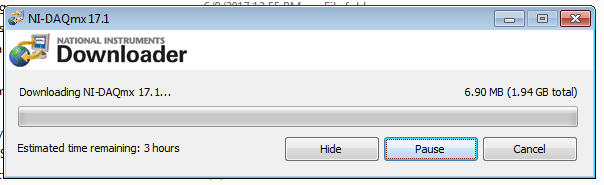
(I have LabVIEW 2017 and DAQmx version 17.0 as shown in attached files)
解決済! 解決策の投稿を見る。

 cbutcher

06-09-2017 04:04 AM
- 新着としてマーク
- {0}にこのメッセージを追加する。
- 購読
- ミュート
- RSS フィードを購読する
- このメッセージをハイライトする
- このメッセージを印刷する
- 管理者に不正使用を報告する
First suggestion - don't use DAQ Assistant? 😉
I guess you also don't have DAQmx functions though, so perhaps you can try reinstalling the DAQmx package?
06-09-2017 04:21 AM - 編集済み 06-09-2017 04:22 AM
- 新着としてマーク
- {0}にこのメッセージを追加する。
- 購読
- ミュート
- RSS フィードを購読する
- このメッセージをハイライトする
- このメッセージを印刷する
- 管理者に不正使用を報告する
Hi cbutcher
haha i think i must use DAQ assistance like Chris do in this video on youtube.
https://www.youtube.com/watch?v=ujelTtObCm4&list=PLB968815D7BB78F9C&index=24
(i need to measure temperature via type E thermocouple by use NI DAQ USB-6003)
i try to avoid reinstallinig DAQ driver cause it take a lot of time (about 3 hours) is there have another solution ?
Thanks
cbutcher
06-09-2017 04:47 AM
- 新着としてマーク
- {0}にこのメッセージを追加する。
- 購読
- ミュート
- RSS フィードを購読する
- このメッセージをハイライトする
- このメッセージを印刷する
- 管理者に不正使用を報告する
Hopefully reinstallation of the DAQ component would be faster the second time (so long as you didn't delete the downloaded files). You should be able to find them somewhere like C:\National Instruments Downloads.
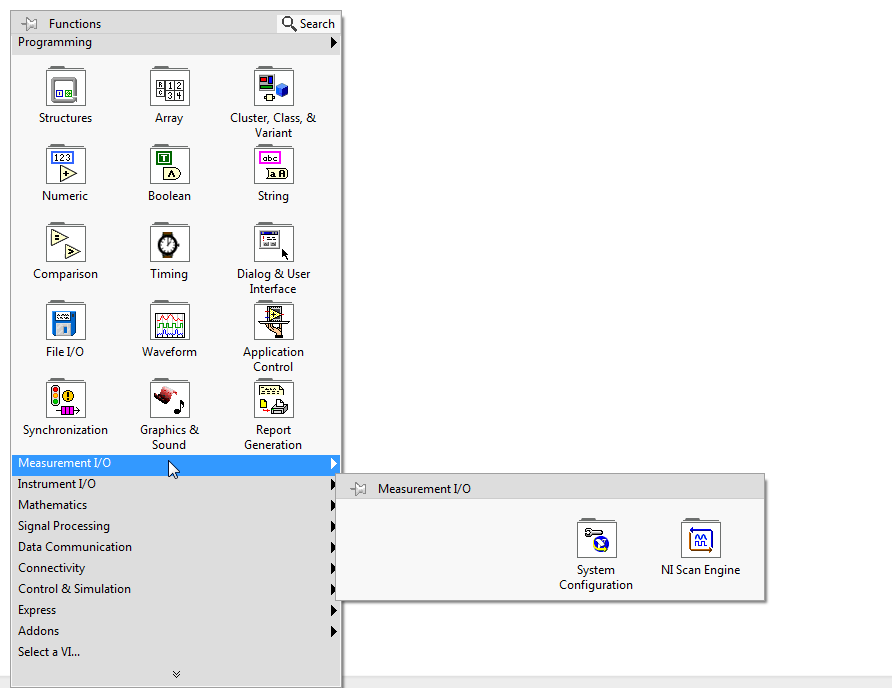
On your first point, you never HAVE to use DAQ Assistance. Internally, they use the DAQmx functions usually available under 'Measurement I/O > NI DAQmx' palette. These are more low-level functions that allow you to make measurements with NI DAQ devices (including the 6003).
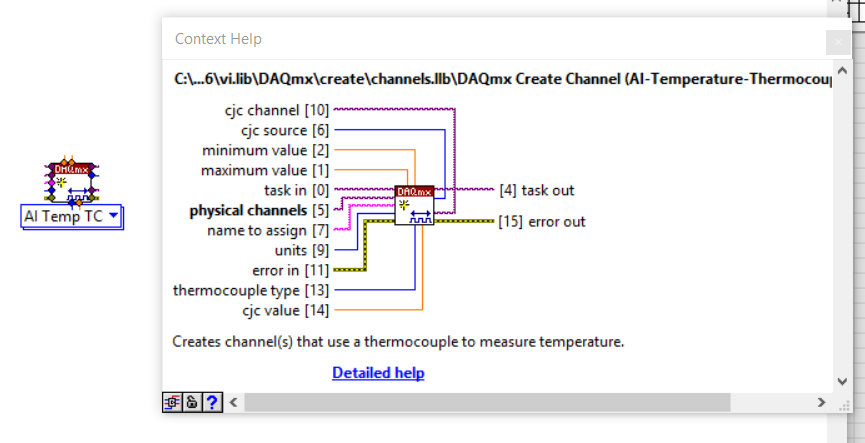
An example VI is this Create Channel VI, set to an Analog Input > Thermocouple. This VI has many of the same inputs as are shown in the DAQ Assistant in the youtube video you linked.
However, you're unlikely to have the DAQmx functions if you don't have DAQ Assistant - I'm sure they're probably both installed together.
06-09-2017 05:32 AM - 編集済み 06-09-2017 05:35 AM
- 新着としてマーク
- {0}にこのメッセージを追加する。
- 購読
- ミュート
- RSS フィードを購読する
- このメッセージをハイライトする
- このメッセージを印刷する
- 管理者に不正使用を報告する
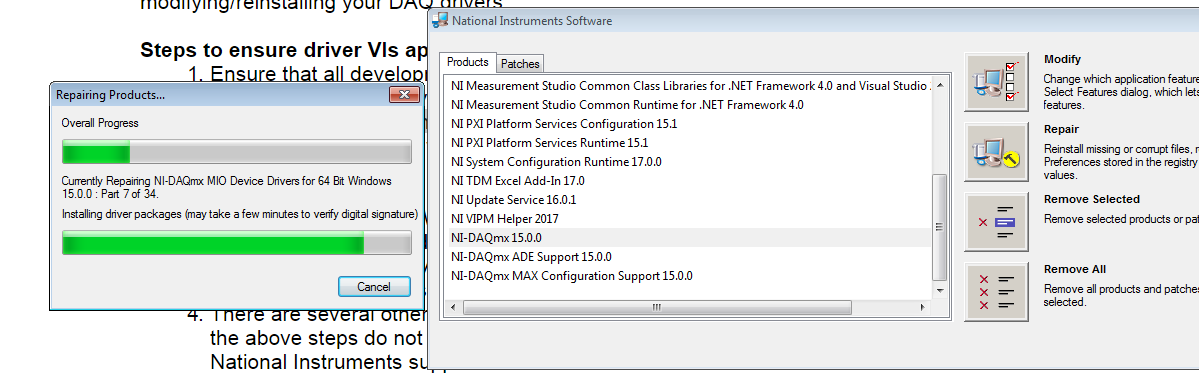
The bad thing is downloaded files was deleted. Can i uninstall DAQmx driver and reinstall DAQmx Driver by using DVD driver that came with my products ? .
(i try to repair DAQmx Driver, but didn't work)
and after that they still no DAQ mx.
Thanks.
 cbutcher
06-09-2017 05:44 AM
- 新着としてマーク
- {0}にこのメッセージを追加する。
- 購読
- ミュート
- RSS フィードを購読する
- このメッセージをハイライトする
- このメッセージを印刷する
- 管理者に不正使用を報告する
In the screenshot, it shows you repairing DAQmx 15.0 (not 17).
I'm not sure if the DAQmx package is on a DVD - sorry. You don't need to reinstall LabVIEW, but the setup panel might show you installing LabVIEW. If you don't uninstall it first, it will 'install' very quickly, effectively just skipping. That might work out for you quickly if it is on the DVD.
 ben64
ben64
06-09-2017 06:59 AM
- 新着としてマーク
- {0}にこのメッセージを追加する。
- 購読
- ミュート
- RSS フィードを購読する
- このメッセージをハイライトする
- このメッセージを印刷する
- 管理者に不正使用を報告する
The best thing would be to reinstall DAQmx to be sure to have a clean installation but you can try this:
Find the DAQmx folder that contain the DAQmx llbs on your PC and copy it to your C:\Program Files (x86)\National Instruments\LabVIEW 2017\vi.lib folder.
Ben64

06-09-2017 09:41 AM
- 新着としてマーク
- {0}にこのメッセージを追加する。
- 購読
- ミュート
- RSS フィードを購読する
- このメッセージをハイライトする
- このメッセージを印刷する
- 管理者に不正使用を報告する
Thank you for the solutions. I'll try all of the solution in my workplace and will update on next Monday
if you have any idea that may use to solve this problem please leave your comment to tell me.
Thanks again.
06-12-2017 10:55 PM
- 新着としてマーク
- {0}にこのメッセージを追加する。
- 購読
- ミュート
- RSS フィードを購読する
- このメッセージをハイライトする
- このメッセージを印刷する
- 管理者に不正使用を報告する
Thank you ben 64 i try to reinstall and ... this is the time that it take form me hahaha.
and after that i've got DAQmx function in my LabVIEW.
Thanks agian.