- Subscribe to RSS Feed
- Mark Topic as New
- Mark Topic as Read
- Float this Topic for Current User
- Bookmark
- Subscribe
- Mute
- Printer Friendly Page
Append Frontpanel Image to Report Bug?

 RENN
RENN
12-11-2012 06:40 AM
- Mark as New
- Bookmark
- Subscribe
- Mute
- Subscribe to RSS Feed
- Permalink
- Report to a Moderator
The FP image appended to the report doesn't fit on the page.
i tried changing the Size of the front panel but doesn't help. i hope the default boarder size is 1,1,1,1. please find the attached Vi and report created.
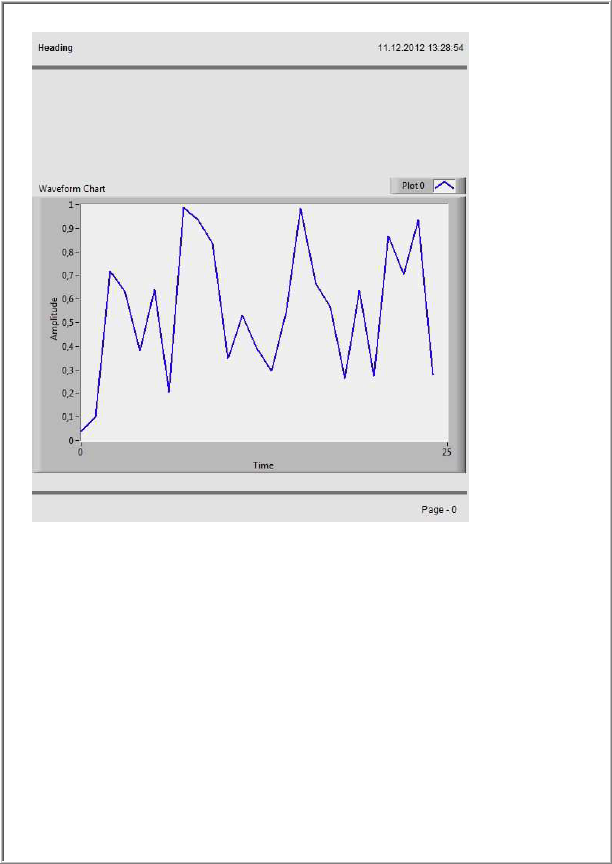
why is it so?
LV2010

 crossrulz

12-11-2012 11:16 AM
- Mark as New
- Bookmark
- Subscribe
- Mute
- Subscribe to RSS Feed
- Permalink
- Report to a Moderator
What's missing? From what I'm seeing, it all shows up.
There are only two ways to tell somebody thanks: Kudos and Marked Solutions
Unofficial Forum Rules and Guidelines
"Not that we are sufficient in ourselves to claim anything as coming from us, but our sufficiency is from God" - 2 Corinthians 3:5
12-12-2012 02:49 AM - edited 12-12-2012 02:52 AM
- Mark as New
- Bookmark
- Subscribe
- Mute
- Subscribe to RSS Feed
- Permalink
- Report to a Moderator
Hi Crossrulz
i tried two different FP resolutions. the Vi and results are also attached.
the second pdf is made with resolution width 683 x height 965.
but the image always leaves some space on the right side of the page. And the width of the image in PDF is automatically adjusted.
thanks
Renn
12-12-2012 03:11 AM
- Mark as New
- Bookmark
- Subscribe
- Mute
- Subscribe to RSS Feed
- Permalink
- Report to a Moderator
attached is the LV2010 version
12-13-2012 05:36 AM - edited 12-13-2012 05:37 AM
- Mark as New
- Bookmark
- Subscribe
- Mute
- Subscribe to RSS Feed
- Permalink
- Report to a Moderator
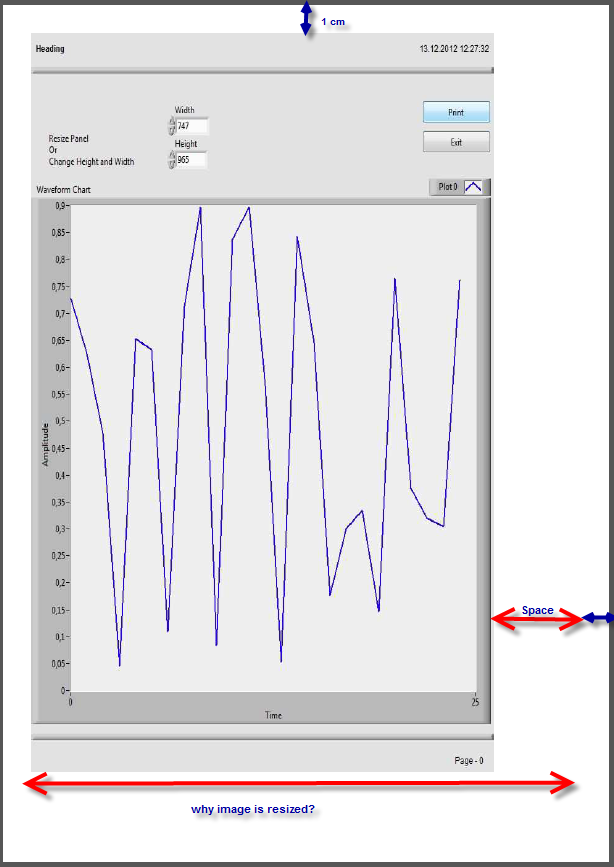
Why the image width is resized? the boarder size is 1x1x1x1. Always the image leaves some space on the rightside.
01-02-2013 01:42 AM
- Mark as New
- Bookmark
- Subscribe
- Mute
- Subscribe to RSS Feed
- Permalink
- Report to a Moderator
Can anyone help with this issue?
01-02-2013 04:40 AM
- Mark as New
- Bookmark
- Subscribe
- Mute
- Subscribe to RSS Feed
- Permalink
- Report to a Moderator
could you please explain whats missing?
crossrulz
01-02-2013 10:07 AM
- Mark as New
- Bookmark
- Subscribe
- Mute
- Subscribe to RSS Feed
- Permalink
- Report to a Moderator
Try to set the alignment to MIDDLE when appending the image. That should center the picture on the page.
There are only two ways to tell somebody thanks: Kudos and Marked Solutions
Unofficial Forum Rules and Guidelines
"Not that we are sufficient in ourselves to claim anything as coming from us, but our sufficiency is from God" - 2 Corinthians 3:5
01-07-2013 05:50 AM
- Mark as New
- Bookmark
- Subscribe
- Mute
- Subscribe to RSS Feed
- Permalink
- Report to a Moderator
thanks crossrulz.
with a png image format i get better quality prints, but still the quality is poor compared to printing VI frontpanel after execution.
01-07-2013 09:58 AM
- Mark as New
- Bookmark
- Subscribe
- Mute
- Subscribe to RSS Feed
- Permalink
- Report to a Moderator
html reports
alignment works only with html reports i think. for that i must have IE installed on my PC isn't it?
also i need to set the margins in IE settings also.
Stadard reports
the image is not fitting on the page if i resize the image. is this a bug?
