Amazon S3 LabVIEW examples are not working with my security credentials
已解决!
 phelhe
I am just getting started learning about using Amazon S3 with LabVIEW and I have an AWS account, however when I try and use my credentials (access key ID and secret access key) with the list all buckets example in LabVIEW, I get an error saying that "The AWS Access Key Id you provided does not exist in Amazon's records."
Has anyone else had a similar problem? I am doing something wrong but I am not sure what. Thanks.
已解决! 转到解答。

Can you confirm that you are using an access key ID and secret access key and not your login/password? Also, verify that you don't have any extra characters like trailing spaces or anything in your strings.
Here are screenshots showing what I tried that isn't working. I am pretty sure I am using the right credentials, and I don't think there are any extra characters.
So first I navigate to the "manage access keys" window and create a new access key like so

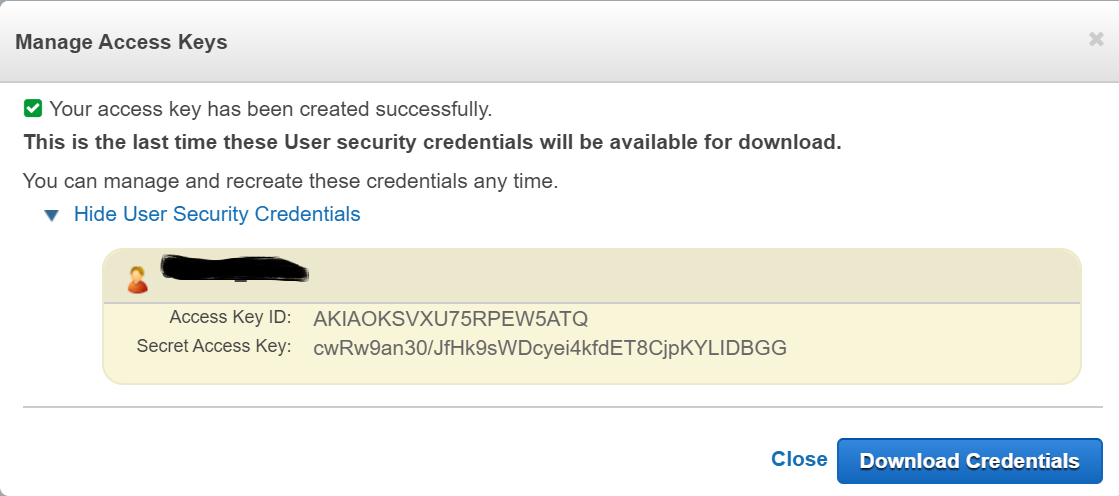

Then I copy and paste them into the list buckets example VI like this:

But when I run the VI I get the following error:
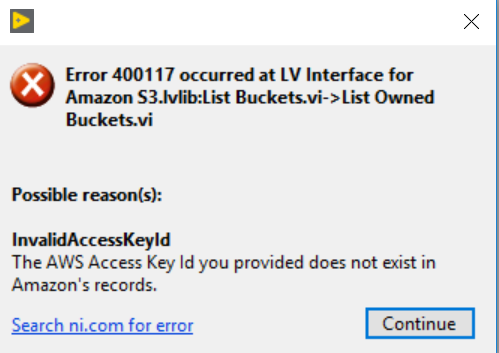
Any help would be appreciated, thanks!
Your secret key isn't very secret any more. I was able to reproduce the error with your account, but not with mine.
Have you created any buckets? Have you enabled the required policies to use the S3 API?
I just created that set of credentials as an example and then deleted them so they should not work. But every time a create a new set of keys, they still do not work. I did create some buckets, but I will look into the required policies that you linked. Thanks!
So I made a new policy with the permissions you suggested, but I am still getting the same error. Here is my policy, I hope I did it right.

The problem was the account I was using... I made a new account and now it works. I think it was because the first account I tried with was a Chinese AWS account, but I'm not sure.

 Darren
Thanks for posting with the solution. That helps us if this issue comes up again in the future.
 SHRIKANTCHANDAN
Yes, I had the same problem. We need to restart the labview and refresh the AWS account. And then it works.


