Overview
To demonstrate how to make artificial horizon with LabVIEW
Description:
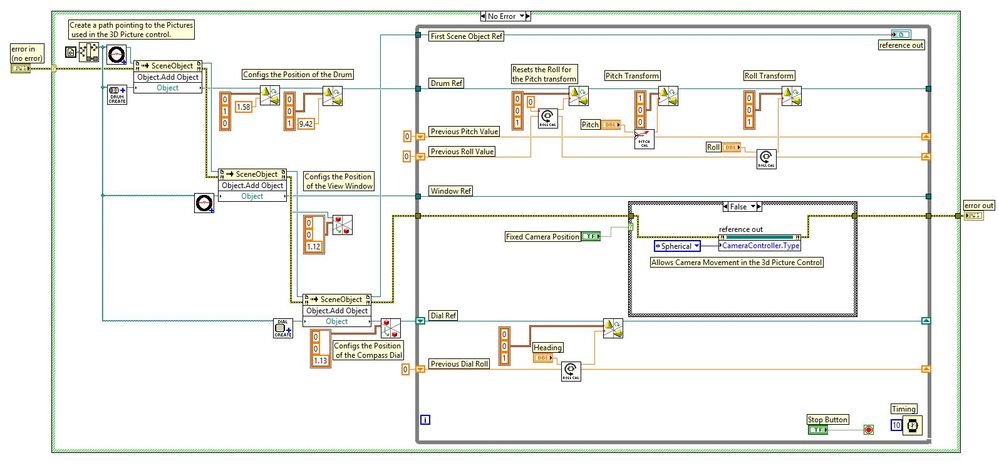
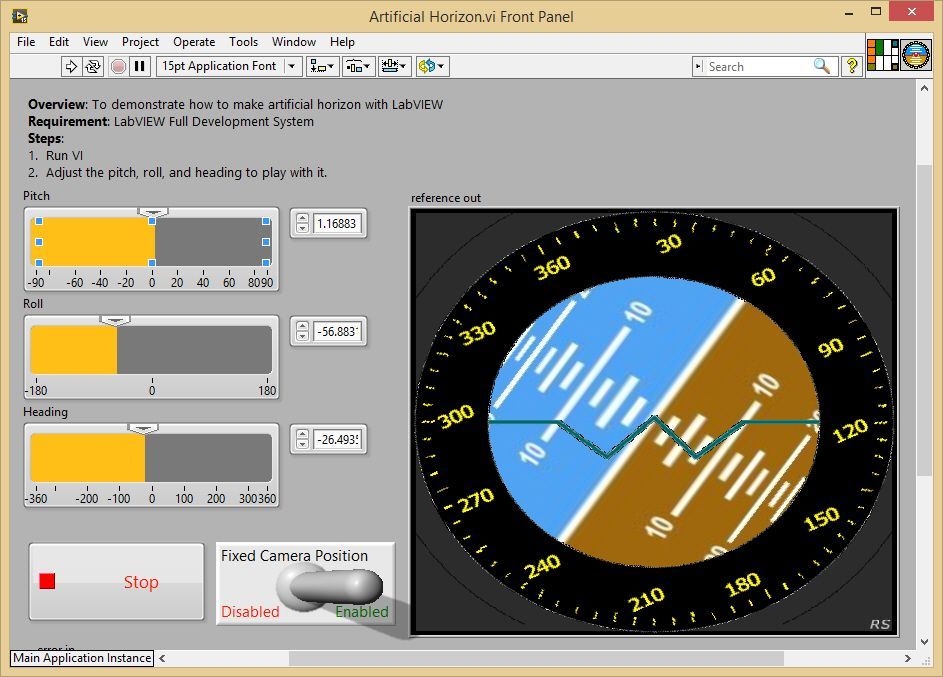
This example code uses 3D picture controls to build up an artificial Horizon. Four items are created; a base image to work from, a rotating drum, a viewing glass, and a rotating compass dial. These items are manipulated depending on the values passed in to the relevant controls. By enabling the camera fixed position switch you can force the location of the camera, and block a user from interacting with the 3D objects.
Instructions:
To implement this example:
- Run VI
- Adjust the pitch, roll, and heading to play with it.
To execute this example:
- Install the required software.
- Open the VI and refer the Implement Steps
Requirements
Software
LabVIEW 2012 or compatible
Hardware
-
**This document has been updated to meet the current required format for the NI Code Exchange.**
Richard S
Applications Engineer
Certified LabVIEW Associate Developer
National Instruments UK&Ireland


