- Subscribe to RSS Feed
- Mark Topic as New
- Mark Topic as Read
- Float this Topic for Current User
- Bookmark
- Subscribe
- Mute
- Printer Friendly Page
Full Spectrum Plot
Solved!
 gshockxcc
02-11-2022 04:29 PM - edited 02-11-2022 04:33 PM
- Mark as New
- Bookmark
- Subscribe
- Mute
- Subscribe to RSS Feed
- Permalink
- Report to a Moderator
- DASYLab 2020.1
- Pro
- NI-9178
- Windows 10 | HP Z-book
- Worksheet attached
I'm very new to DASYLab, and I'm trying to develop some vibration monitoring tools.
I'm trying to create a Full Spectrum plot, so that I can see both the positive and negative frequencies; i.e. to detect shaft rubs with relative proximity probes.
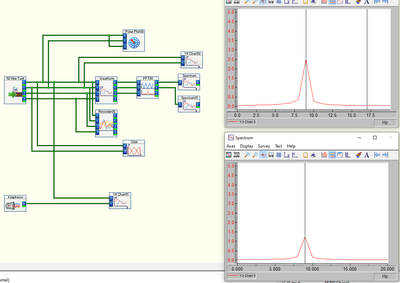
I can't figure out how to generate a full spectrum. Do I need to export the real and imaginary components independently and reassemble the signals into a spectrum plot?
Thank you in advance.
Solved! Go to Solution.
02-13-2022 02:55 PM - edited 02-13-2022 02:56 PM
- Mark as New
- Bookmark
- Subscribe
- Mute
- Subscribe to RSS Feed
- Permalink
- Report to a Moderator
Seems as though I solved this myself ... as least as much as I was trying to figure out at the time.
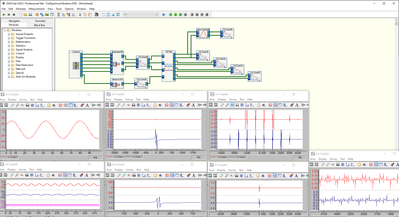
I neglected to add the proper FFT module to the worksheet. After adding the FFT: Complex FFT of a Real Signal, and selecting "Symmetrical axis", it appears that the values are being displayed correctly. I'm using a simple function generator on the worksheet to generate a sine wave with amplitude and phase modulation using sliders. I'm playing with some other modules, so I've done the same thing several times just to mimic X and Y channel probes for shaft vibration.
For the purposes of what I was trying to do, this is solved.