- Subscribe to RSS Feed
- Mark Topic as New
- Mark Topic as Read
- Float this Topic for Current User
- Bookmark
- Subscribe
- Mute
- Printer Friendly Page
DasyLab 12 layout issue

 Windrush
02-13-2017 09:57 AM
- Mark as New
- Bookmark
- Subscribe
- Mute
- Subscribe to RSS Feed
- Permalink
- Report to a Moderator
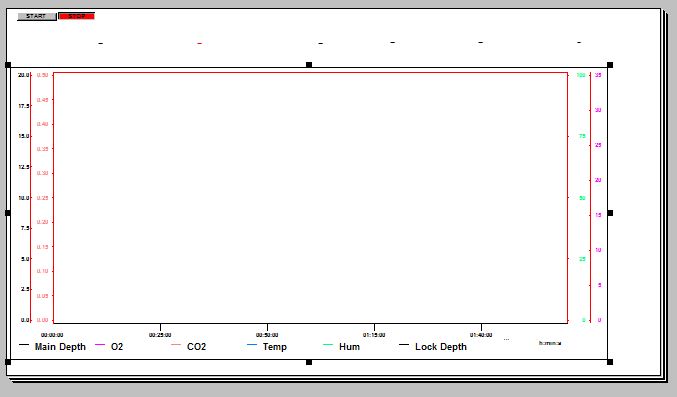
I have created a layout view for a recorder. I am trying to move/edit the Legend text on screen but as soon as I click on the text a box surrounds the whole layout and encompasses the legend text. The legend text runs along underneath the X axis. If I try and make the box smaller it just makes the whole recorder screen smaller and retains the legend txt within it.
Screen grab attached
Thanks

02-13-2017 10:08 AM
- Mark as New
- Bookmark
- Subscribe
- Mute
- Subscribe to RSS Feed
- Permalink
- Report to a Moderator
Hi,
You cannot edit elements of the display windows except through the display window menus. On the layout, it's just one object.
If you want a separate legend, turn it off, and add a text line or text box as separate objects.
02-14-2017 03:06 AM
- Mark as New
- Bookmark
- Subscribe
- Mute
- Subscribe to RSS Feed
- Permalink
- Report to a Moderator
Many thanks for the help. I have done as suggested but seems a very long winded approach.Originally when I created the display the legend was positioned equidistant along the X axis. I decided to increase the size of the display by dragging the box to fill the screen. The display increased but the legend did not increase proportionally - hence the issue. Still, I have resolved it so many thanks
