- Subscribe to RSS Feed
- Mark Topic as New
- Mark Topic as Read
- Float this Topic for Current User
- Bookmark
- Subscribe
- Mute
- Printer Friendly Page
Picture in a Comment on the LabVIEW Idea Exchange
Solved!
 Broken_Arrow

09-17-2009 07:56 AM
- Mark as New
- Bookmark
- Subscribe
- Mute
- Subscribe to RSS Feed
- Permalink
- Report to a Moderator

Solved! Go to Solution.

 muks
muks
09-17-2009 07:58 AM
- Mark as New
- Bookmark
- Subscribe
- Mute
- Subscribe to RSS Feed
- Permalink
- Report to a Moderator
muks
09-17-2009 07:59 AM - edited 09-17-2009 08:01 AM
- Mark as New
- Bookmark
- Subscribe
- Mute
- Subscribe to RSS Feed
- Permalink
- Report to a Moderator
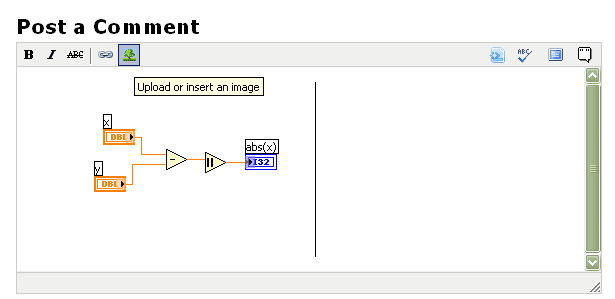
Hey wait. Now you can do it directly. Where is the hitch?

 altenbach
09-17-2009 01:59 PM
- Mark as New
- Bookmark
- Subscribe
- Mute
- Subscribe to RSS Feed
- Permalink
- Report to a Moderator
Broken Arrow wrote:
How do you post a picture in a Comment on the LabVIEW Idea Exchange?
- Submit the comment without picture, the edit it.
- Once you edit the comment, you have the full editor, including the "attach" button.
- Now attach the image and submit the edited comment.
- Now edit it again and embed the attachment (you only see it whe editing).
- Do all this quickly so you don't run out of time. 😄

09-17-2009 02:27 PM
- Mark as New
- Bookmark
- Subscribe
- Mute
- Subscribe to RSS Feed
- Permalink
- Report to a Moderator
Nice work-around, thanks alt.
I only needed numbers 1,2,3 because you get the direct picture import thingy while editing.

 RavensFan
09-20-2009 11:03 AM
- Mark as New
- Bookmark
- Subscribe
- Mute
- Subscribe to RSS Feed
- Permalink
- Report to a Moderator
I had to go through these same series of steps for a comment I just made in the ideas board. But I noticed a problem in the vicinity of steps 3 and 4.
Once you add an attachment and submit it again, the attachment does not show up at the bottom of the message like it would in one of the regular boards. I had to edit again (which I was already going to do because I want the image embedded) before I could see the attachment and get its URL. After embedding the image and submitting the edit again, the image was embedded, yet you still don't see the file attachment as part of the message. (This message)
Suppose I was trying to attach a file to this comment that I wouldn't be able to embed as an image (perhaps an example VI), there would be no way to get to the file attachment. (Other than perhaps digging out the URL and trying to embed the path to the attachment as a link within the message.)
altenbach
12-19-2010 12:17 PM
- Mark as New
- Bookmark
- Subscribe
- Mute
- Subscribe to RSS Feed
- Permalink
- Report to a Moderator
@altenbach wrote:
Broken Arrow wrote:
How do you post a picture in a Comment on the LabVIEW Idea Exchange?
- Submit the comment without picture, the edit it.
- Once you edit the comment, you have the full editor, including the "attach" button.
- Now attach the image and submit the edited comment.
- Now edit it again and embed the attachment (you only see it whe editing).
- Do all this quickly so you don't run out of time. 😄
Laura,
Since the last forum update, we can no longer attach anything when editing an idea so these instructions are no longer valid. Can we have the old functionality back? Please?
Thanks!

12-20-2010 11:32 AM
- Mark as New
- Bookmark
- Subscribe
- Mute
- Subscribe to RSS Feed
- Permalink
- Report to a Moderator
Hey altenbach,
Laura is out of the office but I left a note for her to look into this thread when she gets back. Sorry for the inconvenience and thanks for your patience!
Amanda
Americas Services and Support Recruiting Manager
National Instruments
 Laura F.
12-28-2010 10:25 AM
- Mark as New
- Bookmark
- Subscribe
- Mute
- Subscribe to RSS Feed
- Permalink
- Report to a Moderator
I believe I should be able to get this changed, although we're under a freeze until the new year. I've submitted the request to add the image functionality to comments on the idea exchange.
Thanks,
Laura
