Overview
This example decodes an on-off-keying (OOK) key fob signal uing LabVIEW Communications System Design Suite and the NI USRP™ tranceiver.
Description
For additional information, refer to https://forums.ni.com/t5/Example-Program-Drafts/Record-and-Playback-Demo-With-NI-USRP/ta-p/4099379
Steps to Implement or Execute Code:
1. Open Acquire.gvi and navigate to the front panel
2. Populate the front panel controls as follows:
- Enter the IP address or Device Name of your USRP device (typically 192.168.10.2)
- Set the Carrier Frequency, IQ Rate, and Gain for the signal you'd like to receive (typically 315 MHz)
- Ensure the proper antenna is selected
3. Run Acquire.gvi and press buttons on your key fob. An example of a decoded button press is shown in Figure 1:
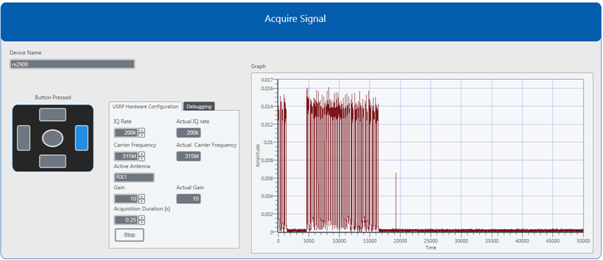
Figure 1: Front panel of Acquire.gvi showing a decoded key fob button press
Requirements
Software
- LabVIEW Communications System Design Software 1.0+
Hardware
- An NI USRP Transceiver that supports your desired frequncy range
- An antenna that supports your desired frequency range
- A 315 MHz, five button key fob
Aimee Matland
Applications Engineer
ni.com/support


