- Subscribe to RSS Feed
- Mark Topic as New
- Mark Topic as Read
- Float this Topic for Current User
- Bookmark
- Subscribe
- Mute
- Printer Friendly Page
Right-Click Menu Vanished
Solved!
 Darin.K
02-02-2010 04:13 PM
- Mark as New
- Bookmark
- Subscribe
- Mute
- Subscribe to RSS Feed
- Permalink
- Report to a Moderator
Here is a little head-scratcher that happened to me today. The right-click menu for String controls and indicators seems to have vanished. All other controls have normal menus, and if I find the right spot in empty space, I get the Visible Items submenu to appear.
Restart computer and LabVIEW seems to have no effect.
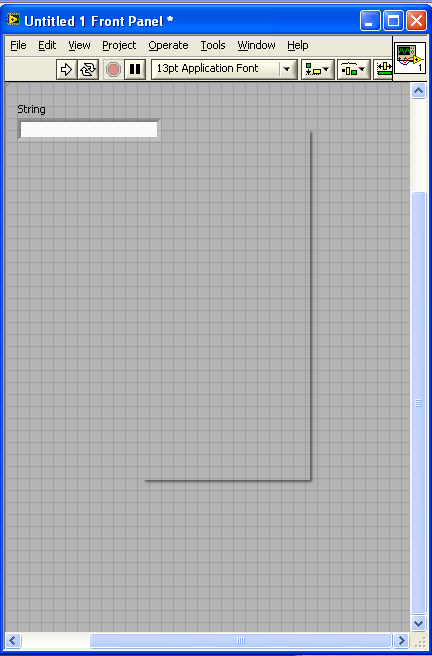
Solved! Go to Solution.

 Guruthilak
02-02-2010 10:54 PM - edited 02-02-2010 10:55 PM
- Mark as New
- Bookmark
- Subscribe
- Mute
- Subscribe to RSS Feed
- Permalink
- Report to a Moderator
wow... strange...(WTF)
how about use the uninstall option to Repair LabVIEW (or a complete reinstall)
Guru (CLA)

02-03-2010 11:29 AM
- Mark as New
- Bookmark
- Subscribe
- Mute
- Subscribe to RSS Feed
- Permalink
- Report to a Moderator
Hi Darin.K,
Did anything happen from when this wasn't a problem to when you noticed it? Which version of LV are you using? What OS? I also recommend a repair or reinstall.
Please let us know how it goes!
Kristen H.
02-03-2010 11:42 AM
- Mark as New
- Bookmark
- Subscribe
- Mute
- Subscribe to RSS Feed
- Permalink
- Report to a Moderator
Not sure what brought it on. I created a new VI, wanted a scrollbar on my string indicator and poof. Tried a few existing VIs with string controls with no luck. It is LV2009 on XP professional.
I was hoping for a surgical strike and trying to hold out for my Q4 update disks, but I brought the hammer down this morning and did a reinstall. It revived the menu for new VIs, but a couple of them that I worked on yesterday seemed to have been wonked permanently. They have been recycled with extreme prejudice and I consider this a success. Maybe next time this can happen to a control I don't care about. Thanks.
