- Subscribe to RSS Feed
- Mark Topic as New
- Mark Topic as Read
- Float this Topic for Current User
- Bookmark
- Subscribe
- Mute
- Printer Friendly Page
Graph with two Y axes has wrong time
Solved!
 yavs
yavs
11-12-2019 02:05 AM
- Mark as New
- Bookmark
- Subscribe
- Mute
- Subscribe to RSS Feed
- Permalink
- Report to a Moderator
Hello,
So I'm reading data from a sensor and then show in a graph the data. This graph has two Y axes and share the same X axe. My grpah should show the time at that moment (see img1)
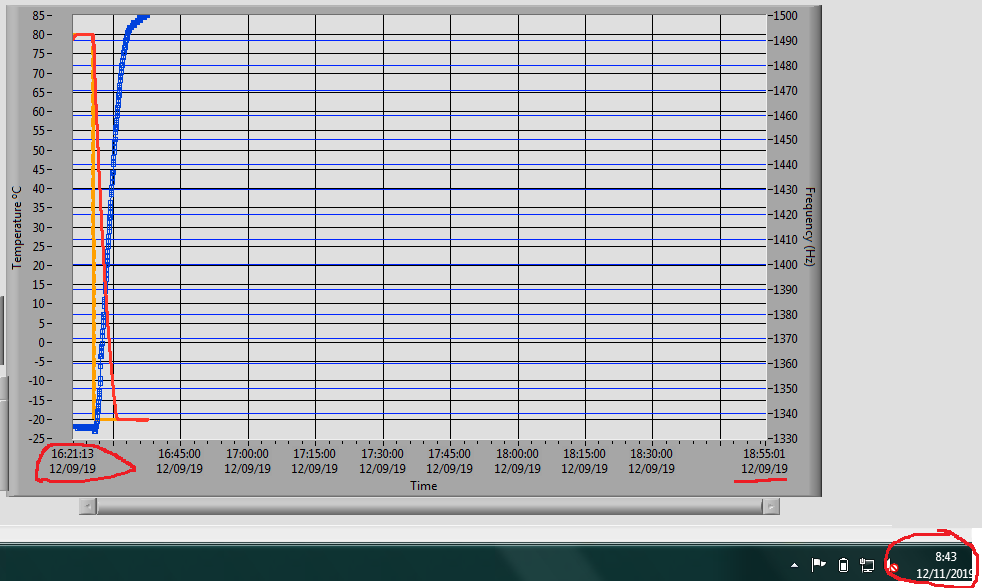
The problem I see is that the time in the graph is not the real time.
This is how I mange the graph (img2 and img3)
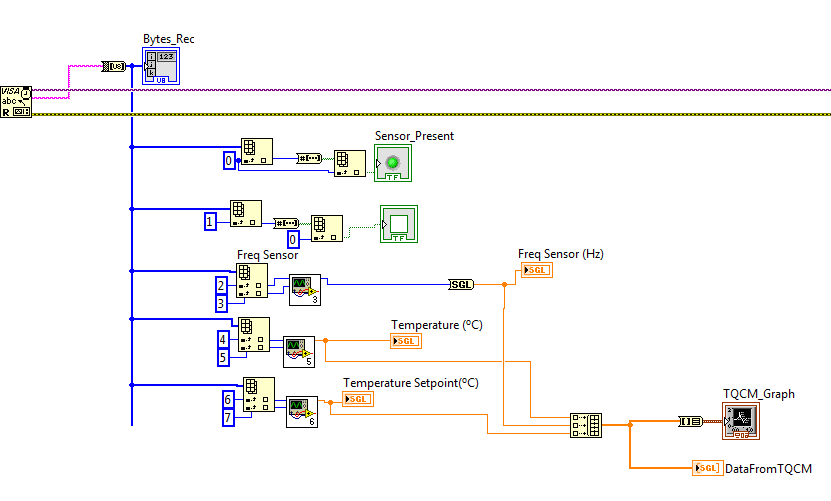

What can I do to fix this error?
Solved! Go to Solution.
- Tags:
- LabVIEW

 Artem.SPb
11-12-2019 02:38 AM
- Mark as New
- Bookmark
- Subscribe
- Mute
- Subscribe to RSS Feed
- Permalink
- Report to a Moderator
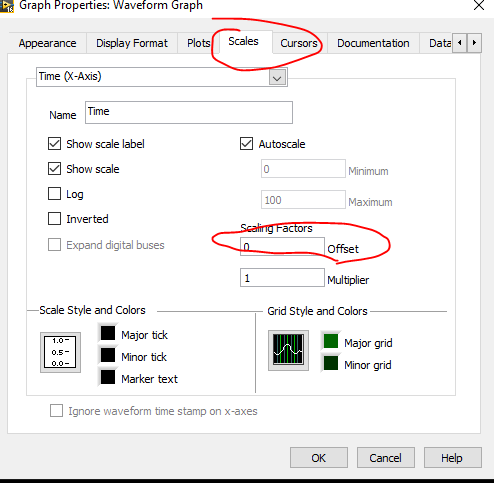
Your data doesn't have time info, so it can be in graph settings. Try it
11-12-2019 03:06 AM
- Mark as New
- Bookmark
- Subscribe
- Mute
- Subscribe to RSS Feed
- Permalink
- Report to a Moderator
Thank you for answering.
I have tried your advice but I still have the same error.
Artem.SPb
11-12-2019 07:04 AM
- Mark as New
- Bookmark
- Subscribe
- Mute
- Subscribe to RSS Feed
- Permalink
- Report to a Moderator
Can you attach vi or FP with this graph?
11-12-2019 08:04 AM
- Mark as New
- Bookmark
- Subscribe
- Mute
- Subscribe to RSS Feed
- Permalink
- Report to a Moderator
What I have is what you can see in the images I posted in the first thread and this new image:


 GerdW
GerdW

11-12-2019 08:14 AM
- Mark as New
- Bookmark
- Subscribe
- Mute
- Subscribe to RSS Feed
- Permalink
- Report to a Moderator
Hi yavs,
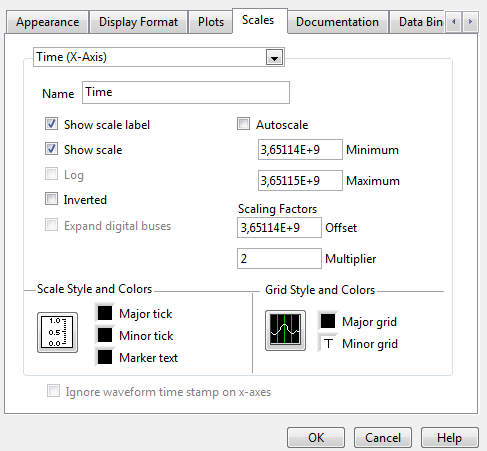
the Offset and/or the Multiplier are wrong. Or switch on Autoscale…
GerdW
using LV2016/2019/2021 on Win10/11+cRIO, TestStand2016/2019
Artem.SPb
11-12-2019 08:52 AM - edited 11-12-2019 08:52 AM
- Mark as New
- Bookmark
- Subscribe
- Mute
- Subscribe to RSS Feed
- Permalink
- Report to a Moderator
@yavs wrote:
What I have is what you can see in the images I posted in the first thread and this new image:
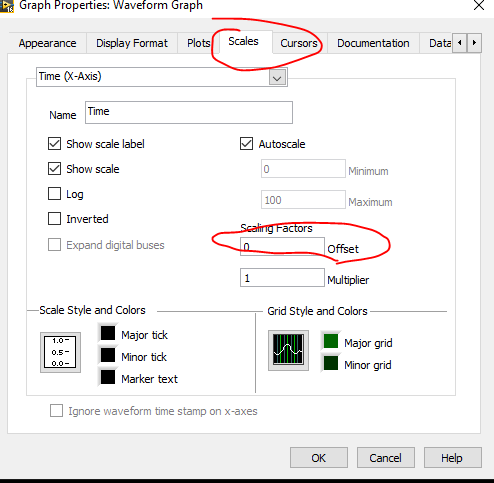
You sad, that have tried my advice, but I see another. Compare this two images:
11-13-2019 01:56 AM
- Mark as New
- Bookmark
- Subscribe
- Mute
- Subscribe to RSS Feed
- Permalink
- Report to a Moderator
Thanks to everyone for your help.
I tried with offset=0; Multiplier=1 and with/without Autoscale but it didn't work.
I thought about a different idea with the information you gave me and found a solution.
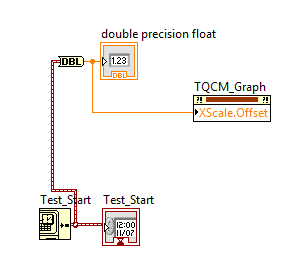
So first of all, everything I showed in the images above are inside a timed loop that is executed every 1 second.
The next image attached is outside the timed loop.
What I did is convert time stamp at the begining of the test to DBL, then I linked this to the offset value of the graph (property node). With this solution now each time I execute the .vi the grpah has the real time.
Again, thank you to everyone!!
GerdW
11-13-2019 05:18 AM
- Mark as New
- Bookmark
- Subscribe
- Mute
- Subscribe to RSS Feed
- Permalink
- Report to a Moderator
Hi yavs,
all this would be much easier if you would use waveforms to display them in your graph…
GerdW
using LV2016/2019/2021 on Win10/11+cRIO, TestStand2016/2019
