ni.com is currently undergoing scheduled maintenance.
Some services may be unavailable at this time. Please contact us for help or try again later.
- Subscribe to RSS Feed
- Mark Topic as New
- Mark Topic as Read
- Float this Topic for Current User
- Bookmark
- Subscribe
- Mute
- Printer Friendly Page
DAQ Assistant with multichannels causing Simulation Loop slow?

 s3s3
s3s3
04-10-2015 02:14 AM - edited 04-10-2015 02:18 AM
- Mark as New
- Bookmark
- Subscribe
- Mute
- Subscribe to RSS Feed
- Permalink
- Report to a Moderator
Hi, another LabView newbie here.
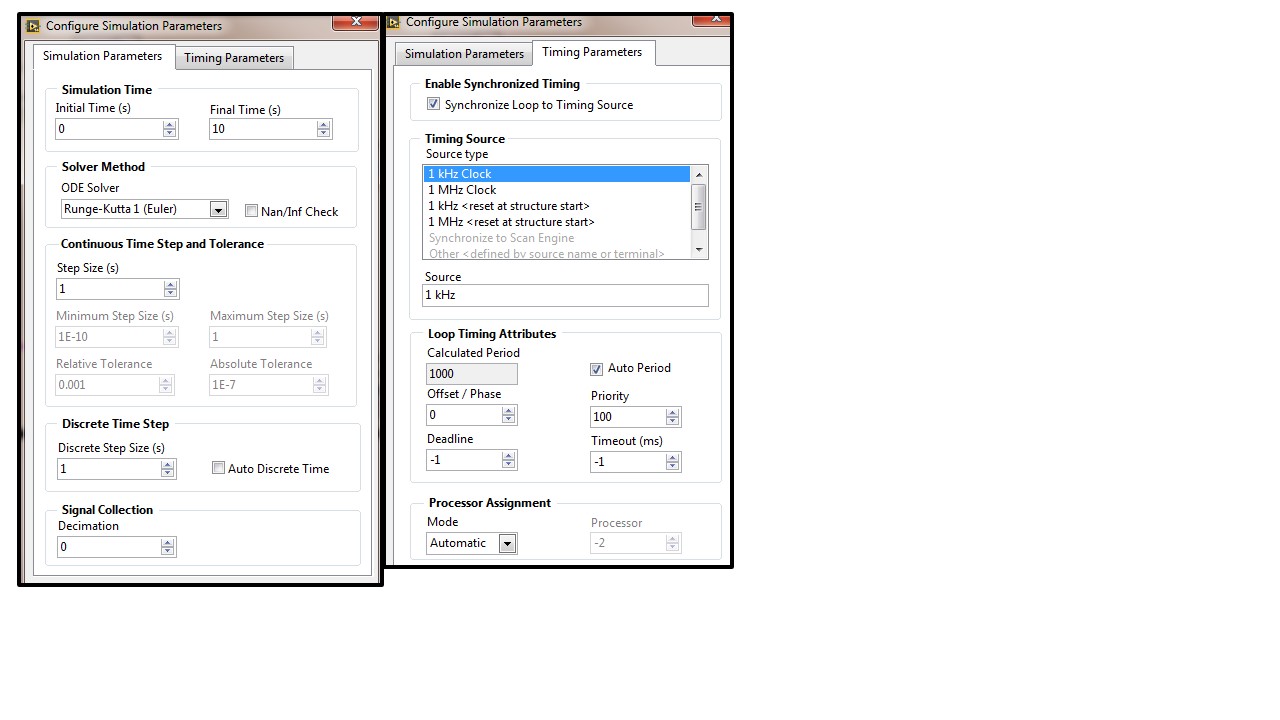
I have in a Real Time Target (NI 9132) a Control & Simulation Loop with DAQ Assistant block inside, whose signals are fed into a Discrete State Space block. The discrete state space model has 1 second time step. I have set the Simulation Loop parameters so that it executes every 1 second as well (see Fig. A below). *sorry for the big white gap under the figures..
The DAQ assistant acquisition mode is set as "1 Sampe (On Demand)".
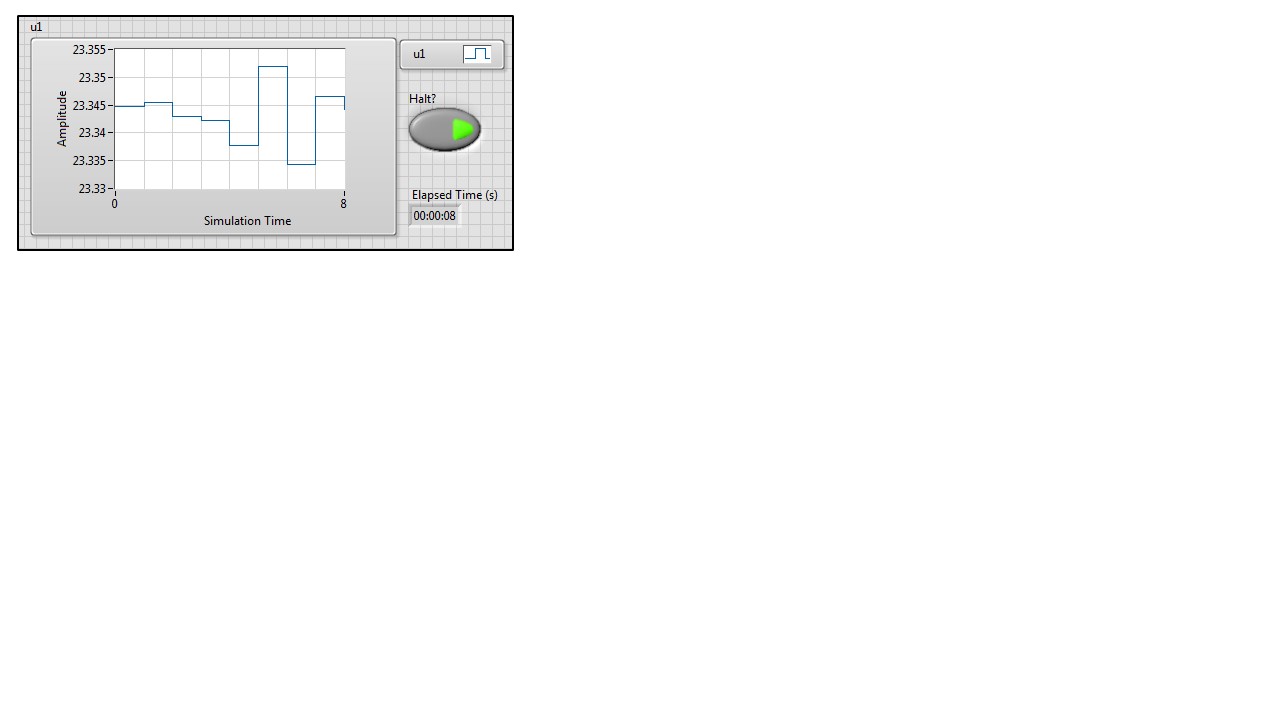
However, when I run the VI, the plot seemed to be updated much slower than 1 second rate. To confirm this, I put an "Elapsed Time" block inside the Simulation Loop. The "elapsed time" shows the actual time in seconds while the simulation plot show slower time (see Fig. B below).

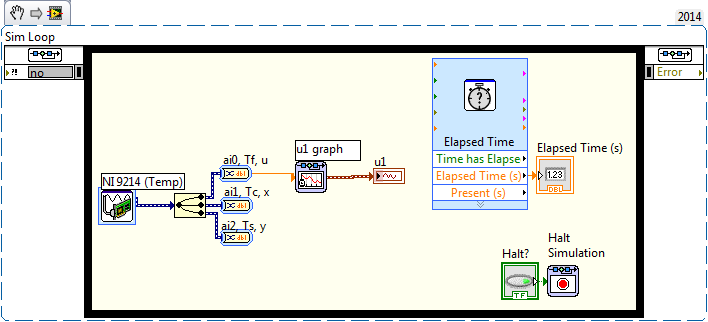
I tried to isolate the problem by removing the block one by one. Finally, I found out that this problem was caused by (at least) the DAQ Assistant which acquires multichannels data of NI 9214. When I remove some channels and leave one or two channels, the VI runs at the actual time (see Fig. C below). But when I added more channels reading, it became slower again.
Here is the snippet of the block diagram (after all other blocks were removed):
What am I doing wrong here? I'm going to use all of NI 9214 channels so how not to have similar problem like this?
I look forward to hearing any relevant comments from the members. Thanks in advance.
Tian

 GerdW
GerdW

04-10-2015 02:35 AM
- Mark as New
- Bookmark
- Subscribe
- Mute
- Subscribe to RSS Feed
- Permalink
- Report to a Moderator
Hi Tian,
why do you need a Sim loop anyway?
- When it comes to speed you shouldn't use the DAQAssistent. Use basic DAQmx functions…
- Use parallel running loops for each task. Put DAQmx functions in their own loop, running in parallel to your Sim loop…
GerdW
using LV2016/2019/2021 on Win10/11+cRIO, TestStand2016/2019
04-10-2015 03:57 AM
- Mark as New
- Bookmark
- Subscribe
- Mute
- Subscribe to RSS Feed
- Permalink
- Report to a Moderator
HI GerdW,
Thanks for your reply. I used Sim loop because I started to implement my project using some blocks from the Control Design & Simulation Module which required sim loop (at least that's what I remembered).
Thanks for your suggestion, I'll try using the DAQmx functions.
Tian.

 Poolean
04-13-2015 12:35 PM
- Mark as New
- Bookmark
- Subscribe
- Mute
- Subscribe to RSS Feed
- Permalink
- Report to a Moderator
I agree with GerdW's suggestion. Express VIs make prgramming easier, but they also include overhead, which includes: opening and closing references and configuring settings. Performing all of these operations on every loop iteration, may cause your loop rate to be slow.
Mike
