Note: Scripting is included with LabVIEW 2010-2012. No extra download or activation is needed. Simply enable in your Tools>>Options Dialog.
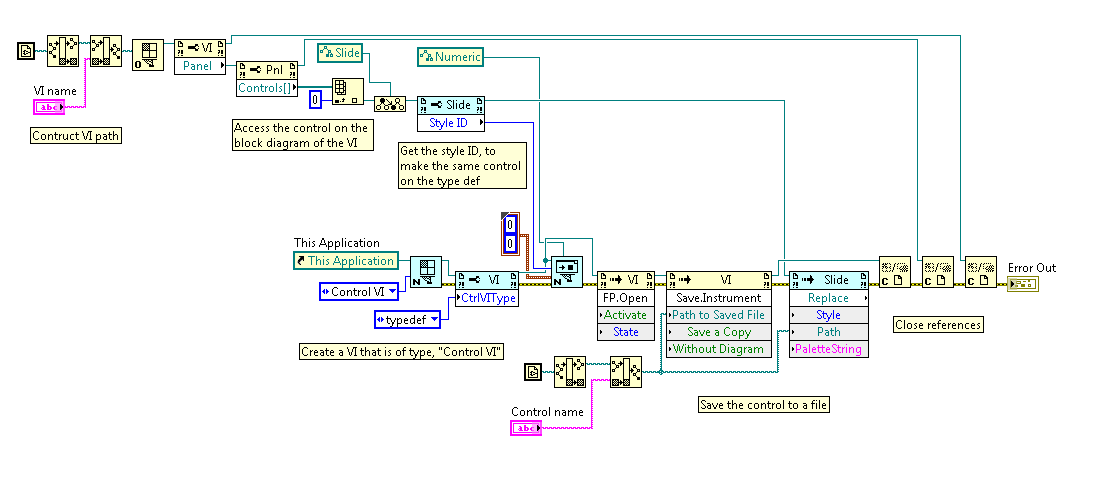
This example demonstrates how to make an existing VI into a type defition. It is important to understand that a type definition is a special type of VI. Therefore, you need to create a VI of type, "Control VI" first. By default, a control VI is template for a custom control, not a type definition. You must change the control VI type to typedef using a VI Property node.
In this example, I am copying a control from a standard VI, called "VIToModify" using the StyleID property node. This is the control that I would like to make into a type definition. I then create a type definition VI, and add the control using the styleID. The control is opened and saved.