Overview
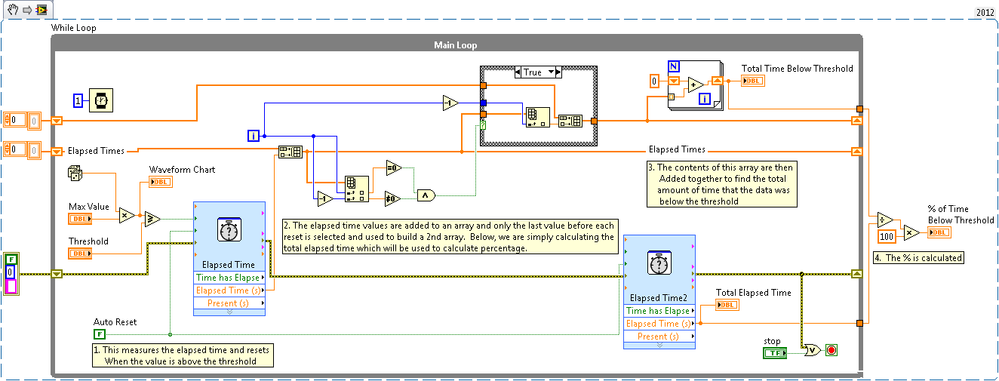
The following Example shows how to use the Elapsed Time VI to compare the amount of time that a set of data remains above or below a certain thresholding value.
Description
Because this example is using a random number generator as the data, we expect the amount of time below the threshold to follow basic statistical theory. For example, a threshold value of 50 for a range of data from 0 to 100, the amount of time spent below the threshold should be closed around 50%.
Requirements
LabVIEW Base Development System.
Steps to Implement or Execute Code
1. Select a Threshold value between 0 and the maximum value.
2. Select a maximum value.
3. Run the VI.
Additional Information or References
**This document has been updated to meet the current required format for the NI Code Exchange.**
Tejinder Gill
National Instruments
Applications Engineer
Visit
ni.com/gettingstarted for step-by-step help in setting up your system.


