Overview
This example demonstrates how to sort signals in a XNET frame according to the start bit instead of an alphabetical order.
Description
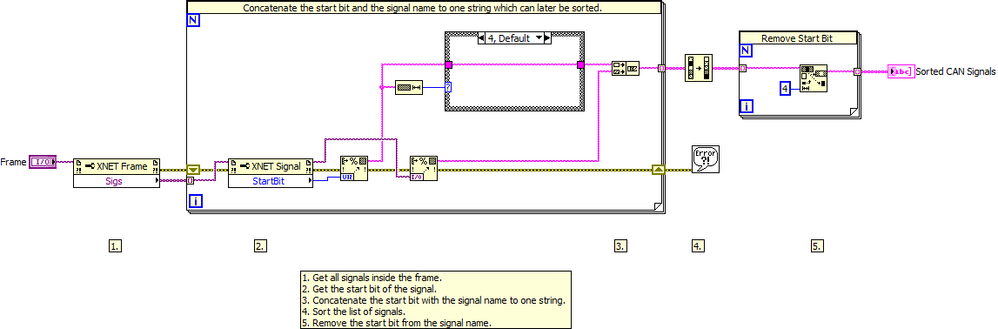
You can use the XNET property node in LabVIEW to get a list of all signals within a frame. The list is sorted alphabetical.
This example takes the list from the property node and sorts the signals according to the start bit associated with the signals. The signal with the lowest start bit will be the first entry in the list.
Requirements
Software
- LabVIEW Base Development System 2012 (or compatible)
- NI XNET driver 14.0 (or compatible)
- If running in a Real-Time context, you will need the LabVIEW Real-Time Module 2012 (or compatible)
Hardware
- No hardware is necessary to use this example VI
Steps to Implement or Execute Code
- Download and open the attached VI
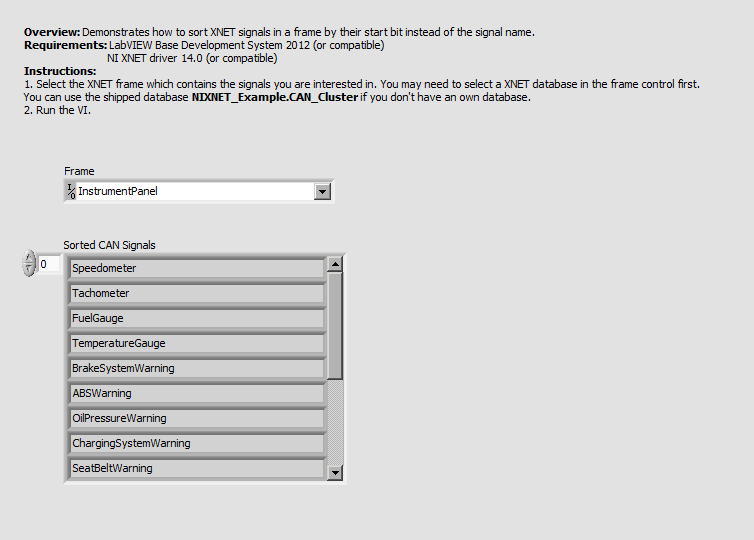
- Select the XNET frame which contains the signals you are interested in. You may need to select a XNET database in the frame control first.
You can use the shipped database NIXNET_Example.CAN_Cluster if you don't have an own database.
- Run the VI
Additional Information or References
**The code for this example has been edited to meet the new Community Example Style Guidelines. The edited copy is marked with the text ‘NIVerified’. Read here for more information about the new Example Guidelines and Community Platform.**


