Overview
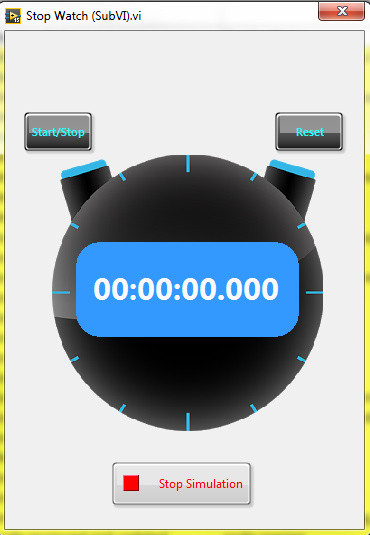
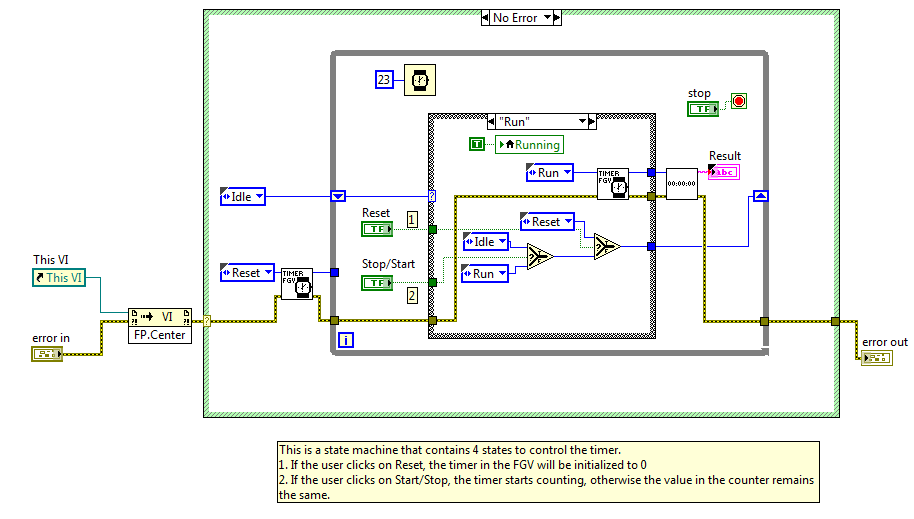
This example implements a stopwatch using a state machine architecture.
Description
This example is a perfect example for those that are looking for ways to simplify complicated code. The example utilizes state machine architecture, functional global variables and subVIs. The best part about this code is that is can be easily ported to a Real-Time target, an embedded system or FPGA. This can also be used on any OS that runs LabVIEW. The Stopwatch can do this because it uses low level code that can be used on any platform.
Requirements
LabVIEW 2012 (or compatible)
Steps to Implement or Execute Code
1. Open the project
2. Run the Stop Watch (Main) VI. The Stop Watch Window will open
3. In the Stop Watch Window, click on Start/Stop to initiate the timer
4. Click again on Start/Stop to stop counting
5. Click on Reset to reinitialize the timer to 0
6. Click on start/Stop again to restart the timer
7. Stop the simulation
Additional Information or References
User Interface
Block Diagram
**This document has been updated to meet the current required format for the NI Code Exchange.**


