Overview
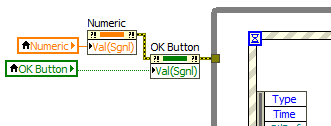
This example shows how to programmatically trigger a Value Change event using Value (Signaling) control property.
Description
It can be very useful to force certain events to trigger programmatically at certain points in your program. In this example we want the Value Change events to be triggered at the beginning of the program. This can be useful if these events are used to set the values of indicators on the front panel. If there is no initial update, then the indicators will be blank at first. This example shows us how to get around that.
Requirements
- LabVIEW 2012 (or compatible)
Steps to Implement or Execute Code
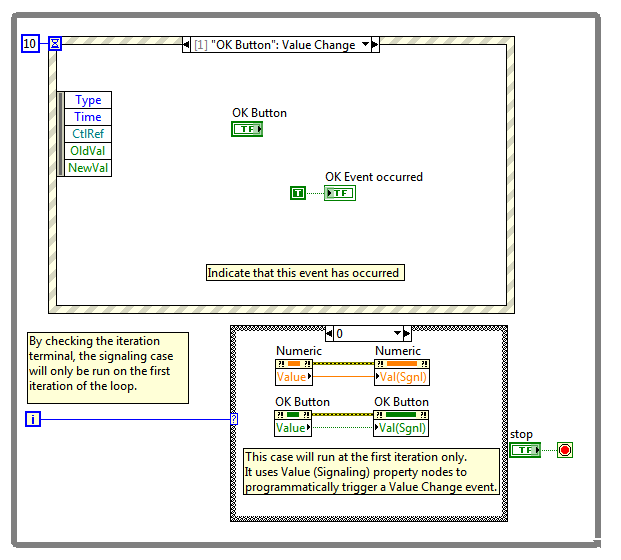
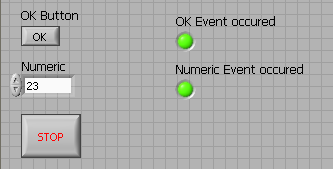
- Examine the VI block diagram: an event structure has been configured to handle Value Change events for a boolean and a numeric control. A corresponding front panel led indicator is set to on when the event is triggered
- Run the VI: immediately at first iteration, the two events are triggered
- Press Stop button to stop the VI
Additional Information or References
VI Block Diagram
VI Front Panel
Caveats
The Value(signaling) property can't be used with latching buttons.
**This document has been updated to meet the current required format for the NI Code Exchange.**
Jared S.
Applications Engineering
National Instruments