Overview
Allows you to programmatically retrieve the name and GUID of all NI VeriStand custom devices
Description:
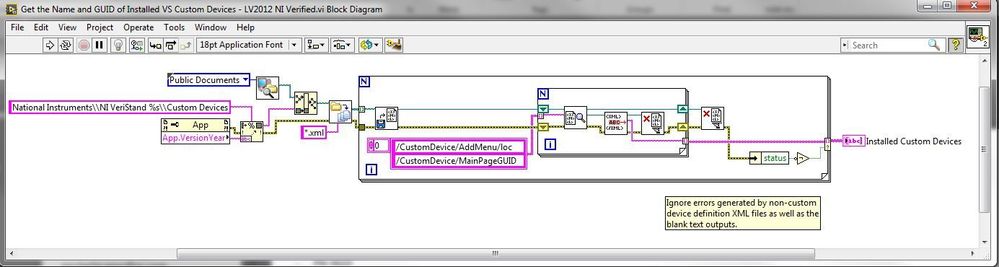
Allows you to programmatically retrieve the name and GUID of all NI VeriStand custom devices installed in the <Public Documents>\National Instruments\NI VeriStand XXXX\Custom Devices directory. This represents the same list of devices you'd be able to add to a System Defintion file, within System Explorer, by right-clicking on the Custom Devices section.
Steps to implement or execute code
To implement this example:
- Run the VI
- (Optional) Turn on the Highlight Execution to see the flow of the VI
Note: The code assumes you're retrieving the list of custom devices for the version of VeriStand that matches the version of LabVIEW you've opened the code with. I.E. If you open it in LabVIEW 2014 it will retrieve the custom devices installed for VeriStand 2014.
Requirements
Software
LabVIEW 2012 or compatible
NI VeriStand
Hardware
-
 fp.JPG
 bd.JPG
**This document has been updated to meet the current required format for the NI Code Exchange.**


