Overview
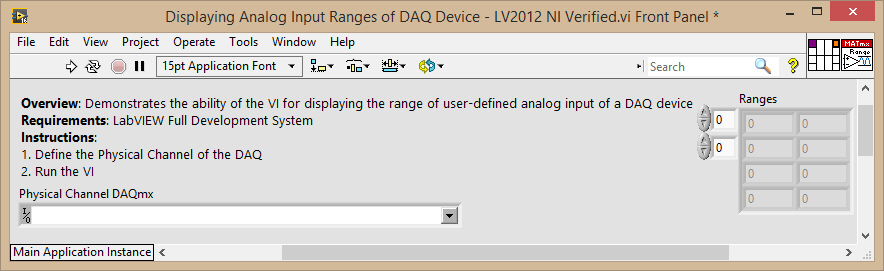
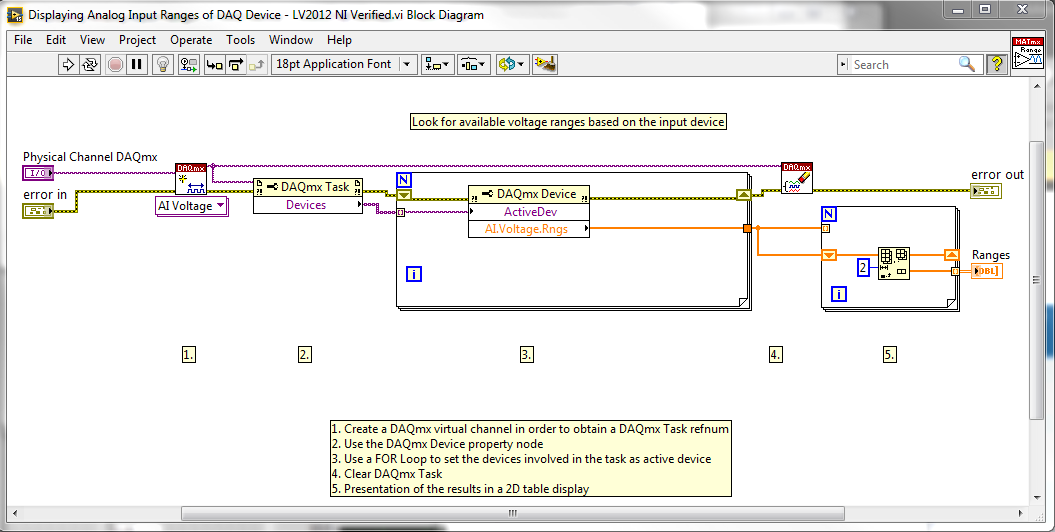
The example is to demonstrate how to display the range of the selected Analog Input of the DAQ Hardware
Description:
This VI would help the user to know the range of the Analog Input selected by the user
Steps to Implement or Execute Code:
To implement this example:
- Define the Input Physical Channel
- Run the VI
- (Optional) Turn on the Highlight Execution to see the flow of the VI
To execute this example:
- Install the required software.
- Connect the DAQ hardware that supports the AI features
- Confirm the connection with the MAX with TestPanel
- Open the VI and refer the Implement Steps
Requirements
Software
LabVIEW 2012 or compatible
NI-DAQmx 16.0 or compatible
Hardware
cDAQ with C series Analog Input Module
**This document has been updated to meet the current required format for the NI Code Exchange.**


