Overview
Dotnet implementation of command line interface to NVIDIA's system management (nvsmi.exe).
Nice to have if using NVIDIA graphics and CUDA powered applications.
Supported video adapters:
- NVIDIA Tesla
- NVIDIA Quadro
- NVIDIA GRID
- NVIDIA GeForce (from Fermi and up)
Check for details with NVIDIA documentation
Description
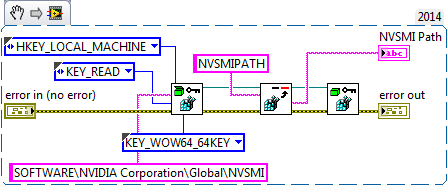
"DOTNET - NVIDIA - Get NVSMI Location.vi" - registry check for NVIDIA path, check for 32/64 bit flag. nvidia-smi.exe - 64-bit app.
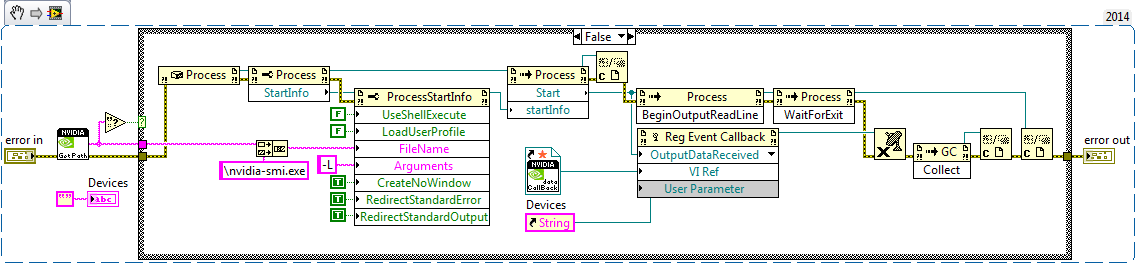
"DOTNET - NVIDIA - List Devices.vi" - lists available adapters
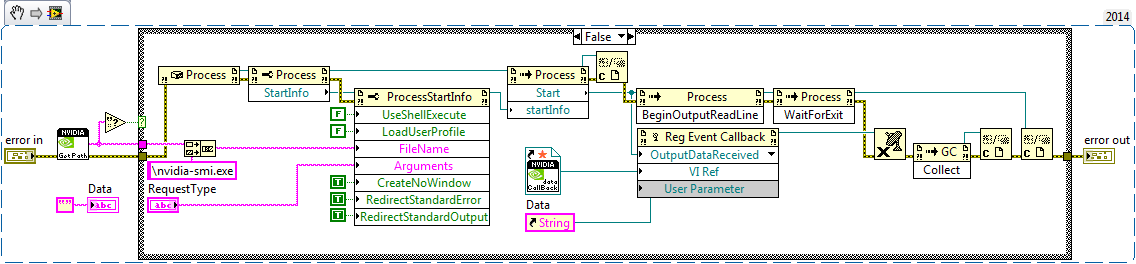
"DOTNET - NVIDIA - Status.vi" - query to system managment
- -q - display all
- -q -d MEMORY, ECC, UTILIZATION...
Steps to Implement or Execute Code
- Have compatible NVIDIA graphics adapter
Requirements to Run
Software
- LabVIEW 14.0 or later
- NVIDIA Software installed
Hardware
1. Compatible NVIDIA adapter
-Artur
Update 10/07/2016:
For 64-bit LabVIEW only!
NVIDIA - NVML - DLL (64-bit).zip - > Access to NVIDIA over DLL calls.


