Introduction
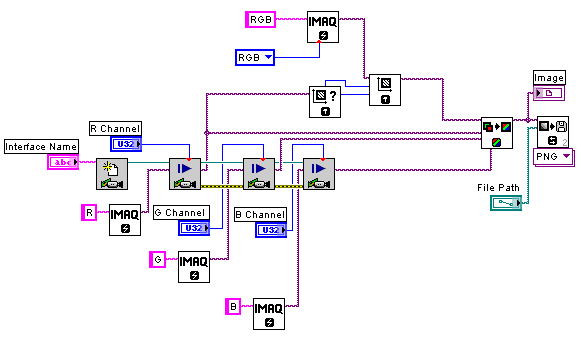
This example is useful when the user has access to R, G and B color channels of a camera and is using a monochrome analog image acquisition board such as the PCI-1409 to acquire from these three channels. This is a programmatic method of merging the three color planes to form a color image and then saving the image to a PNG file.
Steps to Complete
1. Specify the R, G and B channel numbers on the front panel
2. Specify the file path to save to
3. Specify the name of the interface as it appears in Measurement & Automation Explorer, such as 'img0'
4. Run the VI
Additional Notes
Requires LabVIEW 2009 and Vision Development Module 2009.