Overview
This example VI shows a way to back up your files or folders on a destination drive you specified.
Description
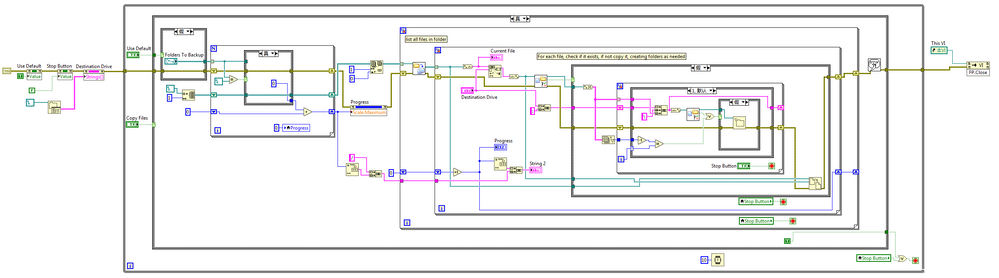
The app takes a list of folders either from the front panel or a simple txt file stored in the same directory and duplicates the files and folders on a destination drive you specifiy. It ingnores any files already present at that location so is ideal for photos or music.
This VI makes use of a few of the neat little file VIs in labVIEW like recursive file listing and check if file exists. It gives you a nice progress bar too.
Requirements
- LabVIEW 2012 (or compatible)
Steps to Implement or Execute Code
- Download and unzip the attached folder to your computer
- Open the project "Media Backup 2012 NIVerified.lvproj"
- Open the VI "Backup.vi"
- Input the path of the files or folders to backup and the destination drive
- Run the program
Additional Information or References
VI Block Diagram of "Backup.vi"
**This document has been updated to meet the current required format for the NI Code Exchange.**


