Overview
This example highlights an element in an array with the color you choose.
Description
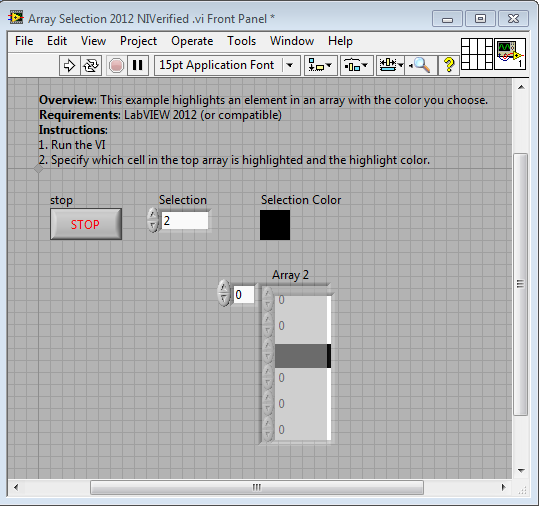
This example highlights an element in an array with the color you choose. It works because the background of the array is transparent and an array of color boxes is located behind the transparent array. Changing the color box array determines which cell of the top array is highlighted.
Requirements
- LabVIEW 2012 (or compatible)
Steps to Implement or Execute Code
- Run the VI
- Specify which cell in the top array is highlighted and the highlight color.
Additional Information or References
Front Panel
Block Diagram

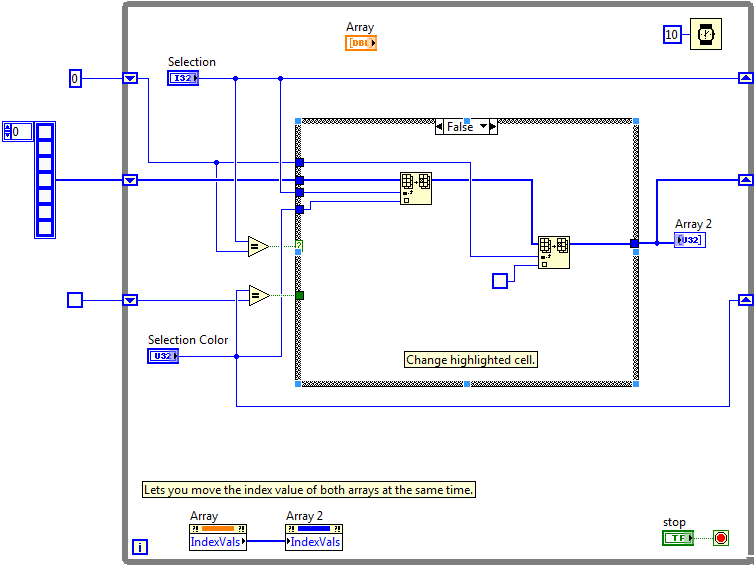
Making this look nice on the front panel just takes some precise resizing and transparency tweaking. Good luck!
**This document has been updated to meet the current required format for the NI Code Exchange.**


