Overview:
Demonstrates on generating multiple finite digital pulse train from a Counter Output.
Description:
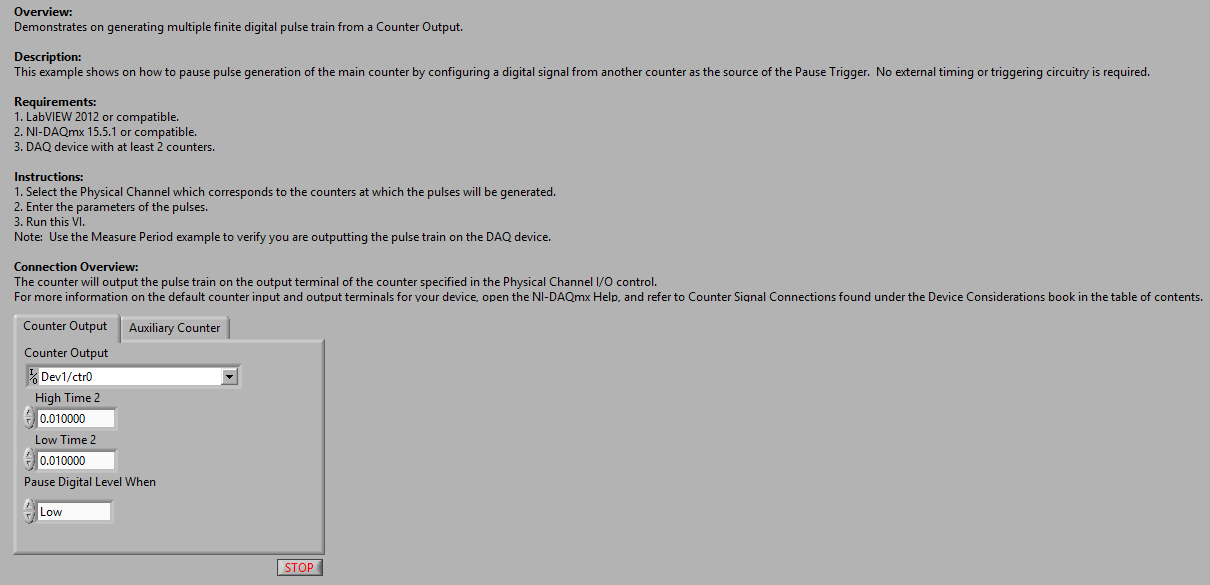
This example shows on how to pause pulse generation of the main counter by configuring a digital signal from another counter as the source of the Pause Trigger. No external timing or triggering circuitry is required.
Requirements:
- LabVIEW 2012 or compatible.
- NI-DAQmx 15.5.1 or compatible.
Steps to Implement or Execute Code:
- Select the Physical Channel which corresponds to the counters at which the pulses will be generated.
- Enter the parameters of the pulses.
- Run this VI.
Note: Use the Measure Period example to verify you are outputting the pulse train on the DAQ device.
Connection Overview:
The counter will output the pulse train on the output terminal of the counter specified in the Physical Channel I/O control.
For more information on the default counter input and output terminals for your device, open the NI-DAQmx Help, and refer to Counter Signal Connections found under the Device Considerations book in the table of contents.
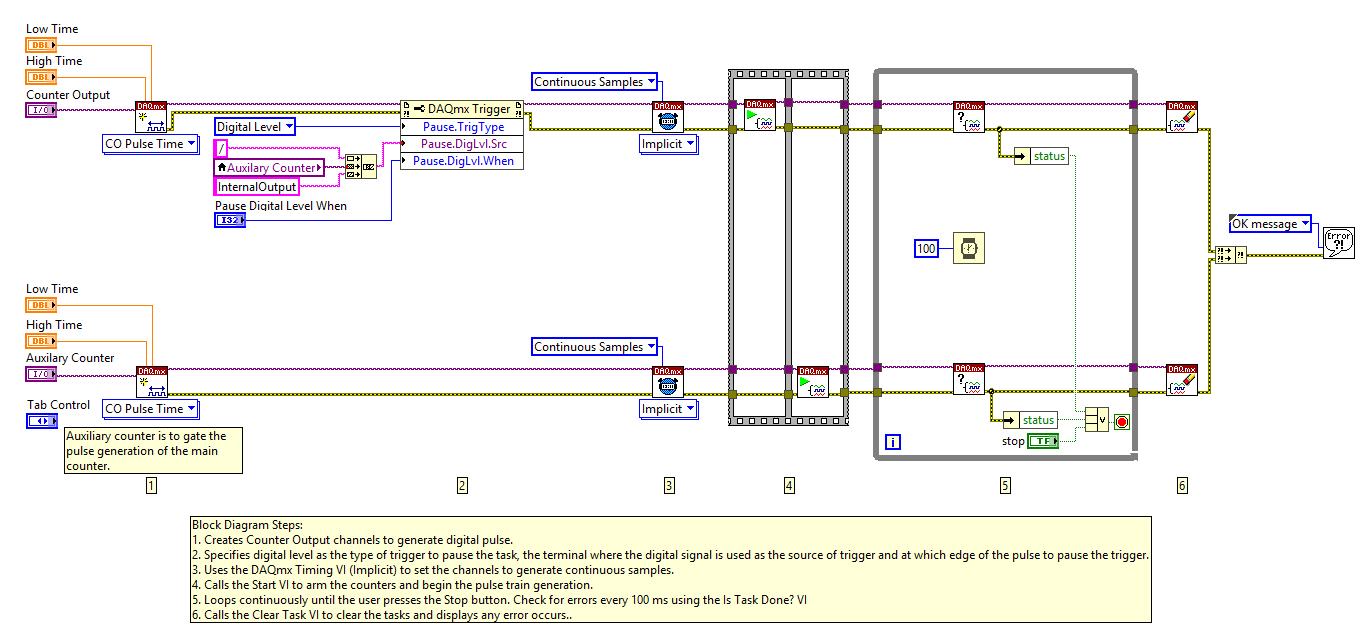
Block Diagram Steps:
- Creates Counter Output channels to generate digital pulse.
- Specifies digital level as the type of trigger to pause the task, the terminal where the digital signal is used as the source of trigger and at which edge of the pulse to pause the trigger.
- Uses the DAQmx Timing VI (Implicit) to set the channels to generate continuous samples.
- Calls the Start VI to arm the counters and begin the pulse train generation.
- Loops continuously until the user presses the Stop button. Check for errors every 100 ms using the Is Task Done? VI
- Calls the Clear Task VI to clear the tasks and displays any error occurs..
**This document has been updated to meet the current required format for the NI Code Exchange.**
John Passiak


