Overview
To demonstrate how to generate bipolar waveform
Description:
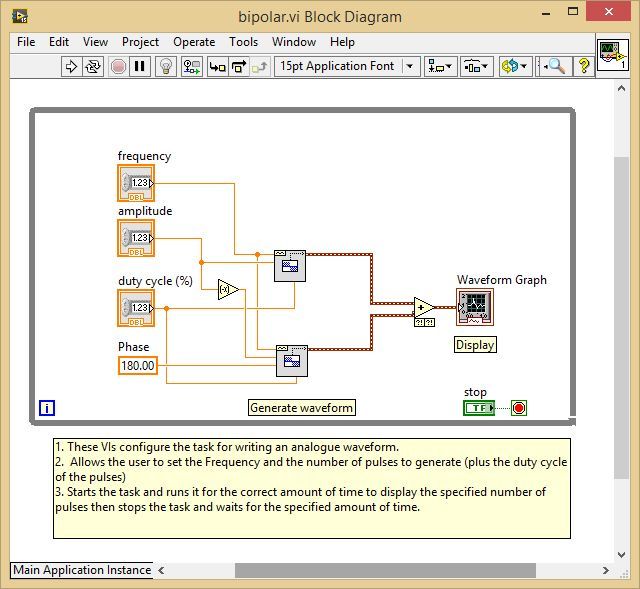
This LabVIEW VI shows the ease at which Waveform manipulations can be carried out using the Waveform and simple numeric functions.
By creating two square waveform, one the negative of the other, putting one 180 degrees out of phase and then simply adding them together means we can make some pretty useful/different waveform.
Steps to implement or execute code
To implement this example:
- Define the Amplitude, frequency and the duty cycle.
- Run the VI
- (Optional) Turn on the Highlight Execution to see the flow of the VI
To execute this example:
- Open the VI and refer the Implement Steps
Requirements
Software
LabVIEW 2012 or compatible
Hardware
-
**This document has been updated to meet the current required format for the NI Code Exchange.**
Liam A.
National Instruments
Applications Engineer


