NI Home
Cart Cart | Help
Hello Events Academic NI Developer Zone Support Solutions Products & Services Contact NI MyNI
You are here: 
NI Home > NI Developer Zone > NI Discussion Forums


LabVIEW Idea Exchange

Announcements
The NI Idea Exchange is a product feedback forum where NI R&D and users work together to submit ideas, collaborate on their development, and vote for the ones they like best. View all of the NI Idea Exchanges to post an idea or add your opinion on an existing one today!
New Idea
Andi_S

Renaming of non-LabView files in project window

Status: New
by Member Andi_S on ‎05-16-2013 07:21 AM

Renaming files with F2 or the context menue entry "rename" is easy - as long as the file is a LabView or NI-File. But if it is just a simple *.txt, *.pdf, ... file it is not possible. Please add this function! - thanks.


CMal

VI Migration Independent of LabVIEW Version

Status: New
by Active Participant CMal on ‎05-14-2013 12:29 PM

With the increasing size of the LabVIEW ecosystem, there is a growing number of third party tools written in LabVIEW that are versioned independently from LabVIEW's version number.  For example, I could create an API that has versions 1.0, 2.0, and 3.0, and all three versions could be compatible with LabVIEW 2009 or later.  Tools like VI Package Manager make it easy for content creators to publish multiple versions of an API, and for users to upgrade and downgrade between those versions.  However, this ease of use disappears if significant changes have been made to the VIs in an API, such as:

  • Changing VI connector panes
  • Renaming or moving VIs on disk
  • Adding VIs to a library

If any of the above changes are made to VIs in an API between versions, it can become impossible to migrate code between the two versions without a lot of manual searching, replacing, and relinking.


LabVIEW should provide a mechanism to define mappings between old and new versions of third party toolkit VIs.  Consider the case where I make the following changes to a VI from my toolkit:


Version 1.0

Version 2.0

VI Path


<userlib>\mytoolkit\CompRes.vi

<vilib>\mytoolkit\Compute Result.vi

Owning Library


none

Mytoolkit.lvlib

Connector Pane

 pane1.png  pane2.png


I should be able to create a mapping file included with version 2.0 of the toolkit that describes the changes made between versions 1.0 and 2.0 of the VI.  This way someone could write an application that calls version 1.0 of the VI, then upgrade their toolkit to version 2.0, and the application source code would be able to find, load, and relink version 2.0 of the VI without any hassle.

I think it is very difficult to make a UI that runs on Windows and interacts with targets. Here are two suggestions to improve this:


1. We currently can't have \c\ format style in a file path control on windows. It would be nice to allow user to specify the OS syntax to use instead of assuming it should always be the local sytax.

2. The icing on the cake would be to have the File Path Control support a property node for an IP Address so when the user clicks on the browse button, it automatically browses the target (this is already an idea mentioned in the link below) and uses the syntax of the target. This becomes especially useful as we start to have targets that may have an alternative way of browsing files besides FTP. It would be a pain to figure out which SW is installed on the target and use the correct method to enumerate files/folders.


http://forums.ni.com/t5/LabVIEW-Idea-Exchange/Path-control-of-VI-under-real-time-target-should-brows...


These two features could be implemented by having an enum property node for the File Path Control called Syntax which include options like: Local, Various OSes (Windows, Linux, Mac, etc), or IP Address. If IP Address is specified, another property Node called IP Address will be used to determine what target's OS to use (if it's not specified or invalid, we default to Local).

Mr._Jim

Sort Glyphs in VI Icon Editor by "Most Used"

Status: New
by Active Participant Mr._Jim on ‎05-15-2013 09:21 AM

Hello all,


In the "Glyphs" tab of the VI icon editor, would it be useful to sort glyphs by the ones the developer uses the most?


(I feel like I'm going to get a whopping ten votes for this one, but I had to say it anyway.)


We all likely have glyphs we use all the time, and ones we never use in the "Glyphs" tab of the VI icon editor.  (Does anyone actually use the Wii Remote icons?  They look cool, but have such limited usability.)  I find it mildly frustrating to wade through all of the glyphs every time I go to create icons.  This is because I haven't memorized the sometimes unintuitive keywords.


Thanks for your consideration.


Mr. Jim


Remark: This example is using the numerical-double-data-type but it is valid for all other data-types, too. I'm using LabView 2011SP1 (german)


Creating a reference from a numerical-control is not new and very easy to do via the context menu. But I'm missing a similar function to create a double-control from a double-reference / double-reference-control.

This would be very helpful especially when there is a VI that requires a reference to a special data type as input and you need to create a control of exactly this datatype.


As already suggested in an other idea here in this board it would also be helpful to have a context menu entry that allows to create a reference control from a numerical control without make the detour with a reference in the block diagram.


references.png

adriaanrijllart

Horizontal and vertical window resize

Status: New
by Member adriaanrijllart ‎05-16-2013 11:17 AM - edited ‎05-16-2013 11:19 AM

I'd like to have an option to allow resize X and Y separately.

Because I only want to allow Y resize, and not X, I need to program an event to detect X resize and restore the original size.
Users don't like it. The resize event is sometimes lost, when keeping the mouse down long, causing no restore to original size.


TheQ

Allow Panel Background Color to be Transparent

Status: New
by Member TheQ on ‎05-03-2013 03:09 PM

I would like to have the ability to make a Front Panel background transparent without making the whole window transparent (where the later is currently possible through property nodes).  This one item would expand the UI possibilities.  It would allow for the creation of Front Panels that seem to be borderless similar to many splash screens, about screens, and gadgets.  Below are some industry examples:


Adobe X.png

Adobe Splash Screen (No border, has shadow, not square)


Microsoft.png

  Microsoft Word 2010 Splash Screen (No border, rounded corners)


Meter.png

 Resource Meter Windows Gadget (No border, specialized graphic)


Windows Media Center.png

Windows Media Center Gadget (Empty-transparent space between two UI elements)

jchretien

Resizable Max & Min

Status: New
by Member jchretien on ‎05-14-2013 04:49 PM

I propose to replace Max & Min for two elements, which we could resize like some array functions for 3, 4, 5,... elements when you know how many you have to compare.


I actually have 5 elements coming from a bundle, I have to do this


bundled.PNG


minmax.PNG

Get contents of all XML Node Types:

As a beginner at XML parsing, it would be great if LabVIEW had a VI (like Get Node Text Content) but for every node type (it would get the contents, whatever they may be). 


All node types stated here:

http://www.w3schools.com/dom/dom_nodetype.asp

are possible and may require a different set of property/invoke nodes (some have children, some don't, some have values, some don't... and so on).


Inputs: Node handle

Outputs: Raw node contents (whatever XML is contained within the tags of the Node handle), Value (where applicable), Name (where applicable)


Write general string to XML node type:

It would also be great if there was a VI (or set of VI's) that could take an input (as a string) convert it to the w3 conformant XML.  It's important to use the w3 definition, rather than LabVIEW XML for external compatibility.


Inputs: Node handle, Node Type

Outputs: XML string of Node Type

jarcTek

Allow RT FIFOs to be of type LV Class

Status: New
by Member jarcTek on ‎05-15-2013 07:04 PM

It would be very useful that RT FIFOs could be of type lvclass as long as the class' private members are of static types (perform the same check that is done for clusters when you try to use them as the type for RT FIFOs).

When deleting linked tunnels, any wires that are only passthroughs between the terminals (i.e. are not wired to anything not linked to it) should be automatically deleted.  This should work regardless of whether the input terminal or the output terminal is deleted.


When multiple output tunnels are linked to the same input tunnel and one is deleted, only the broken portion would be deleted (again unless the wire is connected to something other than another linked tunnel).


A use case for this is when you have a bunch of shift register passthroughs in a queued message handler and decide to combine them into a cluster.  An additional benefit of this is that the broken wires that would remain would point out the code that actually used the linked terminals and would thus likely need to be changed (i.e. wired up to bundle/unbundle by name).


Linked Input Tunnel Idea.png

Nathan_S

Improve the LabVIEW Help Search Functionality

Status: New
by Member Nathan_S on ‎05-02-2013 07:32 AM - last edited on ‎05-03-2013 02:36 PM by Trusted Enthusiast

For as long as I've been using LabVIEW, I've often turned to the LabVIEW Help file (which is a compiled HTML file) and found very little help.  I'll search for something simple like "For Loop" and receive 500 (literally, try it for yourself) possible topics, including the Cohen-Coon Autotuning Method, Control in NI-DAQmx, Limit Specification VI, and so on.  These have nothing to do with For Loops.


I'm proposing that the LabVIEW Help be turned into something that is ACTUALLY helpful.  I'm not sure about the best way to do this.  I think that it should still be portable and shouldn't require any Internet access to use (as lots of us cannot access the Internet on our development machines).  I would really enjoy a tool that would allow me to search for something like "For Loop" and receive like 5 topics that all have to do with using a For Loop in LabVIEW.

Tom_O

Right-click -> Copy Data should copy TEXT data

Status: New
by Member Tom_O on ‎04-11-2013 07:08 AM

When debugging (and at many other times), I want to copy data from a probe or control into a text file, Excel, whatever.


For reasons that I am totally unable to fathom, it copies the control as a bitmap. Print screen provides this functionality already. I think copy data should copy text instead!


copy_data.png


I wasn't able to find this on the exchange, sorry if I missed it!

CMal

Right-Click a Wire to Open Type Definition

Status: Duplicate
by Active Participant CMal on ‎05-03-2013 04:38 PM

You can open a type definition by right-clicking a diagram terminal, constan, or front panel control, but it is not possible to get to a type def file just from a wire.  There are a lot of times where I'm working on a diagram that uses a type definition that is only exposed as a wire.  Right now, the process of getting to the type def is to create a temporary constant from the wire, then right click the constant.  It would be nice to make it easier to get to the type def.  And of course, I would like to have the same functionality for LabVIEW classes.

select.png

Status: Duplicate
danbrown

tooltips for block diagram code

Status: New
by Member danbrown on ‎04-25-2013 06:12 AM

I'm a great advocate of commenting code, but with the graphical nature of Labview, you need space on your block diagram to add in a post-it giving your comments. That's great if your block diagram is nice and spread out, but (perhaps due to poor planning/programming) i'm often finding myself getting limited on space. Adding comment labels all over the place takes up even more space and results in the whole block diagram exploding to an often impractical size.

Wouldn't it be nice to be able to do an Excel-type tool-tip, where comments will be hidden until hovered over with the mouse?


idea 1.png


Instead:

idea 2.PNG

    hover with mouse -> 

idea 3.PNG

Andrey_Dmitriev

Floating "Align & Distribute" Window

Status: New
by Active Participant Andrey_Dmitriev on ‎04-26-2013 07:13 AM

Very often we need to combine both Align and Distribute operations. For example, objects should be aligned by bottom edge and distributed by centers. Right now we can use Ctrl + Shift + A; Ctrl + D hotkeys, but for intensive UI design the floating point window like this will be useful, where all operations combined together:


ad1.png


Different combinations are possible:


ad2.png


This window can be called probably from View->Align & Distribution Window.


Andrey.

I use disable structures and conditional disable structures more and more as my coding starts to spread over multiple targets (Host, RT and FPGA).


I like to include some debugging indicators for my code so that I can (with the proper conditional disable symbols set) debug my code more easily but still remove the bloat for actual release code.


What I have noticed is that controls and indocators which are disabled int his way are NOT accurately represented on the FP.  As such I am surrently unable to determine by looking at the FP of a VI that perhaps half or all of the visible indicators are or are not actually being used in the code.


Even when the code is running, the controls and indicatory which are actually disabled are still visible (and supposedly still available over VI Server for example).  I think these controls should be actually removed or at least have a visual indication that they are diabled on the BD (distinct to the appearance caused by writing to the "Disabled" property of the control).


The LabVIEW help states: "When compiling, LabVIEW does not include any code in the inactive subdiagrams of the Conditional Disable structure" but I question how true this statement really is.


disbled controls.PNG

Although these controls are DISABLED (Not present in the source code)........


Non-disabled controls.PNG

Here they are.....


This raises issues on the FPGA level more urgently than on the PC side, but I feel the sentiment behind the idea is the same.


Of course things get more compilcated when the controls are connected to the connector pane, but perhaps simply prohibiting the presence of a connector pane terminal in a conditional disable structure would solve that problem.


Shane

JeffreyH

Custom automatic error handling callback

Status: New
by Member JeffreyH on ‎04-21-2013 05:05 PM

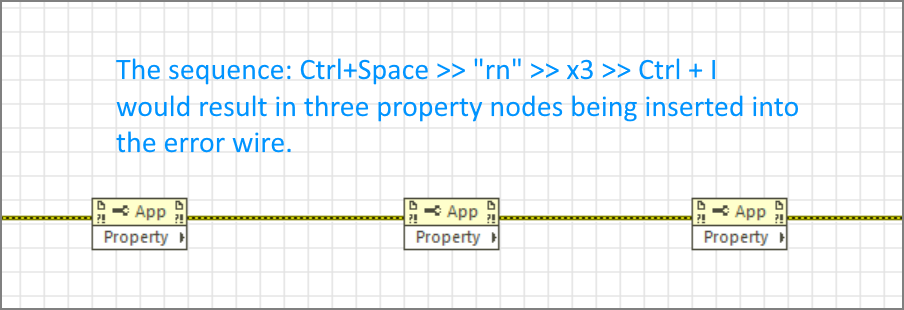
I often have code in my apps where some error-out nodes are not wired, simply because the errors are generally not of interest to me or the error wiring would clutter up my block diagram. Typically this happens a lot in UI handling code where a lot of property nodes are used. For these parts I would rely on the automatic error handling for debugging purposes. One of the drawbacks of this method is that program execution is suspended when the automatic error handler kicks in. Even worse if this happens for code that is in a loop. You're only option then would be to abort the app, which e.g. is no good for your reference-based objects, etc.


I would love to have the ability to just specify my own 'Automatic Error Handler', enabling me to decide what to do with the unhandled errors. Just logging them is what first comes to mind, but maybe also do some special stuff depending on the type of error, just like a 'normal' error handler. I want to be in control!


Added values of this is that your application then has a catch-all error handler which enables you to at least log every error that occurs, even if not wired through. (Everyone forgets to wire some error-out that they actually did want to wire one time or another don't they? ;-))


Ofcourse the proposed setting in the image would ideally also be available programmatically by application property nodes.


21-4-2013 22-55-19.png

Daklu

More decorations for commenting code

Status: New
by Active Participant Daklu on ‎04-21-2013 09:24 AM

"A picture is worth a thousand words..."


That's especially true when describing complex interactions of the kind often seen in code.  Currently the block diagram decorations consists of 4 elements: a line, a straight arrow, a frame, and a label.  I can and often do create state diagrams out of those elements, but they look very hacked together (i.e. unprofessional) and are cumbersome to create.  The alternative is to use an external graphics program and paste the image into the block diagram.  I do that sometimes too, but it makes it harder to keep the diagram up to date.


I'd like to see elements added to the decorations palette to help us create graphical comments.  Since state machines are very commonly implemented in Labview, that seems like a good place to start.  How about adding a state decoration and a transition decoration?  The state decoration should allow more formatting flexibility than the label does.  (Like having the first line centered and the rest left justified.)  The transition decoration should be an arrow that allows routing--either smooth curves or point turns.  It should also have a label attached to it for identifying the transition trigger.


Here's an example of a state diagram for some proof of concept code I wrote that I pasted to the block diagram.  I'd like to be able to easily do these kinds of drawings without needing a 3rd party app.


Capture.PNG

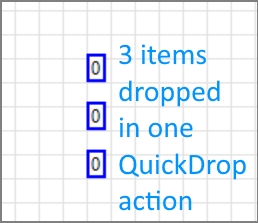
I would like to introduce a little shorthand for creating numeric constants with non-decimal radix.  New constants should be able to autoadapt for radix, much like they do for type:  Drop a constant, enter '0x20' or 'x20' to get a constant with Hex radix (visible!), and the proper value.


In addition, it would be nice if automatic conversions would take place if radix specifiers are entered into (non-hex) constants (or controls).  For example, entering '0x20' into a numeric control with decimal radix should result in a value of 32 being entered (auto conversion).  Hex is an exception, obviously, because b and d are already valid.  The other radices have no such problem.


ConstantRadix.png

Latest LabVIEW Idea Exchange Blog Posts
About LabVIEW Idea Exchange

Have a LabVIEW Idea?

  1. Browse by label or search in the LabVIEW Idea Exchange to see if your idea has previously been submitted. If your idea exists be sure to vote for the idea by giving it kudos to indicate your approval!
  2. If your idea has not been submitted click Post New Idea to submit a product idea to the LabVIEW Idea Exchange. Be sure to submit a separate post for each idea.
  3. Watch as the community gives your idea kudos and adds their input.
  4. As NI R&D considers the idea, they will change the idea status.
  5. Give kudos to other ideas that you would like to see in a future version of LabVIEW!
Top Kudoed Authors
User Kudos Count
131
82
66
65
61
Idea Statuses
By using this web site, you accept the Terms of Use for this web site. Please read these Terms of Use carefully before using any part of this site. Please go here for information on ni.com's copyright infringement policy.
My Profile | Privacy | Legal | Contact NI © 2011 National Instruments Corporation. All rights reserved.    |    E-Mail this Page E-Mail this Page